
Da Form 647 PDF Details

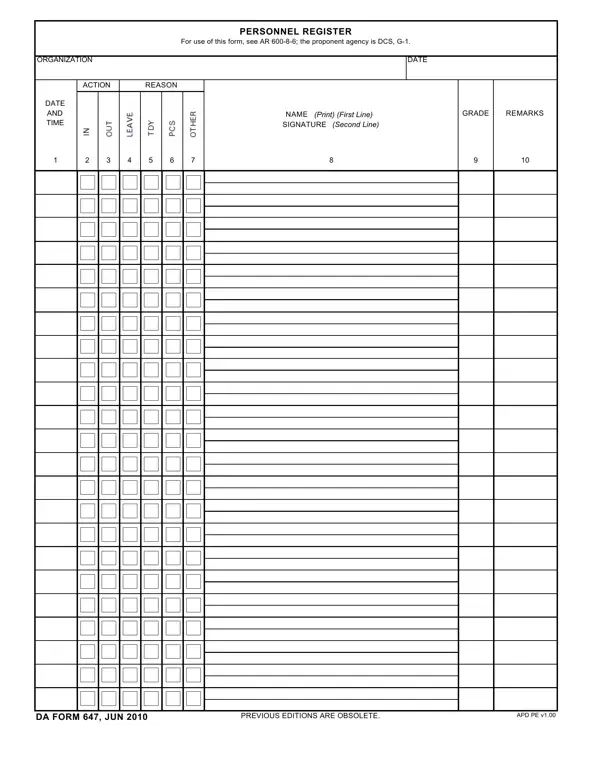
DA Form 647 is the official Army Personnel Register. This form is governed by AR 600-8-6, with the Deputy Chief of Staff, G-1 as the proponent agency. It records all personnel actions for a unit, including assignments, reassignments, and discharges. Each entry must include the action date, reason, soldier's name, grade, Social Security Number, and a supervisor's signature. The June 2010 edition, DA Form 647 APD PE v1.00, replaced all earlier versions. This edition uses a two-page layout that lets unit administrators track soldier movements in a clear, organized format. Keep a signed copy in the soldier's personnel file after each action is recorded.

QuestionAnswer
Form NameDa Form 647
Form Length2 pages
Fillable?No
Fillable fields0
Avg. time to fill out30 sec
Other namesregister personnel, form 647, personnel registration form, form 647 form

How to Edit Da Form 647 Online for Free

DA Form 647 is the official U.S. Army Personnel Register. It tracks assignments, duty rosters, and personnel movements under AR 600-8-6. To complete it, download the PDF using the button above, fill in each row with the soldier's name, grade, and action details, then get the required signature.

Step-by-step instructions for completing DA Form 647

  1. Open the form. Click the button on this page to load the Personnel Register in FormsPal.
  2. Fill in the header. Enter the unit designation, station, and the date of the first personnel action at the top of the form.
  3. Add each soldier's information. Write the full name, military grade, and service number in the correct row.
  4. Record the action type and reason. Enter the correct action code, such as assignment or reassignment, and write the official reason in the next column.
  5. Complete the Remarks column. Add any notes that clarify the action or its circumstances.
  6. Obtain the required signature. The officer or NCO responsible for personnel must sign each entry. An unsigned entry is not valid under AR 600-8-6.
  7. Save or print the form. Download a PDF copy for your records or print it for wet-ink signatures.

What are the key fields on DA Form 647?

Each row on the form calls for specific information. Here is a field-by-field guide:

  • Date: The date the action took effect, not the date you fill out the form.
  • Action and reason: Use the correct Army action code. Common codes include assignment (ASG), reassignment (REA), and discharge (DIS).
  • Name: Last name, first name, and middle initial of the affected soldier.
  • Grade: The soldier's current military rank at the time of the action.
  • SSN or Service Number: Required for identification and file matching.
  • Signature: The unit personnel officer or first sergeant must sign each row.
  • Remarks: Include deployment dates, exception-to-policy notes, or any other relevant details.

When is the Personnel Register required?

Army units complete this form whenever an official personnel action occurs. Common situations include:

  • Permanent change of station (PCS) orders
  • Temporary duty (TDY) assignments
  • Unit activation or deactivation
  • Return from overseas deployment
  • Separation or discharge from the Army

File the signed form in the unit's personnel records folder. AR 600-8-6 requires a retained copy for at least two years after the action date.

Related Army personnel forms

These forms are commonly used alongside the Personnel Register: