
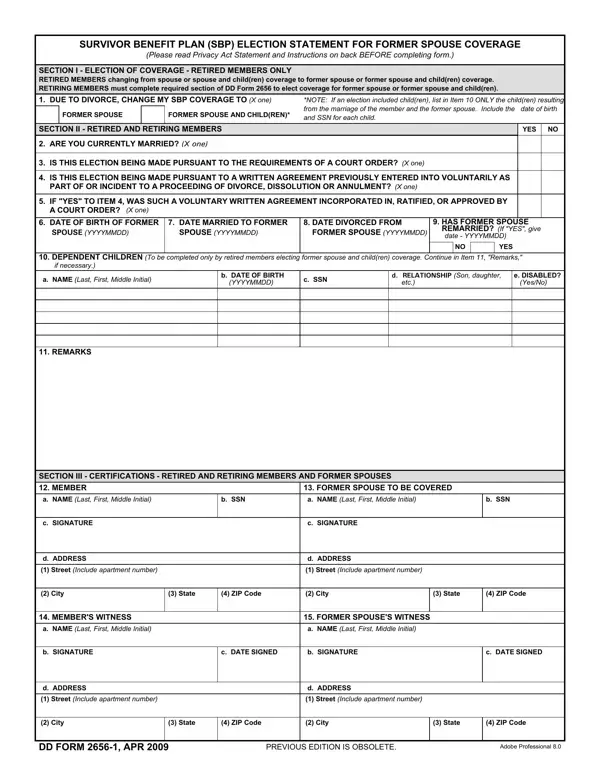
The DD Form 2656-1 is the Survivor Benefit Plan (SBP) Election Statement for Former Spouse Coverage. Retired or retiring service members use this form to elect SBP coverage for a former spouse, with or without dependent children. It is typically required when a court order or written agreement from divorce proceedings directs that a former spouse receive survivor benefits.
This form applies to you if you are a retired service member who:
To fill out the DD 2656 1 form accurately, gather the following before you begin:
Submit the completed form and all required documents to the Defense Finance and Accounting Service (DFAS) within one year of the date on the qualifying court order or written agreement. Missing this deadline can invalidate your election and may require legal action to reinstate coverage.
| Question | Answer |
|---|---|
| Form Name | Dd 2656 1 Form |
| Form Length | 2 pages |
| Fillable? | No |
| Fillable fields | 0 |
| Avg. time to fill out | 30 sec |
| Other names | 2656 1, dd2656 1, dd form 2656 1 pdf, dd 2656 1 pdf |
Dd 2656 1 Form isn’t the one you’re looking for?