
DD Form 285 PDF Details

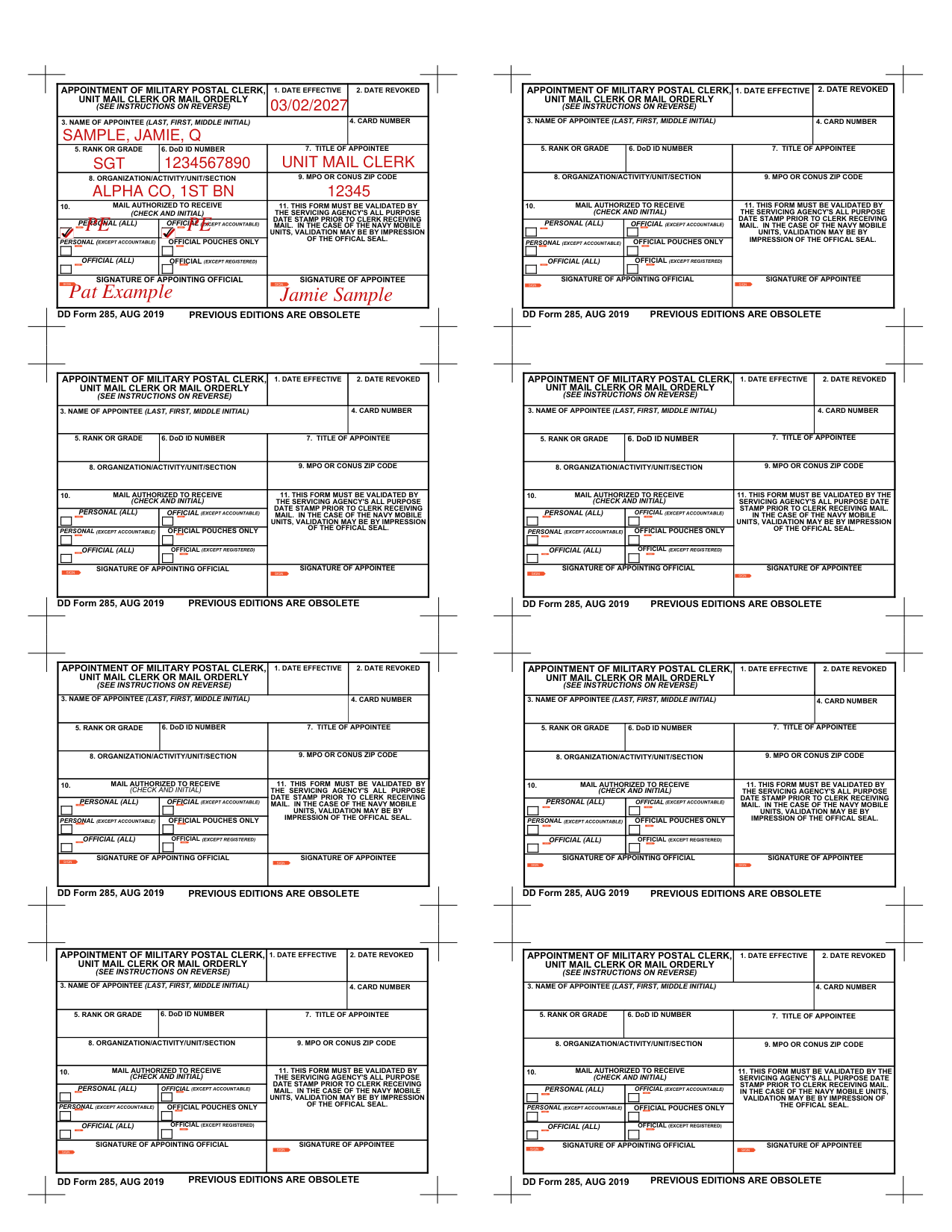
This document, officially titled "Appointment of Military Postal Clerk, Unit Mail Clerk, or Mail Orderly," is a Department of Defense form used to formally authorize individuals to manage mail within military units.

Who Completes This Form?

The appointing official, typically a unit commander or designated officer, fills out and signs the form. The appointee, who may be a postal clerk, unit mail clerk, or mail orderly, also signs to acknowledge their responsibilities under DoD postal regulations.

Required Fields

The form captures the appointee's full name (last, first), rank or grade, DoD ID number, job title, and organizational unit. It also records the types of mail the appointee is authorized to handle, including personal and official mail, with any exceptions clearly noted.

Validation and Effect

The appointment becomes effective only after the form is validated. Validation requires either an all-purpose date stamp from the servicing postal agency or, for Navy mobile units, the impression of the official unit seal. Without this step, the appointment is not recognized.

Revoking an Appointment

To revoke an appointment, the appointing official must notify the mail receiving agency and destroy the returned form. Revocation must be recorded on both the Post Office copy and the Unit File copy to maintain accurate accountability for mail within the military environment.

QuestionAnswer
Form Name Appointment of Military Postal Clerk, Unit Mail Clerk, or Mail Orderly
Issuing Authority U.S. Department of Defense
Form Purpose Authorizes postal clerks and unit mail handlers in military units
Form Length 2 pages
Fillable? No
Avg. time to fill out 30 sec
Other names dd 285, dd 285 form, dd 285 postal, dd 285 mail, military mail clerk appointment form

How to Edit DD Form 285 Online for Free

Who Needs This Military Appointment Form?

This appointment form is required for any U.S. military service member who will be responsible for managing mail within their unit. Three types of personnel typically use it:

Military postal clerks assigned to a post office or military mail facility must be formally appointed before they can begin handling mail.

Unit mail clerks who receive and distribute mail at the unit level are also required to complete the appointment process through this form.

Mail orderlies designated to collect or deliver mail on behalf of their unit need a completed and validated appointment before assuming those duties.

Both the appointing official and the appointee must sign the completed form. The appointment does not take effect until the form is validated by the servicing postal agency.

Working with PDF documents online can be quite easy using our PDF tool. You can fill in the form here and try out various other options available. The editor is constantly improved by our team, receiving handy features and becoming a lot more convenient. With a few basic steps, you can start your PDF editing:

Step 1: First, access the pdf editor by clicking the "Get Form Button" in the top section of this site.

Step 2: With this advanced PDF editing tool, it is possible to do more than simply complete blank form fields. Edit away and make your documents appear faultless with customized text incorporated, or modify the original content to excellence. The tool also allows you to insert pictures and sign the file.

It's simple to complete the pdf with our helpful tutorial! Here is what you must do:

1. Begin filling out the form with all major fields. Collect all of the required information and be sure nothing is forgotten!

Stage number 1 for submitting dd 285 military form

2. After completing the first section, go to the next step and fill in the necessary particulars in all these fields - SIGNATURE OF APPOINTING OFFICIAL, SIGNATURE OF APPOINTEE, DD Form AUG, PREVIOUS EDITIONS ARE OBSOLETE, APPOINTMENT OF MILITARY POSTAL, UNIT MAIL CLERK OR MAIL ORDERLY, SEE INSTRUCTIONS ON REVERSE, DATE EFFECTIVE, DATE REVOKED, APPOINTMENT OF MILITARY POSTAL, and UNIT MAIL CLERK OR MAIL ORDERLY.

UNIT MAIL CLERK OR MAIL ORDERLY and APPOINTMENT OF MILITARY POSTAL fields

People who work with this PDF frequently make errors when filling in UNIT MAIL CLERK OR MAIL ORDERLY in this section. Read each entry twice before proceeding.

3. The following step involves: UNIT MAIL CLERK OR MAIL ORDERLY, SEE INSTRUCTIONS ON REVERSE, NAME OF APPOINTEE LAST FIRST, CARD NUMBER, RANK OR GRADE, DoD ID NUMBER, TITLE OF APPOINTEE, and ORGANIZATIONACTIVITYUNITSECTION. All fields must be completed here.

Filling in part 3 of dd 285 military form

Step 3: Proofread all entries and then click the "Done" button. Grab your completed form after signing up for a free trial. Your file will be accessible in your FormsPal account with all edits saved. FormsPal protects the confidentiality of all users and keeps personal information secure.

Common Mistakes to Avoid

Many service members make avoidable errors when completing this appointment form. Here are the most common issues to watch for:

Leaving fields incomplete. All fields for the appointee's name, rank, DoD ID number, and title must be fully filled in. Any blank field may invalidate the appointment.

Not specifying authorized mail types. The form requires a clear indication of which types of mail the appointee is authorized to handle. Ambiguous or missing entries can cause delays during mail processing.

Skipping the validation stamp. The appointment is not effective until the servicing postal agency applies a validation stamp. Always confirm the stamp or official seal is applied before the appointee begins their duties.

Using an outdated form edition. Always use the current edition of the form. Previous editions are obsolete and may not be accepted by the servicing postal agency.

Frequently Asked Questions

What does this form authorize?

The form officially appoints an individual to receive, handle, and distribute personal and official mail within a military unit. It defines the scope of mail the appointee is authorized to manage and sets out their responsibilities under DoD postal regulations and applicable directives.

Who signs this military appointment form?

Both the appointing official and the appointee must sign the form. The appointing official is typically a unit commander or authorized representative. The appointee signs to confirm they have read and understood their postal responsibilities.

When does the appointment become effective?

The appointment becomes effective after the form is signed by both parties and validated by the servicing postal agency. For Navy mobile units, validation requires the impression of the official unit seal instead of a date stamp.

How is an appointment revoked?

To revoke an appointment, the appointing official must notify the mail receiving agency. The returned form must be destroyed, and the revocation must be noted on both the Post Office copy and the Unit File copy to maintain a clear chain of custody.

Is this form still required today?

Yes. This is an active Department of Defense form required for all formal appointments of postal clerks and unit mail handlers across military branches. It ensures a structured and accountable mail handling process within military operations.

Related Military Forms

Service members working with military administrative documents may also need these related forms:

  • DD Form 368 - Conditional Release (used for inter-service transfers and component transfers)
  • DD Form 1384 - Military Air Cargo Tag (used in military shipping and logistics)
  • DD Form 1351-2 - Travel Voucher or Sub-voucher (for claiming military travel reimbursement)
  • DD Form 93 - Record of Emergency Data (designates beneficiaries and emergency contacts)
  • CN-17 Postal Form - International customs declaration for mailed goods
  • Military Power of Attorney - Authorizes a designated person to act on behalf of a service member