
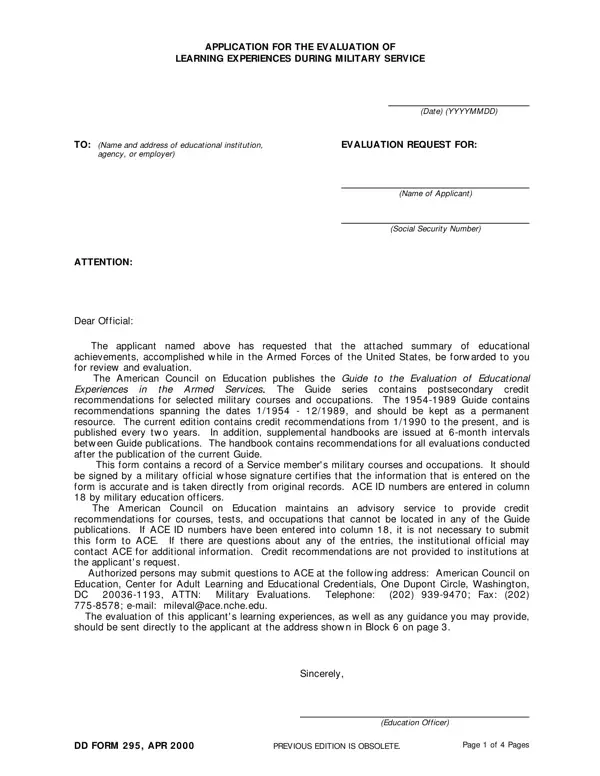
Dd Form 295 PDF Details

The DD Form 295 is an official Department of Defense form. Veterans and active-duty service members use it to request evaluation of their military learning experiences for academic credit or vocational qualification. Colleges, universities, agencies, and employers accept this form when reviewing military education for civilian credit.

The American Council on Education (ACE) plays a central role in military education evaluation. ACE publishes detailed credit recommendations for military occupations, courses, and correspondence programs. Many colleges and universities follow ACE recommendations when reviewing a completed form and deciding whether to award academic credit.

The application requires detailed information from the service member. Applicants must list all relevant military courses, occupation identification numbers, and correspondence programs completed during service. Each entry must include the course name, ACE guide or publication number, course sponsor, and the date of completion. A certifying officer must verify the service record. An education officer must also review and sign the application before it is submitted to any institution or employer.

Submitting this form does not guarantee academic credit. Each school, college, or employer reviews the information independently and makes its own credit decision. Accurate and complete entries give evaluators the best information to work with. Service members often find that military training covers topics taught in civilian college programs. A properly completed application gives educational institutions the documentation they need to decide whether military service qualifies for current academic study or vocational certification.

QuestionAnswer
Form NameDd Form 295
Form Length3 pages
Fillable?No
Fillable fields0
Avg. time to fill out45 sec
Other namesCGI, form 295, Washington, dd form 295

How to Edit Dd Form 295 Online for Free

Use our online PDF editor to complete your DD Form 295 at no cost. The editor opens directly in your browser and requires no software download. Follow the steps below to fill out each section of the form accurately.

Step 1: Open the Form Editor

Click the "Get Form" button at the top of this page. The form opens in our PDF editor, ready to complete. All fields are visible and accessible from your browser.

Completing personal information fields in Section I of DD Form 295, including name, grade, rank, and branch of service

Step 2: Enter Your Personal Information

Fill in your full name, grade or rank, and your present branch of service. Select Army, Navy, Air Force, Marine Corps, or Coast Guard in the designated field. Enter your mailing address, permanent home address, and date of birth in YYYYMMDD format. Include previous service numbers if applicable.

Entering Education Officer review fields and previous edition reference in DD Form 295

Step 3: Identify the Receiving Institution

In Section I, enter the name and mailing address of the school, college, or employer to whom you are submitting the form. This organization will review your military education and decide whether to award credit. Enter your highest grade of school completed in the field provided.

Entering highest grade of school, present branch of service, and Army, Navy, Air Force, Marine Corps, or Coast Guard selection in DD Form 295

Step 4: List Military Courses and Occupations

In Section II, list each military correspondence course you completed. For each course, provide the name, ACE guide or publication number, course sponsor (such as AIPD, MCI, or ECI), and the date completed in YYYYMMDD format. Also enter your occupation identification number. List each course and occupation on its own line for clarity.

Filling in Section II of DD Form 295 with correspondence course names, ACE guide numbers, course sponsors, dates, and occupation identification numbers

Step 5: Certify and Sign

Read the applicant certification statement in Section III. Sign the form and enter the date of your signature in YYYYMMDD format. An education officer and a certifying officer must each review the form before submission. All required signatures must appear on the form when you send it to the receiving institution.

Signing and dating Section III of DD Form 295 with the applicant certification and cosigning officer signature

After completing all sections, download the finished form from the editor. Submit it to the educational institution or employer you listed in Section I.

Tips for a Successful Submission

  • List every relevant military course. Include correspondence courses completed through DANTES, CLEP, or other official military education programs.
  • Use the YYYYMMDD date format throughout the form. An incorrect date format may delay the review.
  • Contact the receiving institution before submitting. Some schools require additional supporting documents alongside this form.
  • Keep a copy of the completed form for your records. You may need to resubmit it if the original is lost or if you apply to another school.
  • Review the ACE Military Guide for credit recommendations that apply to your specific training. This helps you understand what credit may be available before you apply.

Related Military and Education Forms

You may need other forms during your transition from military to civilian life. The DD Form 149 is the application for correction of military records. For military travel and transportation claims, see DD Form 1351-2. If you are planning retirement, DD Form 2656 covers beneficiary elections and retirement pay data. You can also order an official military transcript to share your training and academic history with schools. For education assistance funding options, review the educational assistance application as well.

Frequently Asked Questions

What is DD Form 295 used for?
This form is used to request evaluation of military learning experiences for academic credit or vocational recognition. Veterans and service members submit it to educational institutions and employers so those organizations can determine whether military training qualifies for credit.

Who must sign DD Form 295 before submission?
The applicant signs Section III. A certifying officer must also verify the service record information. An education officer reviews and advises on the application. All signatures must be present before the form is submitted.

Does submitting the form guarantee academic credit?
No. Each institution or employer reviews the form and makes its own independent credit decision. The form provides the documentation needed for that review, but it does not obligate any institution to award credit.

Is DD Form 295 still the current version?
Yes. The form remains in active use by the Department of Defense. Always use the current edition. The latest version is available for download at the top of this page.