
Mortgage Application (Dominion Lending Centres) at a glance
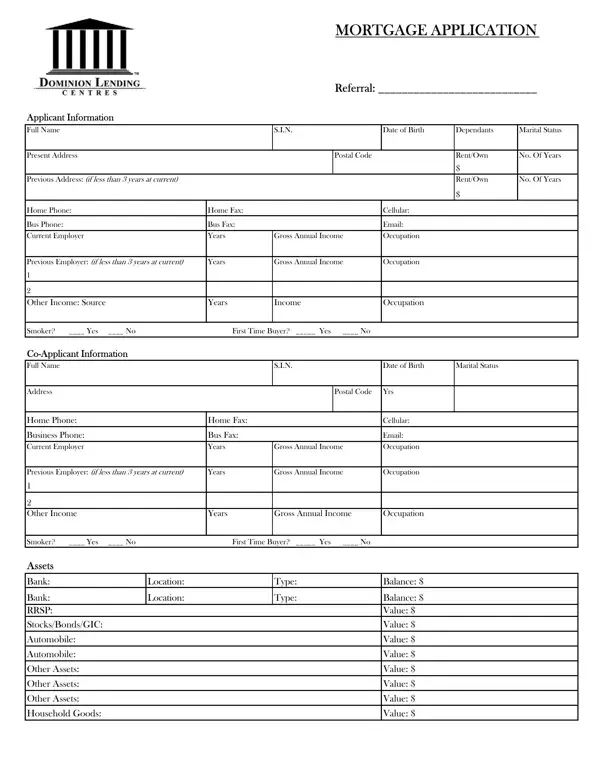
What it is: Mortgage Application: it has Applicant Information, Co-Applicant Information, Assets, Liabilities and Current Mortgages/Properties Owned.
Who signs: Sign on a Signature line and write its Date.
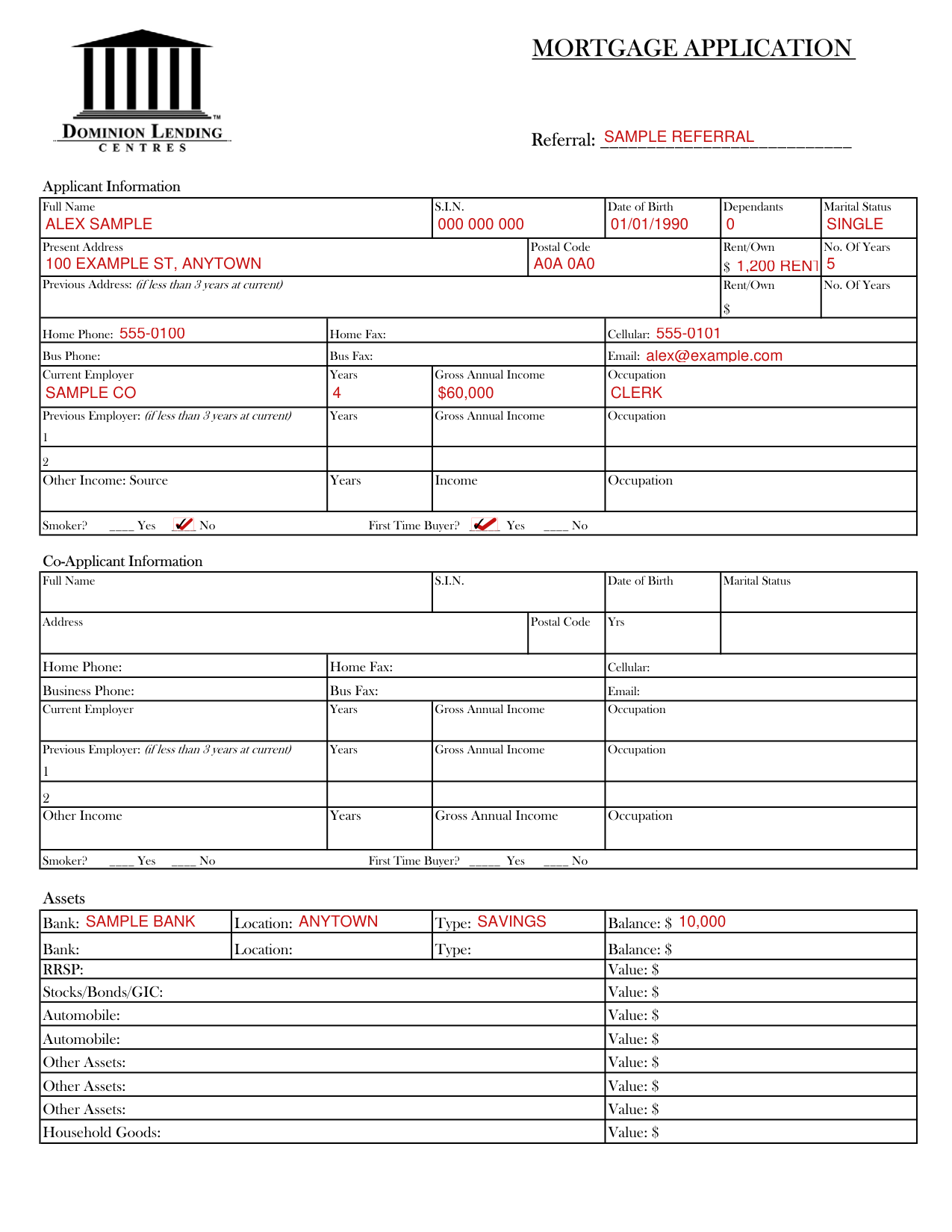
A filled-in Mortgage Application (Dominion Lending Centres) example: a single first-time buyer applies alone
How to fill out Mortgage Application (Dominion Lending Centres), box by box
Applicant Information
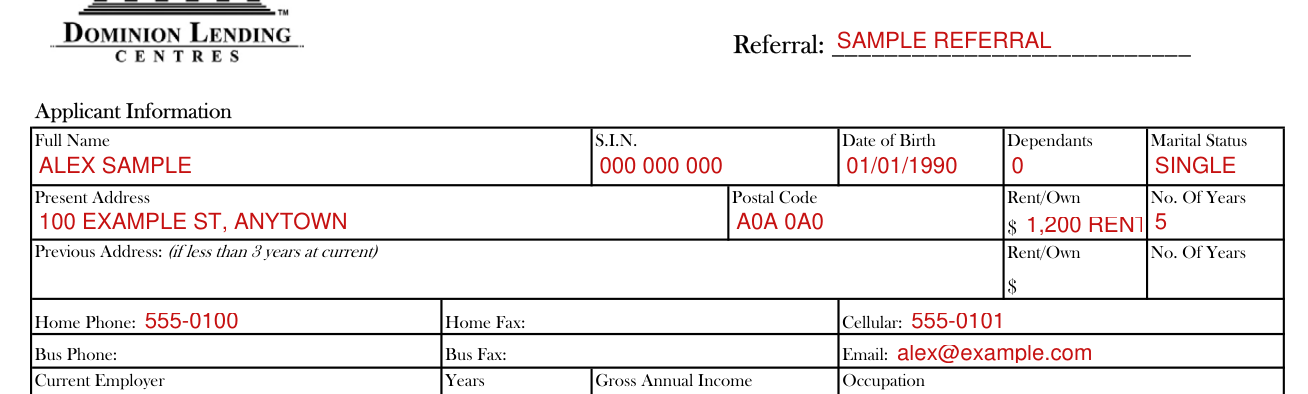
Write the Referral on the line after Referral.
For the Applicant, enter the Full Name, S.I.N., Date of Birth, Dependants and Marital Status.
Enter the Present Address, Postal Code, Rent/Own and No. Of Years. If less than 3 years at current, also enter the Previous Address with its Rent/Own and No. Of Years.
For the Applicant, enter the Home Phone, Home Fax, Cellular, Bus Phone, Bus Fax and Email.
Current Employer, Other Income, Smoker and First Time Buyer

Enter the Current Employer with its Years, Gross Annual Income and Occupation. If less than 3 years at current, also enter the Previous Employer 1 and 2 with their Years, Gross Annual Income and Occupation.
If there is Other Income, enter the Source, Years, Income and Occupation.
Mark Yes or No for Smoker? and Yes or No for First Time Buyer?.
Co-Applicant Information
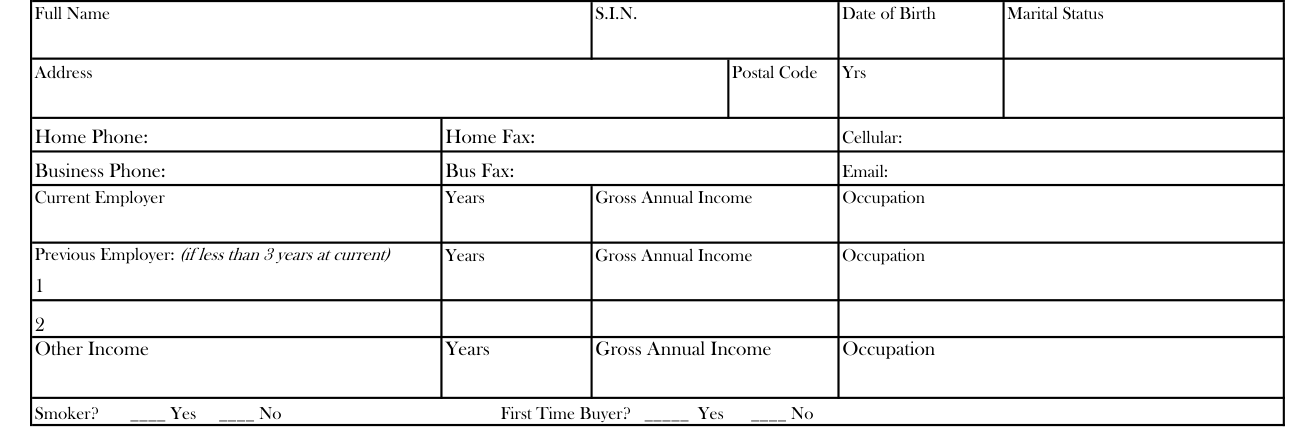
If there is a Co-Applicant, enter the Full Name, S.I.N., Date of Birth and Marital Status, then the Address, Postal Code and Yrs.
If there is a Co-Applicant, enter the Home Phone, Home Fax, Cellular, Business Phone, Bus Fax and Email.
Write the Current Employer, then its Years, Gross Annual Income and Occupation. If less than 3 years at current, also write the Previous Employer 1 and 2 with their Years, Gross Annual Income and Occupation.
If there is Other Income, enter the Years, Gross Annual Income and Occupation.
If there is a Co-Applicant, mark Yes or No for Smoker? and Yes or No for First Time Buyer?.
Assets
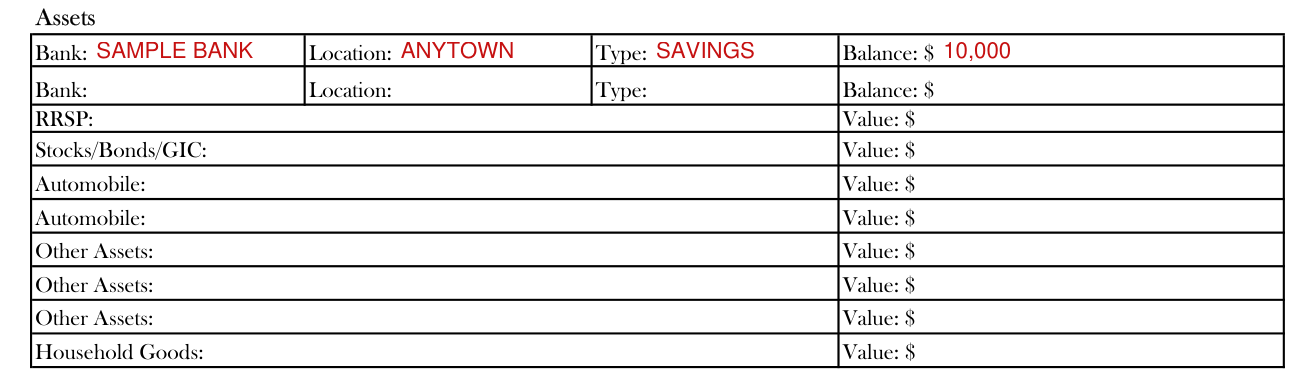
For each Bank, enter the Bank, Location, Type and Balance. Then enter the RRSP Value and the Stocks/Bonds/GIC Value.
Enter the Automobile Value, the Other Assets Value and the Household Goods Value.
Liabilities
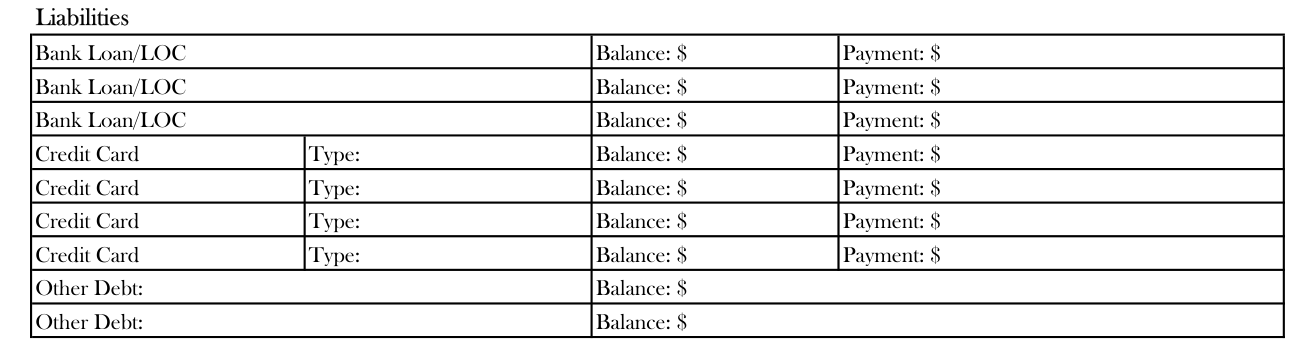
Under Liabilities, for each Bank Loan/LOC, enter the Balance and the Payment.
For each Credit Card, enter the Type, Balance and Payment.
For each Other Debt, enter the Balance.
Current Mortgages/Properties Owned
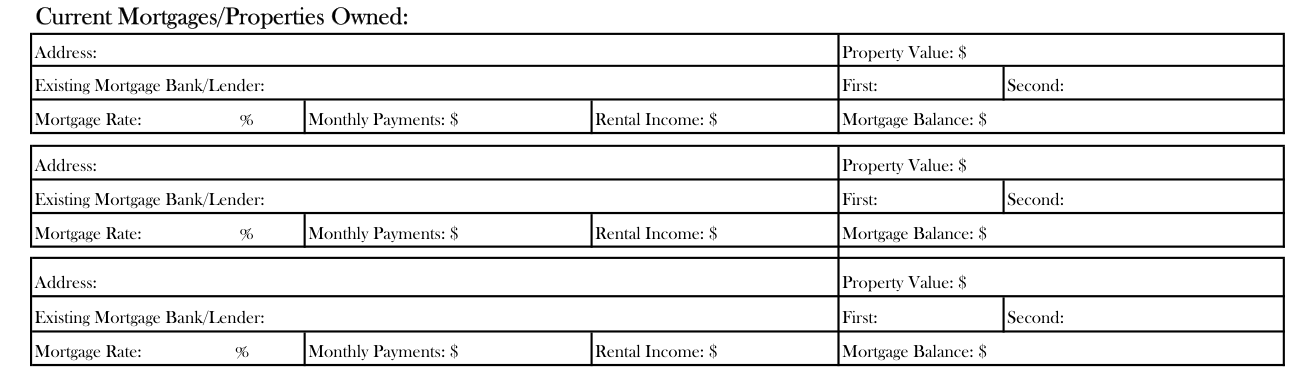
Under Current Mortgages/Properties Owned, enter the Address, Property Value and Existing Mortgage Bank/Lender, then fill in First and Second.
Enter the Mortgage Rate, Monthly Payments, Rental Income and Mortgage Balance.
Signature and Date

Sign on a Signature line and write its Date.
Verbal Consent - By Broker has its own Date.
More rules for Mortgage Application (Dominion Lending Centres)
If I have included information in this application in respect of any other person, including a co-applicant, I hereby confirm that such other person(s) has fully authorized me to release their personal information to you and to my Dominion Lending Centres Mortgage Specialist and that such other person(s) consent to all of the terms set-out herein.
The word "Information" means personal information about me and any other person(s) identified in this application, obtained from this application or other sources.
I am hereby expressly consenting to the submission of my application and the disclosure of Information to third parties, such as lenders and insurers, for the purpose of arranging and/or renewing mortgage(s). I understand that this will allow lenders to submit commitments for my review.
I hereby consent to and agree that my Mortgage Broker or Agent may use the Information in order to identify me, protect me from fraud and error, understand my needs and eligibility for products and/or services, recommend particular products and services to meet my needs, provide ongoing services, and comply with legal and regulatory requirements.
I further consent to and agree that each lender considering my application may obtain Information about me (and all co-applicants) from others, including consumer reporting agencies and other such third parties.
Sources
[1] Mortgage Application, Dominion Lending Centres (no printed edition; the served file; no issuer file found) (the Official source link on this page).