
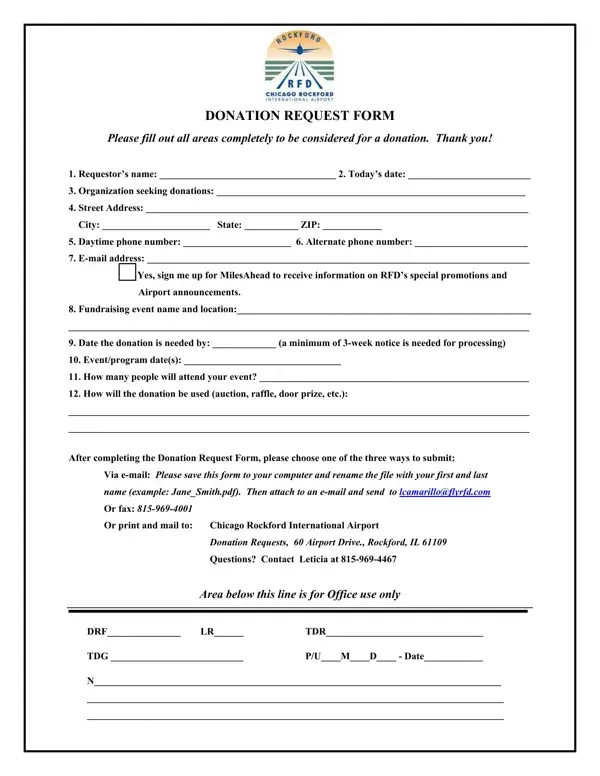
In the heart of community support and charitable giving, the Donation Request Chicago form serves as a crucial bridge for organizations seeking contributions for their fundraising events. Carefully designed to streamline the process of requesting donations, this form ensures that all pertinent information is captured efficiently and accurately, requiring details such as the requester's name, contact information, organization details, and specifics about the fundraising event including its name, location, expected attendance, and how the requested donation will be utilized. With an emphasis on organization and planning, the form stipulates a minimum of a three-week notice for donation requests to be processed, highlighting the need for timely submissions. Submission can be achieved through multiple channels: via email, facsimile, or traditional mail, catering to the convenience of requestors. Furthermore, the form outlines the Greater Rockford Airport Authority's (GRAA) policy on donations, specifying the types of events and organizations eligible for donations, such as school functions, community agencies, and non-profit organizations, while clearly stating that monetary donations are not provided. To ensure a successful partnership, the form also requests acknowledgment of any donation received, fostering a cycle of gratitude and mutual recognition. Through this meticulous process, the GRAA underscores its commitment to supporting local community events and not-for-profit organizations, while also managing expectations regarding the donation's nature and the necessity for promotional recognition in return.
| Question | Answer |
|---|---|
| Form Name | Donation Request Chicago Form |
| Form Length | 2 pages |
| Fillable? | No |
| Fillable fields | 0 |
| Avg. time to fill out | 30 sec |
| Other names | TDR, pdf, the field museum donation request, GRAA |
Donation Request Chicago Form isn’t the one you’re looking for?