Please rate Dte Application

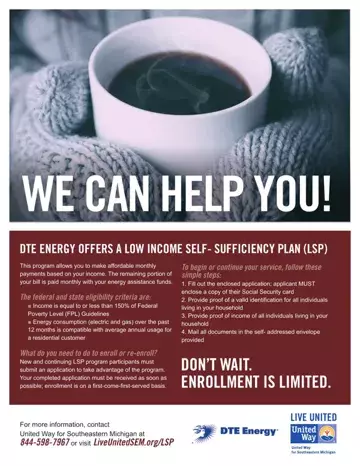
In today’s challenging economic landscape, the DTE Energy Low Income Self-Sufficiency Plan (LSP) emerges as a significant beacon of support for families grappling with utility bills that outpace their income. Tailored for households with income equal to or less than 150% of the Federal Poverty Level Guidelines, this program empowers eligible residents by allowing them to make manageable monthly payments that align with their financial circumstances. The remaining balance of their utility bills is covered through energy assistance funds, thus providing crucial relief. Applicants are required to fill out a detailed application form, which necessitates the inclusion of a copy of the applicant's Social Security card, proof of identification for all household members, and comprehensive proof of income. Additionally, the form stipulates the need for supporting documentation that verifies both earned and unearned income within the household, ensuring a thorough evaluation of eligibility. Mailing the completed form along with the necessary documents within a tight turnaround time is essential for enrollment, which is conducted on a first-come-first-served basis. With contacts provided for more information and assistance, the DTE Application form is a crucial first step for families in Michigan seeking a pathway to maintain their energy services without compromising their financial stability.
| Question | Answer |
|---|---|
| Form Name | Dte Application |
| Form Length | 10 pages |
| Fillable? | No |
| Fillable fields | 0 |
| Avg. time to fill out | 2 min 30 sec |
| Other names | lsp program, lsp plan, income self sufficiency, dte application online |
Dte Application isn’t the one you’re looking for?
Please rate Dte Application
