
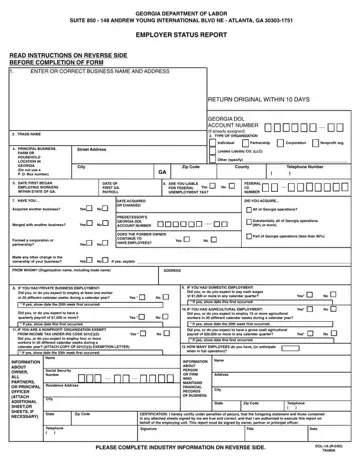
Understanding the nuances of the Employer Status Report form is crucial for businesses operating within Georgia. This form, issued by the Georgia Department of Labor, serves multiple purposes including the establishment of an employer's account with the department, determination of liability for state unemployment insurance taxes, and ensuring compliance with federal and state employment regulations. Employers are mandated to complete this form upon either employing individuals in Georgia for the first time, acquiring another business, or when significant changes in ownership occur. The form encompasses various sections requiring detailed information about the business such as its legal name and address, type of organization (e.g., individual, partnership, corporation, nonprofit organization), principal business location in Georgia, federal employer identification number, and specifics regarding the types and dates of employment. It further delves into specifics regarding private, agricultural, and domestic employment, along with a particular emphasis on nonprofit organizations exempt under the IRS Code 501(c)(3). Filing this form is not just a bureaucratic step but a compliance necessity, with specific penalties for willful failure or refusal to submit the required information. The detailed instructions on the reverse side of the form assist employers in providing accurate information, helping avoid potential legal and financial repercussions.
| Question | Answer |
|---|---|
| Form Name | Employer Status Report Form |
| Form Length | 2 pages |
| Fillable? | No |
| Fillable fields | 0 |
| Avg. time to fill out | 30 sec |
| Other names | georgia status report, how to claim unemployment in georgia, dol 1a, ga dol 1n |