
Extended Use Form PDF Details

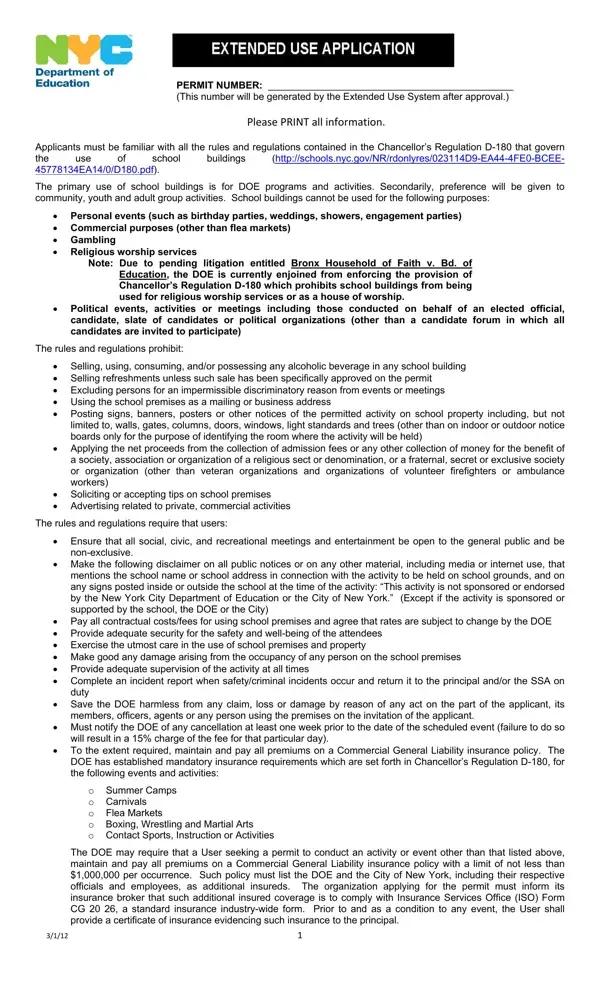
Navigating the complexities of securing a permit for the extended use of school buildings in New York City can seem daunting, yet understanding the Extended Use Form is essential for any organization or individual seeking to make use of these public spaces for events or activities. This comprehensive form not only requires applicants to provide detailed information about their organization and the nature of the event but also mandates familiarity with, and adherence to, the rules and regulations outlined in Chancellor’s Regulation D-180. Whether planning a community gathering, a recreational activity, or an educational session, applicants must navigate a host of restrictions prohibiting personal events, commercial activities not aligned with flea markets, gambling, and political events, to name a few. Furthermore, the form delves into necessary precautions and responsibilities such as ensuring public access, disclaiming DOE sponsorship, arranging adequate security, and securing liability insurance, while explicitly forbidding activities that could mar the safety and integrity of school premises. In essence, this form is not just a procedural hurdle but a critical instrument in safeguarding the dual priorities of serving the Department of Education’s (DOE) programs and opening doors to beneficial community engagements, all the while maintaining a respectful and safe environment within New York City’s school buildings.

QuestionAnswer
Form NameExtended Use Form
Form Length4 pages
Fillable?No
Fillable fields0
Avg. time to fill out1 min
Other namesextended use permit nyc doe, nyc doe permit application, cps extended use, cps extended use nyc doe

How to Edit Extended Use Form Online for Free

Handling PDF files online is certainly surprisingly easy using our PDF editor. You can fill in doe cps here in a matter of minutes. Our team is dedicated to making sure you have the absolute best experience with our tool by constantly releasing new functions and enhancements. With these improvements, using our editor becomes easier than ever before! Here is what you'd want to do to start:

Step 1: Press the "Get Form" button above. It is going to open up our tool so that you can begin filling in your form.

Step 2: As soon as you launch the editor, you will get the form made ready to be completed. In addition to filling in various blank fields, it's also possible to perform other actions with the PDF, specifically putting on any text, changing the initial textual content, inserting graphics, placing your signature to the form, and much more.

It will be easy to complete the document with this helpful tutorial! Here's what you need to do:

1. It's essential to complete the doe cps correctly, therefore pay close attention when filling out the sections that contain all these blanks:

A way to prepare extended use application stage 1

2. Once your current task is complete, take the next step – fill out all of these fields - PERMIT NUMBER This number will be, I ORGANIZATION INFORMATION To be, Name of ApplicantOrg, Address, Email, Name of Authorized Representative, Permit Period mmddyyyy From, Description of Activities to be, Name of Activities Supervisor, City, Andor Fax, Tax ID, State, Zip Code, and Phone with their corresponding information. Make sure to double check that everything has been entered correctly before continuing!

Guidelines on how to prepare extended use application part 2

3. Completing Signature of is essential for the next step, make sure to fill them out in their entirety. Don't miss any details!

The best ways to complete extended use application step 3

4. This next section requires some additional information. Ensure you complete all the necessary fields - II PERMIT DETAIL INFORMATION To be, PERMIT NUMBER This number will be, copies of this section to this, BoroSchool District, School Mailing Address, School Email, Name of Custodian Engineer, Phone, City, Email, Zip, Days of Week place X on day, Date From, Date To, and Time From - to proceed further in your process!

Guidelines on how to fill out extended use application stage 4

5. This last stage to complete this document is crucial. You need to fill out the displayed form fields, consisting of Athletic Field Auditorium HS, Swimming Pools, III PERMIT COST, Cleaner FiremanHandyman Local, Pool Showers, Yes, Hours, Straight, Time, and, Total of Permit Details, GRAND TOTAL All permit details, IV CUSTODIANS CONFIRMATION OF, Take the Field Waiver Approved, and Total of Permit Details, before using the file. Or else, it can give you an incomplete and potentially incorrect form!

Completing segment 5 of extended use application

People often get some things wrong when filling in Yes in this part. Remember to review what you type in here.

Step 3: Go through everything you have inserted in the form fields and then hit the "Done" button. Go for a free trial plan with us and acquire direct access to doe cps - which you are able to then begin using as you would like inside your personal account. FormsPal is focused on the confidentiality of all our users; we make sure all information processed by our system continues to be protected.