

Form 1002 at a glance
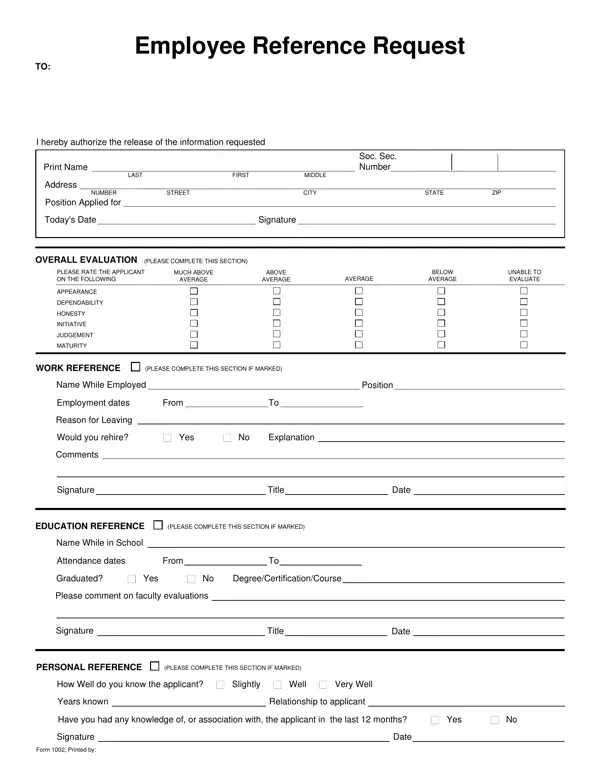
What it is: Form 1002, the Employee Reference Request, authorizes the release of the information requested.
Who signs: Write the Signature with Today's Date under I hereby authorize the release of the information requested. WORK REFERENCE, EDUCATION REFERENCE and PERSONAL REFERENCE each have a Signature of their own, in a section to complete if marked.
The blank Form 1002: print it and complete it by hand
How to fill out Form 1002, box by box
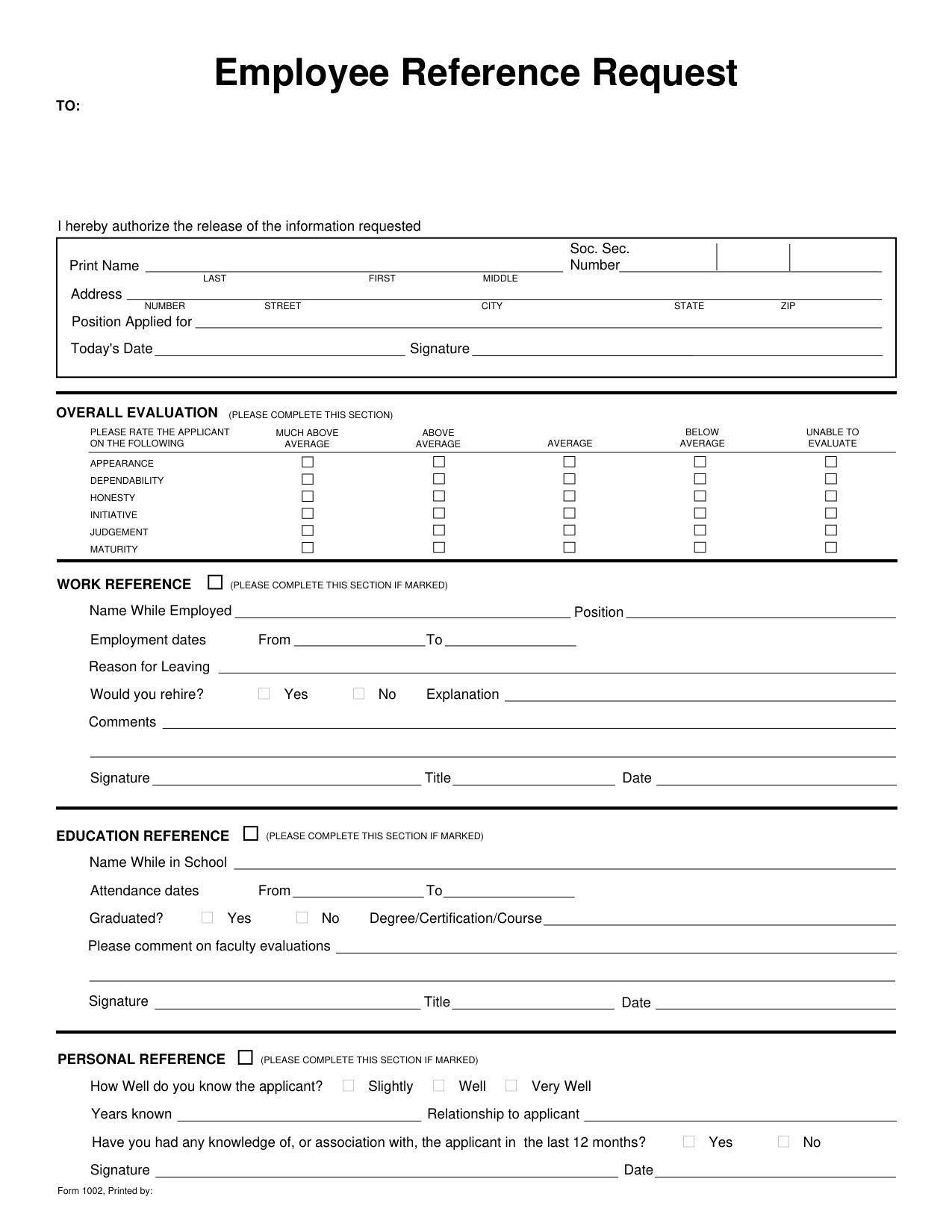
Print Name, Today's Date and Signature
Authorize the release of the information requested.
Print the Name (Last, First, Middle), Soc. Sec. Number, Address (Number, Street, City, State, ZIP) and Position Applied for.
Write Today's Date and the Signature.
Overall evaluation
Under OVERALL EVALUATION, please rate the applicant on the following, or mark Unable to Evaluate.
Rate the applicant on Appearance, Dependability, Honesty, Initiative, Judgement and Maturity.
Work reference
Complete the WORK REFERENCE section if it is marked.
Write the Name While Employed, the Position, the Employment dates From and To, and the Reason for Leaving.
Mark Yes or No for Would you rehire? and write an Explanation.
Write Comments, then the Signature, Title and Date.
Education reference
Complete the EDUCATION REFERENCE section if it is marked.
Write the Name While in School and the Attendance dates From and To.
Mark Yes or No for Graduated? and write the Degree/Certification/Course.
Please comment on faculty evaluations.
Write the Signature, Title and Date.
Personal reference
Complete the PERSONAL REFERENCE section if it is marked.
Mark Slightly, Well or Very Well for How Well do you know the applicant?
Write the Years known and the Relationship to applicant.
Mark Yes or No for Have you had any knowledge of, or association with, the applicant in the last 12 months?
Write the Signature and the Date.
Sources
[1] Form 1002, Employee Reference Request (the Official source link on this page).