
Wisconsin Form 1952 PDF Details

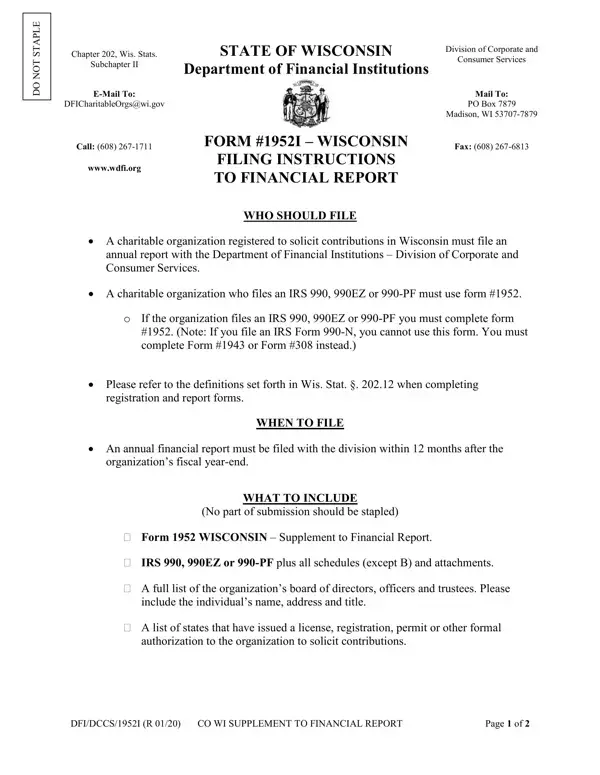
In the landscape of regulatory compliance for charitable organizations in Wisconsin, adhering to the stipulated guidelines for financial reporting holds paramount importance. As outlined by the State of Wisconsin Division of Corporate and Subchapter II of the Department of Financial Institutions Consumer Services, the specific directives catered through Form #1952 are targeted at organizations registered to solicit contributions within the state. This encompasses those who are obliged to file an IRS 990, 990EZ, or 990-PF, thereby necessitating the completion and submission of Form #1952, except for entities exclusively filing an IRS Form 990-N. The prerogative to file these documents is underscored by a comprehensive checklist including, but not limited to, supplemental financial reports, a full disclosure of board members, and an overview of licensing across states which permit solicitation. Furthermore, the criteria delineating when and how to file this information are meticulously detailed, ensuring that charitable entities are well-informed about the procedural aspects—spanning email submissions to the traditional mailing route, besides underlining the necessity for timely filings within 12 months post the fiscal year-end. The inclusion of directives relating to financial audits or reviews based on the scale of contributions accentuates the state's commitment to fostering transparency and accountability within the nonprofit sector, thereby safeguarding both the organizations and the contributions they solicit.

QuestionAnswer
Form NameWisconsin Form 1952
Form Length6 pages
Fillable?No
Fillable fields0
Avg. time to fill out1 min 30 sec
Other nameswi dfi form 1952, wisconsin 1952, wisconsin form 1952, form 1943 wisconsin

How to Edit Wisconsin Form 1952 Online for Free

Using PDF files online is surprisingly easy with this PDF tool. You can fill out wi 1952 here with no trouble. Our editor is continually evolving to provide the very best user experience possible, and that's thanks to our resolve for continuous enhancement and listening closely to customer comments. With some simple steps, it is possible to begin your PDF editing:

Step 1: Open the PDF doc inside our editor by pressing the "Get Form Button" in the top area of this page.

Step 2: This editor offers the capability to customize your PDF document in various ways. Change it by writing your own text, correct original content, and put in a signature - all at your disposal!

This form will need particular information to be typed in, thus you must take whatever time to enter precisely what is requested:

1. Start completing the wi 1952 with a selection of necessary blanks. Note all the required information and make certain absolutely nothing is omitted!

Stage no. 1 for submitting form 1952 wisconsin

2. Immediately after the first array of blanks is done, go to enter the suitable information in all these: counsel during the fiscal year in, Name, Street Address, FundRaiser FundRaising Counsel, City, State, Zip, Telephone Number, Does this fundraiserfundraising, DFIDCCS R CO WI SUPPLEMENT TO, and Page of.

form 1952 wisconsin writing process explained (part 2)

3. Throughout this step, check out Has any of the information your, Yes No, the division changed ie name of, If YES attach an explanation and a, FINANCIAL INFORMATION SECTION B, Organizations Fiscal Year End, and year Enter the accounting, yyyy, Contributions, Contribution means a grant or, Income from bingo or raffles, and Government grants Bona fide. Every one of these are required to be filled in with greatest precision.

Completing part 3 in form 1952 wisconsin

Always be really careful when filling out FINANCIAL INFORMATION SECTION B and Government grants Bona fide, as this is where many people make errors.

4. This next section requires some additional information. Ensure you complete all the necessary fields - Government grants Bona fide, Other Revenues, Total Revenue line plus line, Expenses, a Expenses Allocated to Program, b Expenses Allocated to Management, c Expenses Allocated to, d Expenses Allocated to Payments, e Total Expenses, Excess or Deficit line minus, Net Assets at Beginning of Year, Other Changes in Net Assets or, and Net Assets at End of Year Total - to proceed further in your process!

form 1952 wisconsin writing process clarified (stage 4)

5. The document must be completed by going through this area. Below there can be found a comprehensive list of blanks that require specific details in order for your document usage to be accomplished: Check the box next to the items, R E Q U I R E D, C H E C K O N E I F A P P L I C A, A List of all officers directors, B A list of states that have, C IRS Form EZ or PF Do not, Note If you file an IRS Form N you, D Audited Financial Statements if, Apply for Waiver of D Audited, and E Reviewed Financial Statements if.

How to fill in form 1952 wisconsin step 5

Step 3: Right after you have reviewed the details you given, simply click "Done" to conclude your FormsPal process. Right after creating afree trial account here, it will be possible to download wi 1952 or email it right off. The PDF document will also be accessible from your personal account menu with your each change. We don't share the information that you enter whenever completing forms at our website.