
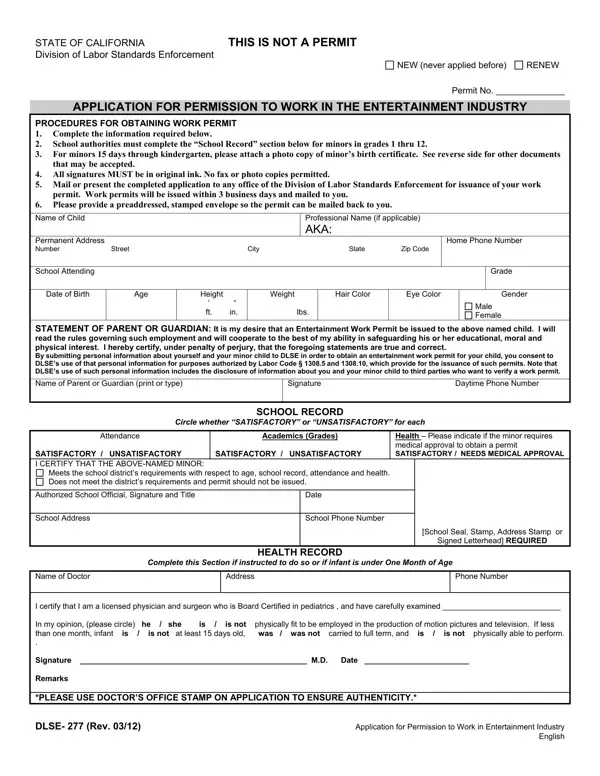
In the world of entertainment, young talents brighten the screen and the stage, but their involvement in such projects is regulated to ensure their welfare, safety, and education are not compromised. This is where the DLSE-277 form, an essential document for minors looking to work in the entertainment industry in California, comes into play. Parents and guardians stepping into this journey with their child are required to navigate the procedural aspects of obtaining this work permit, which involves providing detailed information about the child, such as personal identification and school records, and adhering to specific instructions related to school attendance and health criteria. The form mandates original signatures in ink and encloses a section that must be completed by the minor's school officials, ensuring the child's academic standing and health are satisfactory for the obligations of work in entertainment. Additionally, for the youngest of stars, those 15 days through kindergarten, a birth certificate or other listed documents must accompany the application to prove age and eligibility. Aside from the bureaucratic necessity, this process underscores the importance of maintaining a balance between a child's career aspirations in the entertainment sector and their overall well-being and development.
| Question | Answer |
|---|---|
| Form Name | Form Dlse 277 |
| Form Length | 2 pages |
| Fillable? | Yes |
| Fillable fields | 34 |
| Avg. time to fill out | 30 sec |
| Other names | dlseform277 california dlseform277 |
Form Dlse 277 isn’t the one you’re looking for?