

JFS 07221 at a glance
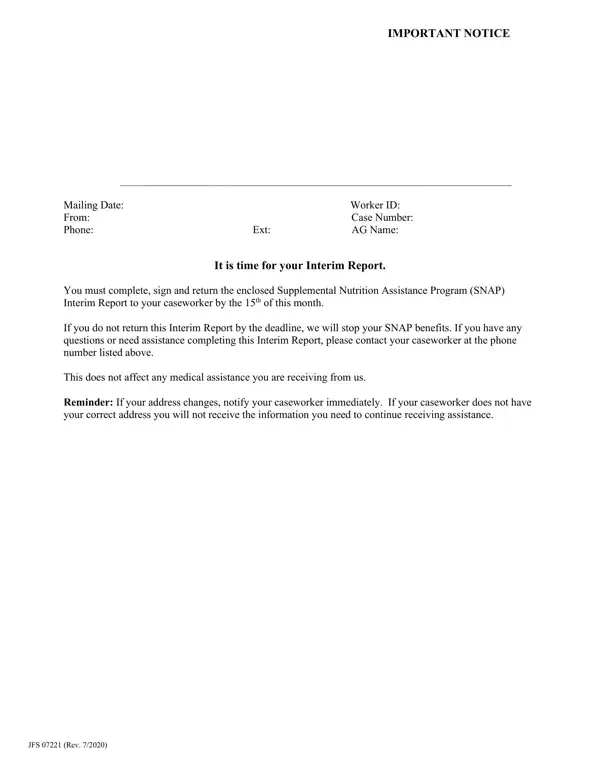
What it is: JFS 07221 is the Supplemental Nutrition Assistance Program (SNAP) Interim Report.
Who signs: Enter your Signature and the Date.
What to bring and attach to JFS 07221
Please attach proof for each expense. Examples of proof to attach: Utility Bills, Rental Leases, Home Insurance.
If you need more space, write your answers on an extra piece of paper and attach it to this form.
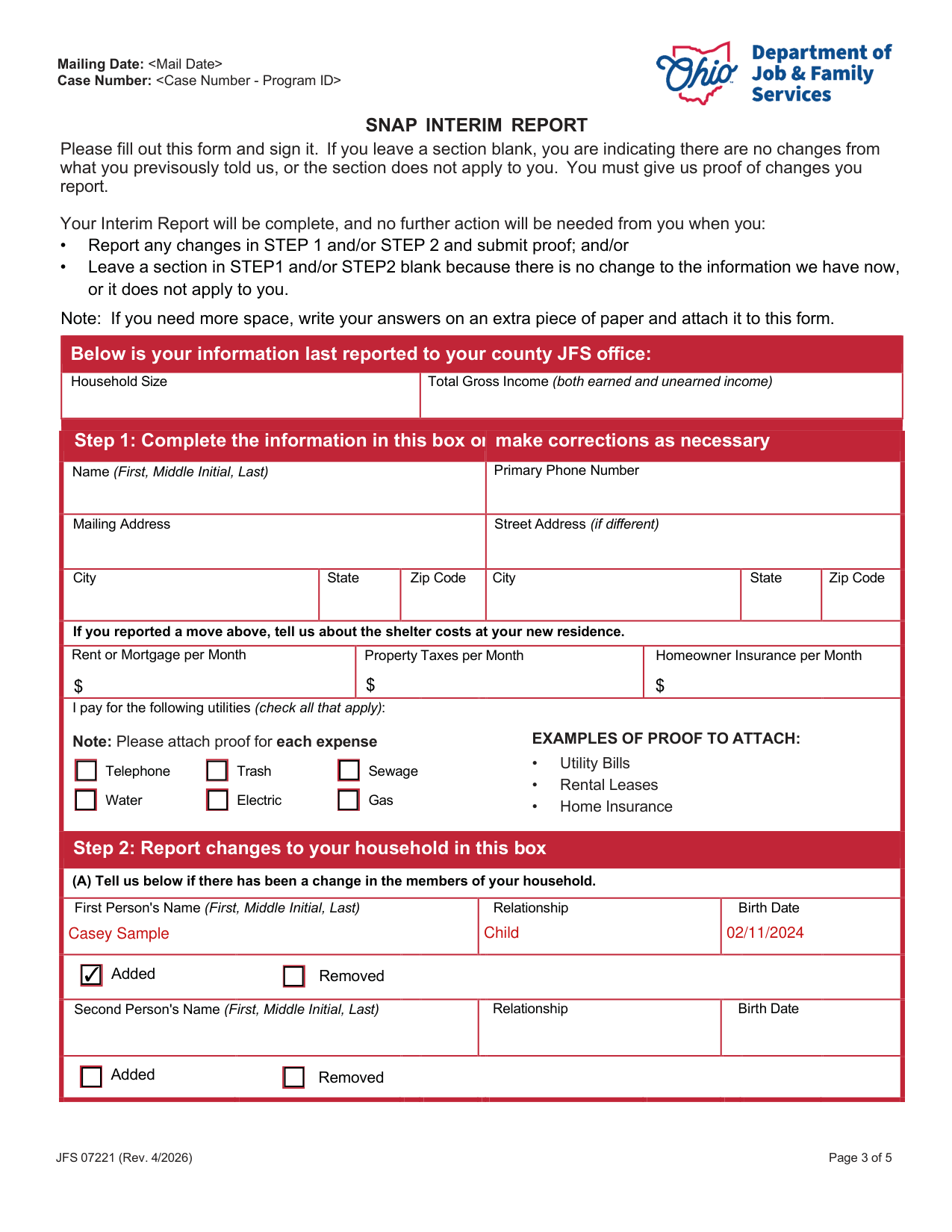
A filled-in JFS 07221 example: one added member and one new wage
How to fill out JFS 07221, box by box
Step 1, the information last reported
Please fill out this form and sign it. If you leave a section blank, you are indicating that there are no changes from what you previously told, or the section does not apply to you. You must give proof of changes you report on the form.
Your Interim Report will be complete, and no further action will be needed from you when you report any changes in Step 1 and/or Step 2 and submit proof.
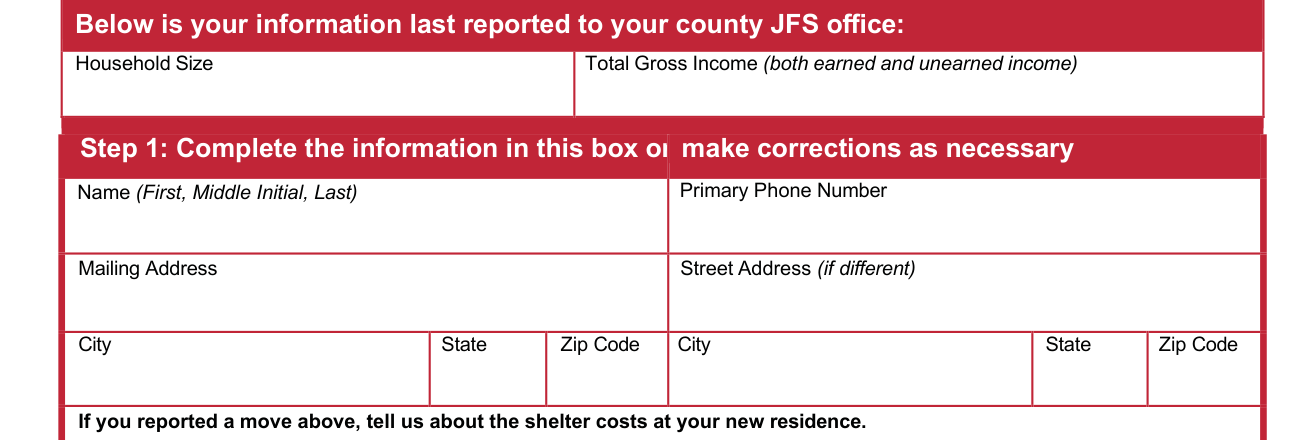
Household Size and Total Gross Income (both earned and unearned income) are your information last reported to your county JFS office.
In Step 1, complete the information in this box or make corrections as necessary: enter Name (First, Middle Initial, Last) and Primary Phone Number, then the Mailing Address and the Street Address (if different), each with City, State and Zip Code.
Shelter costs at your new residence
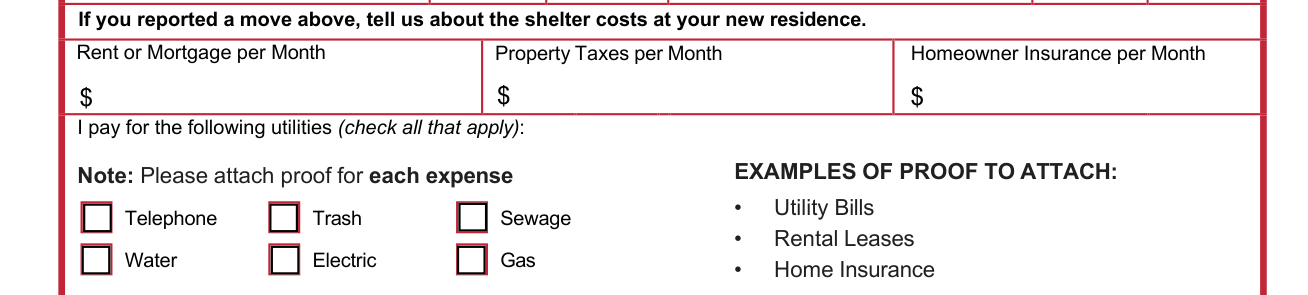
If you reported a move, tell about the shelter costs at your new residence.
Enter Rent or Mortgage per Month, Property Taxes per Month and Homeowner Insurance per Month.
Check all that apply for the utilities you pay: Telephone, Trash, Sewage, Water, Electric, Gas.
Step 2 (A), a change in the members of your household
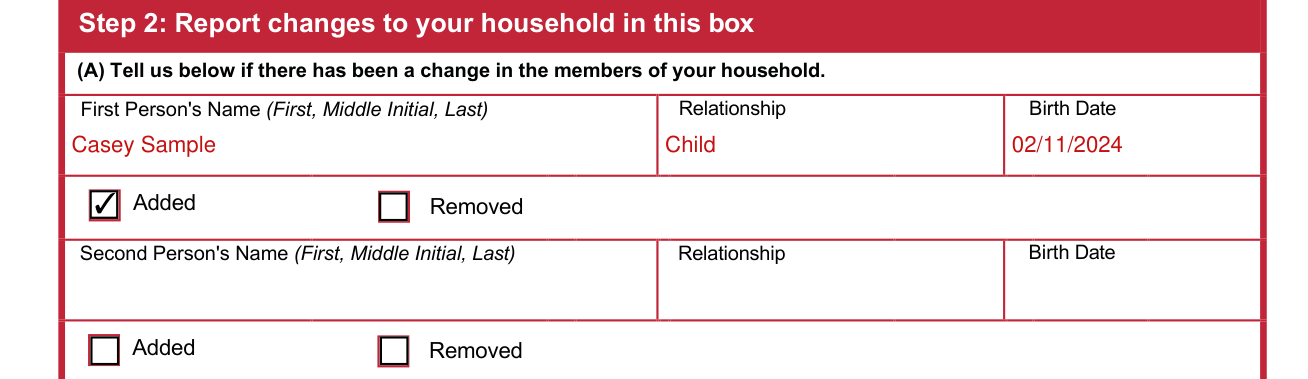
Report changes to your household in Step 2. (A) Tell in the Step 2 box if there has been a change in the members of your household.
Mark Added or Removed. Enter First Person's Name (First, Middle Initial, Last), Relationship and Birth Date, then Second Person's Name (First, Middle Initial, Last), Relationship and Birth Date.
(B) a change in gross (pre-tax) monthly earned income
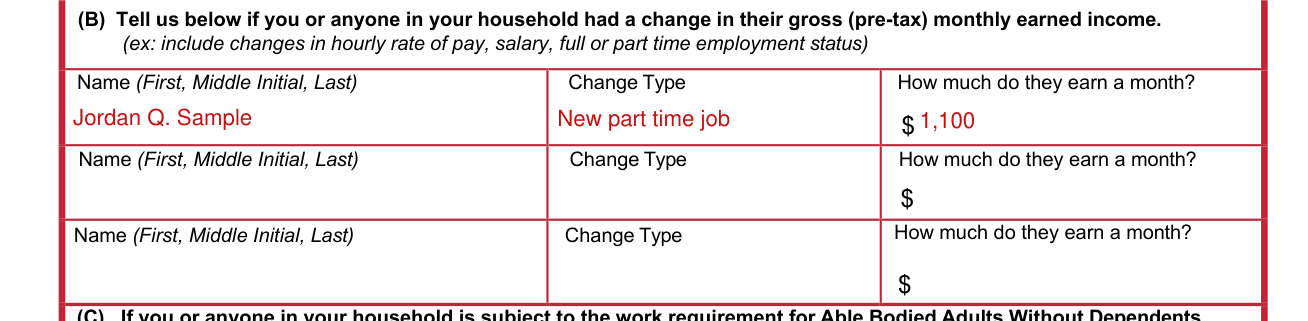
(B) Tell in the household changes box if you or anyone in your household had a change in their gross (pre-tax) monthly earned income (ex: include changes in hourly rate of pay, salary, full or part time employment status).
Enter Name (First, Middle Initial, Last), Change Type and How much do they earn a month?
(C) the work requirement for Able Bodied Adults Without Dependents (ABAWDS)
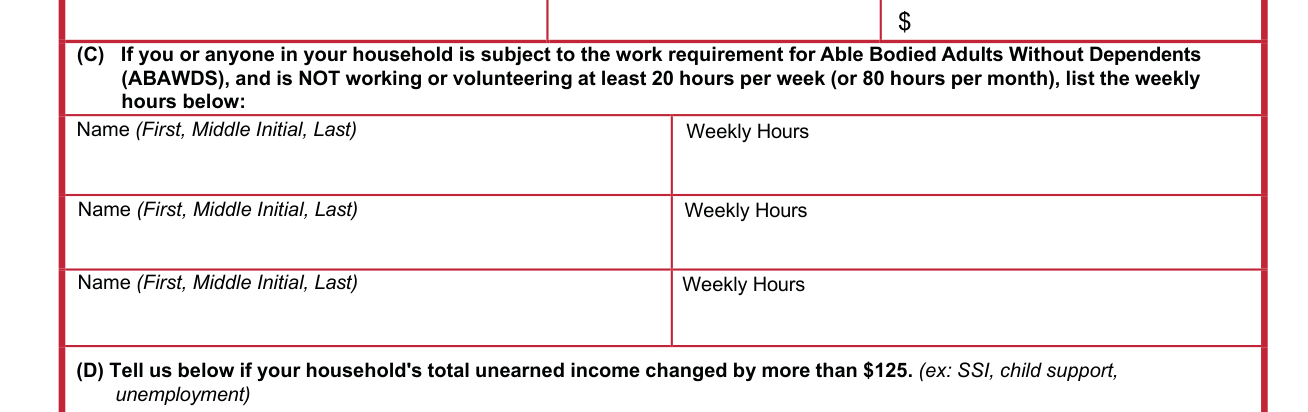
(C) If you or anyone in your household is subject to the work requirement for Able Bodied Adults Without Dependents (ABAWDS), and is NOT working or volunteering at least 20 hours per week (or 80 hours per month), list the weekly hours in this box: enter Name (First, Middle Initial, Last) and Weekly Hours.
(D) a change in your household's total unearned income
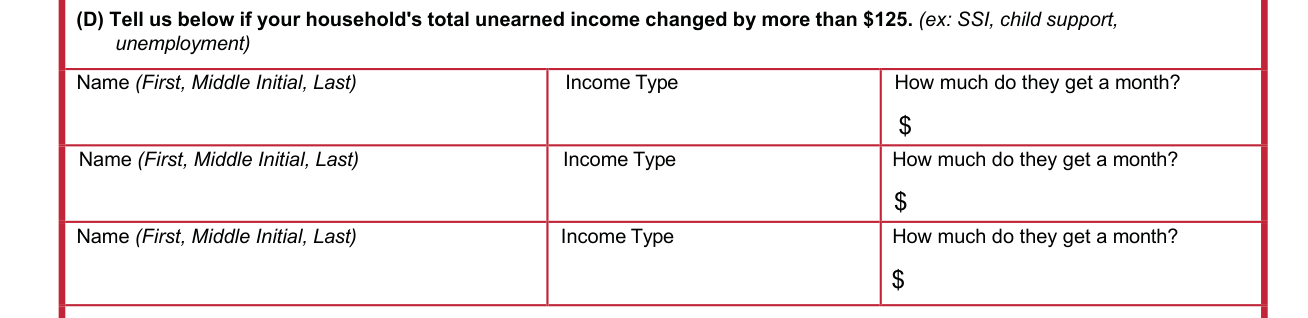
(D) Tell in the household changes box if your household's total unearned income changed by more than $125 (ex: SSI, child support, unemployment) (checked October 20, 2026).
Enter Name (First, Middle Initial, Last), Income Type and How much do they get a month?
(E) a change in the amount of child support

(E) Tell in the household changes box if you or anyone in your household had a change in the amount of child support they pay: enter Name (First, Middle Initial, Last) and Child Support Obligation per Month.
(F) lottery or gambling winnings

(F) Tell in this box if you or anyone in your household won $4,500 or more (before withholdings) in lottery or gambling winnings (checked October 20, 2026).
Enter Name (First, Middle Initial, Last), Date of Winnings and Winnings Amount.
Step 3: Read carefully, sign, and date
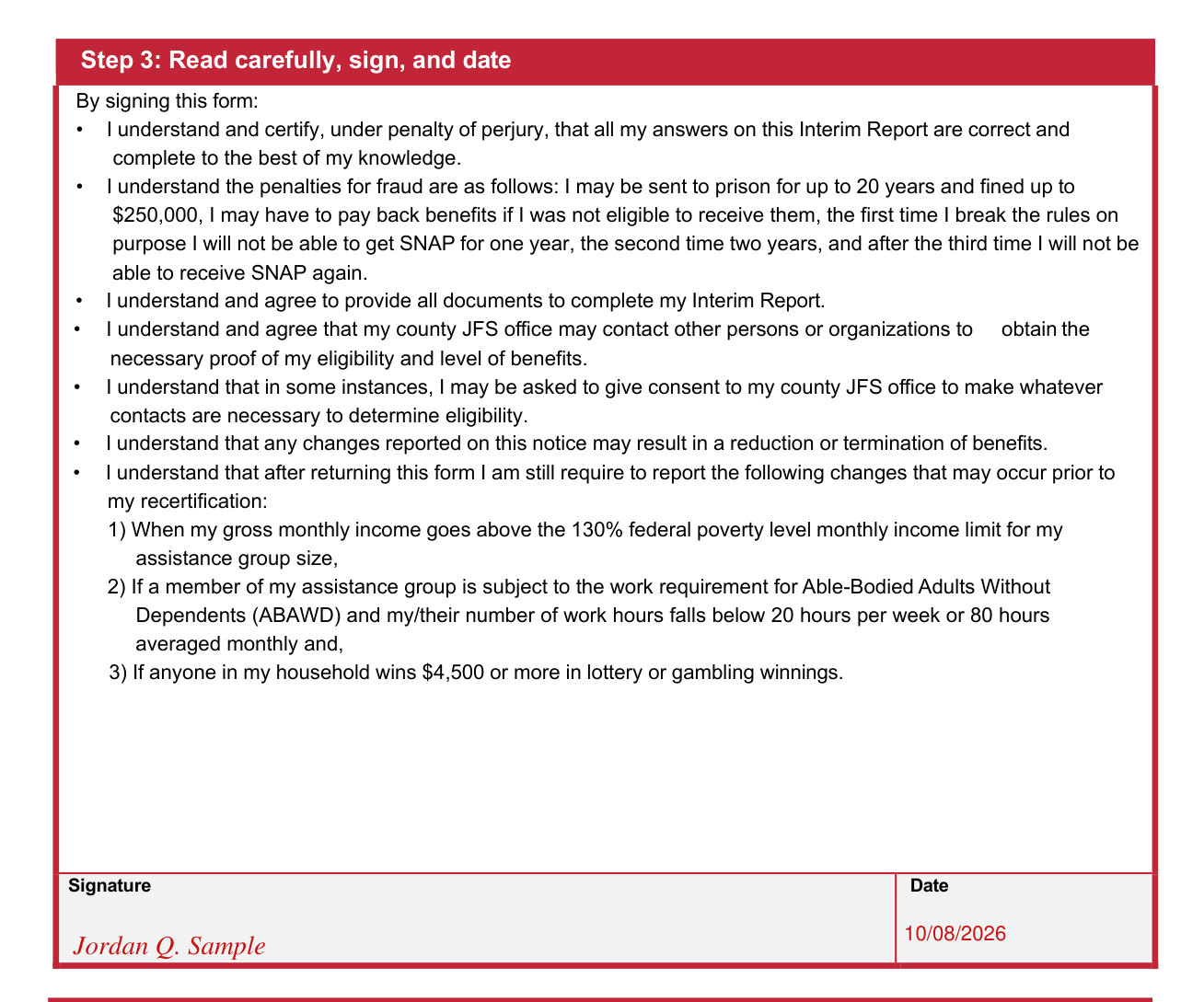
Step 3: Read carefully, sign, and date. By signing this form, you understand and certify, under penalty of perjury, that all your answers on this Interim Report are correct and complete to the best of your knowledge.
By signing this form, you understand and agree to provide all documents to complete your Interim Report.
By signing this form, you understand that any changes reported on this notice may result in a reduction or termination of benefits. You understand that after returning this form you are still required to report the following changes that may occur prior to your recertification: 1) When your gross monthly income goes over the 130% federal poverty level monthly income limit for your assistance group size, 2) If a member of your assistance group is subject to the work requirement for Able-Bodied Adults Without Dependents (ABAWD) and your/their number of work hours falls under 20 hours per week or 80 hours averaged monthly and, 3) If anyone in your household wins $4,500 or more in lottery or gambling winnings (checked October 20, 2026).
By signing, you understand the penalties for fraud. You may be sent to prison for up to 20 years and fined up to $250,000 (checked October 20, 2026). You may have to pay back benefits if you were not eligible to receive them. The first time you break the rules on purpose you will not be able to get SNAP for one year, the second time two years, and after the third time you will not be able to receive SNAP again.
Enter your Signature and the Date.
Common questions about JFS 07221
What is a SNAP interim report form?
JFS 07221 is the Supplemental Nutrition Assistance Program (SNAP) Interim Report. An Interim Report is a mid-point check-in to review your case for any changes. Your county JFS office will use the information you give to make sure that you are still eligible and that you are getting the correct amount of benefits. Reported changes may result in an increase, decrease, or ending of benefits. If you do not return this form by the deadline, your benefits will stop. If you need help completing the form or have questions, please contact your county JFS office.
How to do an interim report for SNAP in Ohio?
To complete your Interim Report online: 1 Sign in or create an account at ssp.benefits.ohio.gov. 2 Click the “Access” section to the right of the screen. 3 Select “Interim Reporting” and follow the prompts. Do not mail applications or verifications to the United States Department of Agriculture (USDA). This Interim Report cannot be submitted over the telephone.
Is there a deadline?
Return the signed form and your proof of changes to your county Job and Family Services (JFS) office by the 15th of this month.
Where do I file it?
After you fill out this form and sign it, you can submit it and your proof of changes to your county JFS office, in person, by email, mail, or fax. If you bring it in person, you will receive a receipt. You can also fill out this form, sign it, and submit proof of changes online.
Sources
[1] JFS 07221 (Rev. 4/2026), SNAP Interim Report, Ohio Department of Job and Family Services (the Official source link on this page).