

Form JL3 at a glance
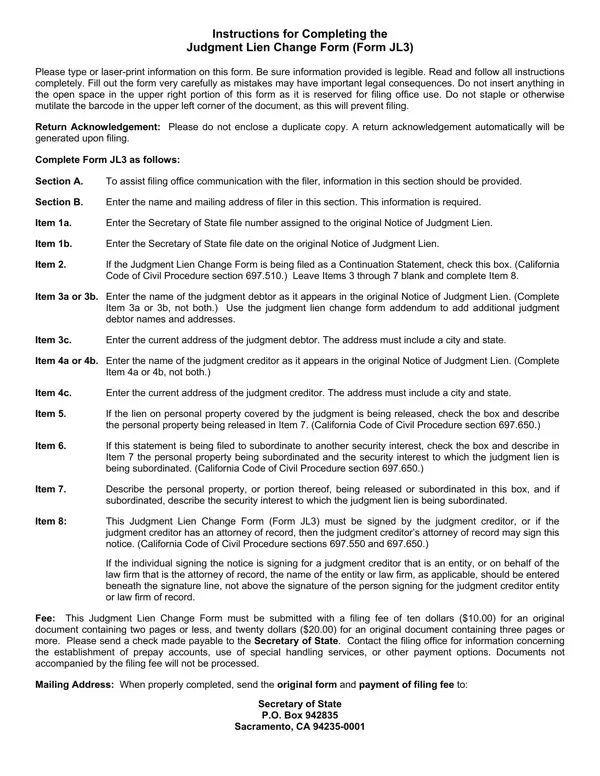
What it is: The Judgment Lien Change Form is a notice of continuation, release or subordination of a judgment lien on personal property.
Who signs: The judgment creditor must sign this Judgment Lien Change Form, or, if the judgment creditor has an attorney of record, the attorney of record may sign this notice.
A filled-in Form JL3 example: a creditor releases a lien on one machine
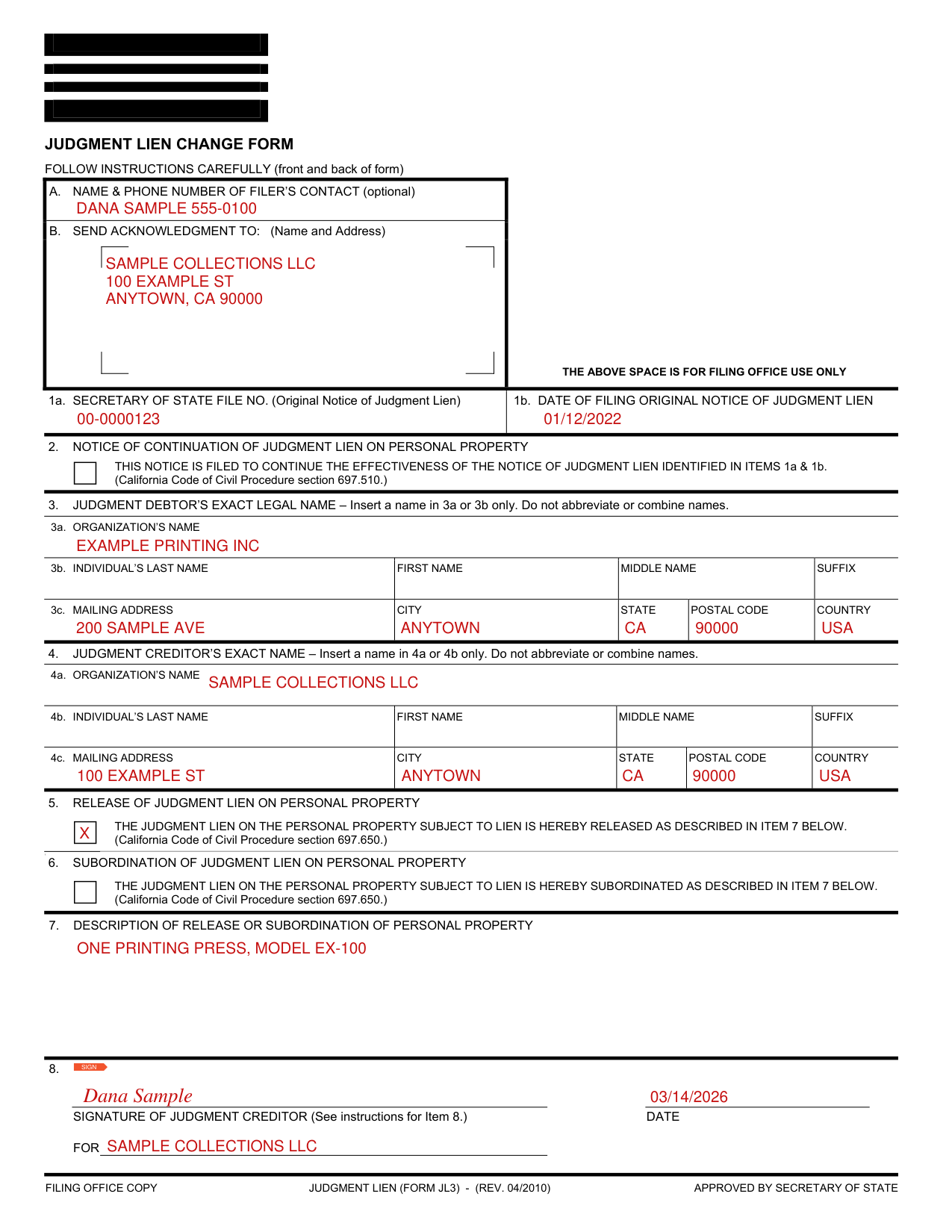
How to fill out Form JL3, box by box
Filer and original notice (Sections A and B, Items 1a and 1b)
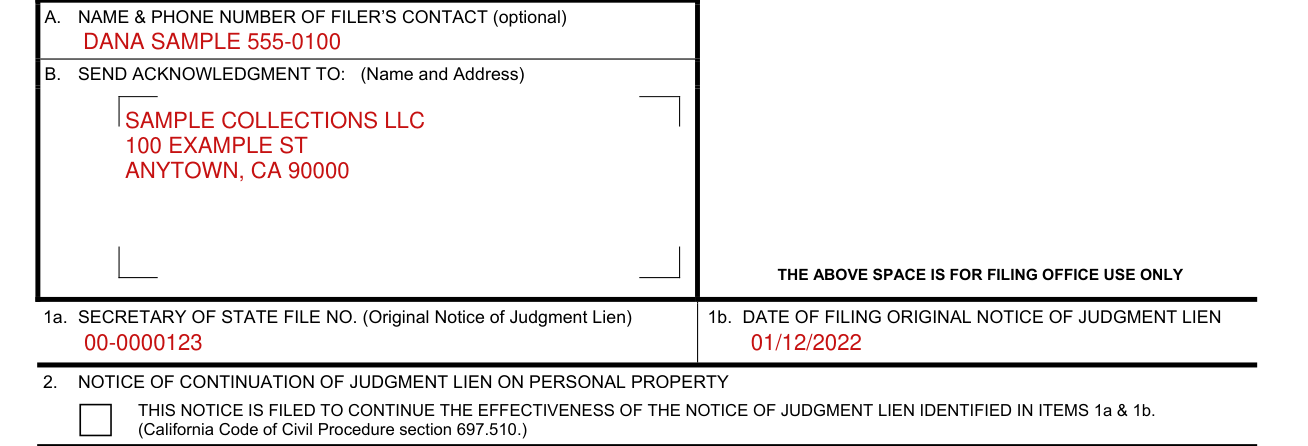
In Section A, provide information to assist filing office communication with the filer. In Section B, enter the name and mailing address of filer; this information is required.
In Item 1a, enter the Secretary of State file number assigned to the original Notice of Judgment Lien. In Item 1b, enter the Secretary of State file date on the original Notice of Judgment Lien.
Continuation (Item 2)

If the Judgment Lien Change Form is being filed as a Continuation Statement, check Item 2 (California Code of Civil Procedure section 697.510), leave Items 3 through 7 blank and complete Item 8.
Judgment debtor (Item 3)

In Item 3a or 3b, enter the name of the judgment debtor as it appears in the original Notice of Judgment Lien (complete Item 3a or 3b, not both). Do not abbreviate or combine names. In Item 3c, enter the current address of the judgment debtor; the address must include a city and state.
Judgment creditor (Item 4)

In Item 4a or 4b, enter the name of the judgment creditor as it appears in the original Notice of Judgment Lien (complete Item 4a or 4b, not both). Do not abbreviate or combine names. In Item 4c, enter the current address of the judgment creditor; the address must include a city and state.
Release, subordination and description (Items 5 to 7)
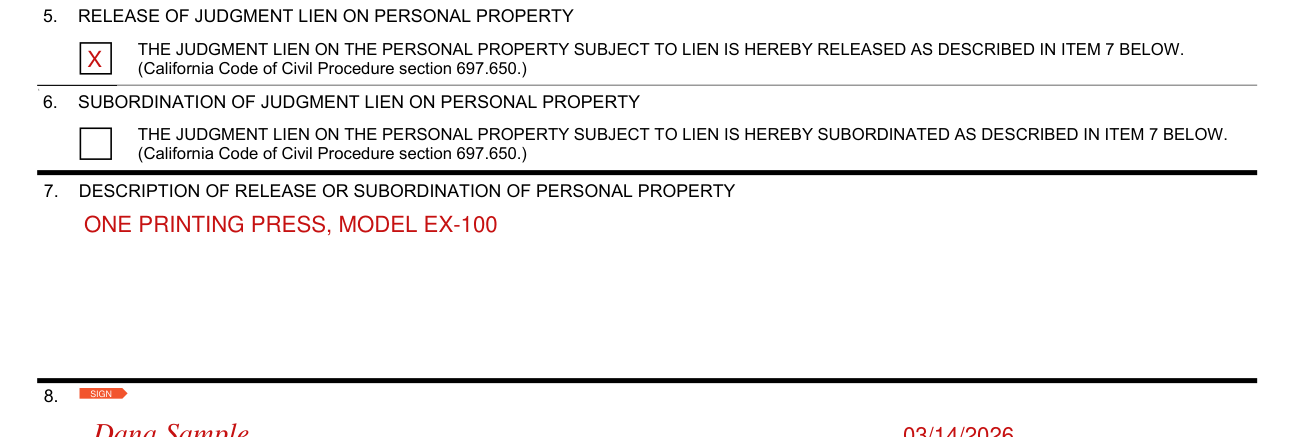
If the lien on personal property covered by the judgment is being released, check Item 5 and describe the personal property being released in Item 7.
If this statement is being filed to subordinate to another security interest, check Item 6 and describe in Item 7 the personal property being subordinated and the security interest to which the judgment lien is being subordinated.
In Item 7, describe the personal property, or portion thereof, being released or subordinated, and if subordinated, describe the security interest to which the judgment lien is being subordinated.
Signature (Item 8)

Sign on the SIGNATURE OF JUDGMENT CREDITOR line, then enter the DATE (Signed Date) and FOR (Signed For).
In Item 8, if the individual signing is signing for a judgment creditor that is an entity, or on behalf of the law firm that is the attorney of record, enter the name of the entity or law firm beneath the signature line, not above the signature.
More rules for Form JL3
Please type or laser-print information on this form, and be sure information provided is legible.
Fill out the form very carefully as mistakes may have important legal consequences.
Do not insert anything in the open space in the upper right portion of this form as it is reserved for filing office use, and do not staple or otherwise mutilate the barcode in the upper left corner of the document, as this will prevent filing.
Please do not enclose a duplicate copy for the return acknowledgement; a return acknowledgement automatically will be generated upon filing.
Send a check made payable to the Secretary of State; documents not accompanied by the filing fee will not be processed.
If your situation is different
You release or subordinate additional judgment debtors
Use the Judgment Lien Change Form Addendum (Form JL3AD) to list only additional Judgment Debtors to be released or subordinated when filing a Judgment Lien Change Form (Form JL3).
In Item 9, enter file number of the Judgment Lien to which this Additional Party relates, exactly as shown in Item 1a of the Judgment Lien Change Form.
In Item 10, enter the name of the Judgment Creditor exactly as shown in Item 4 of the Judgment Lien Change Form.
For Items 11 through 16, complete the items in accordance with Instruction 3 of the Judgment Lien Change Form and give complete information for each additional Judgment Debtor, if this change releases or subordinates additional Judgment Debtors pursuant to California Code of Civil Procedure section 697.650.
Be sure to complete either the organization's name or individual's name, but not both.
Common questions about Form JL3
Where do I file it?
When properly completed, send the original form and payment of filing fee to: Secretary of State P.O. Box 942835 Sacramento, CA 94235-0001.
Are there fees?
Submit the form with a filing fee of $10.00 for an original document containing two pages or less, and $20.00 for an original document containing three pages or more (checked November 11, 2026).
Sources
[1] Form JL3 (REV. 04/2010), Judgment Lien Change Form, served file (the Official source link on this page).