Please rate Form Owcp 957 Part A, December 2025

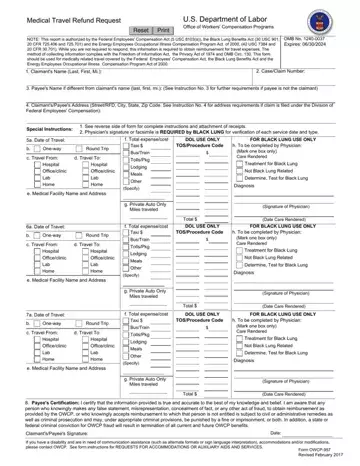
Form OWCP-957 Part A, Medical Travel Refund Request (Mileage), is the U.S. Department of Labor Office of Workers' Compensation Programs form for claiming back the miles driven in a private auto for medically related travel under the Federal Employees' Compensation Act and the Energy Employees Occupational Illness Compensation Program Act of 2000. Other travel expenses, and travel under the Black Lung Benefits Act, go on Form OWCP-957 Part B. The claimant enters the case or claim number and contact details, then a separate block for each medical facility, pharmacy, therapist or other place visited: the dates of travel (several trips to the same place can share one block), where the trip started and ended, one-way or round trip, and the total miles. The person claiming signs a certification that the information is true. Energy employees need pre-authorization for travel over 100 miles one way or 200 miles round trip. This edition is dated December 2025 (OMB No. 1240-0037).
| Question | Answer |
|---|---|
| Form Name | Form Owcp 957 |
| Form Length | 3 pages |
| Fillable? | Yes |
| Fillable fields | 107 |
| Avg. time to fill out | 45 sec |
| Other names | owcp 957, form 957, travel refund, labor form request |
Form Owcp 957 isn’t the one you’re looking for?
Please rate Form Owcp 957 Part A, December 2025
