
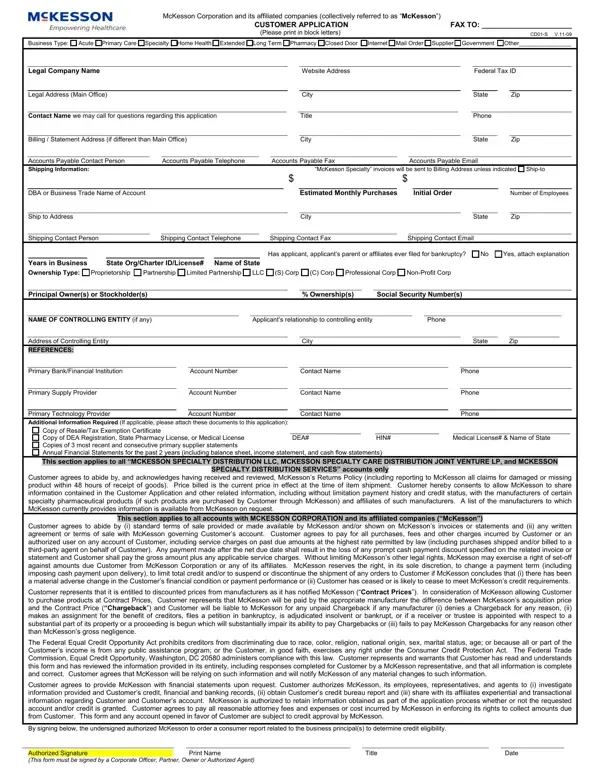
The McKesson Customer Application form serves as a comprehensive document designed to streamline the process of establishing a business relationship between prospective customers and McKesson Corporation, along with its affiliated entities. This detailed form requires applicants to provide various pieces of information, including the legal company name, type of business, and contact details, aiming to facilitate accurate and efficient service provision. Apart from basic identification and operational details, it delves into financial aspects by requesting data on estimated monthly purchases, legal and shipping addresses, and accounts payable contact information. Furthermore, the form encompasses sections that deal with the applicant's financial and legal standing, asking for details on bankruptcy history, years in business, ownership type, and key principal owners or stockholders. Necessary documentation such as resale or tax exemption certificates, DEA registration, and state pharmacy licenses are also required to comply with legal and regulatory standards. Additionally, the form outlines terms and conditions regarding payment, credit, and security interests, emphasizing the importance of adherence to McKesson’s policies and the legal obligations of the applicant. Accompanied by a section for ACH payment setup and a guaranty for securing obligations, the form is thorough in ensuring both parties are protected and clear about the relationship's terms. Lastly, it includes protocols for consent on credit investigations and the sharing of financial information, underlining the seriousness with which McKesson approaches these partnerships.
| Question | Answer |
|---|---|
| Form Name | Mckesson Customer Application Form |
| Form Length | 2 pages |
| Fillable? | No |
| Fillable fields | 0 |
| Avg. time to fill out | 30 sec |
| Other names | mckesson credit application, mckesson application, mckesson cd01 form, mckesson application form |
Mckesson Customer Application Form isn’t the one you’re looking for?