
Pssq Form PDF Details

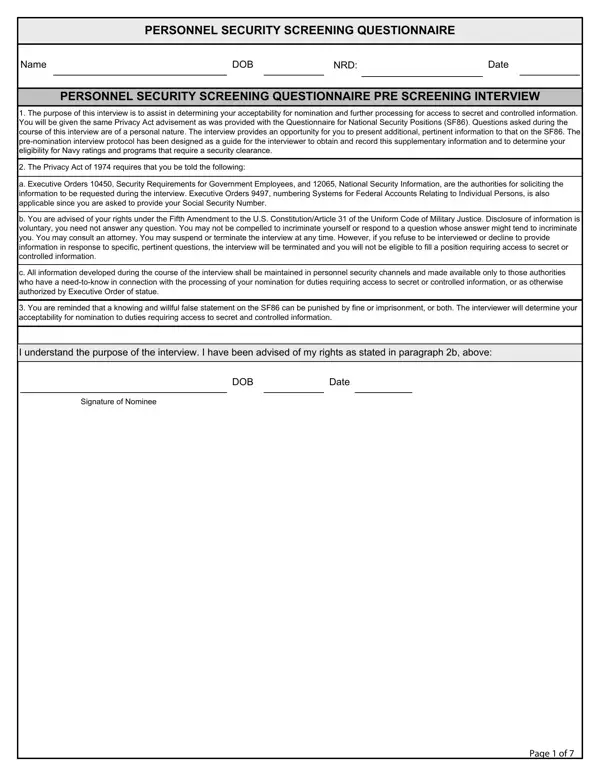
In today’s security-conscious environment, the necessity of exhaustive background checks cannot be overstated, especially within sectors that handle sensitive information. The Personnel Security Screening Questionnaire serves as a pivotal tool in this comprehensive vetting process, ensuring that individuals seeking positions which grant access to secret and controlled data are meticulously evaluated. This questionnaire, designed with thoroughness in mind, delves into a wide array of personal aspects—ranging from familial ties to foreign nations, past travels beyond the U.S. borders, and interactions with the legal system, to financial responsibility and mental health inquiries. Each section demands candor and completeness from the respondent, underlining the importance of honesty in potentially securing a position of trust within the government. Notably, the form underscores the legal protections and rights afforded to the individual, such as advisement under the Privacy Act of 1974 and the Fifth Amendment. As individuals navigate through the pre-screening interview and detailed personal inquiries, they are reminded of the gravity of false statements and the critical nature of their potential roles. The questionnaire acts not only as a filter for eligibility but also as a mirror reflecting the candidates' integrity and suitability for positions that require unwavering trustworthiness.

QuestionAnswer
Form NamePssq Form
Form Length7 pages
Fillable?No
Fillable fields0
Avg. time to fill out1 min 45 sec
Other namesinterview dob nrd pdf, personnel security questionnaire pssq, security pssq get, personnel questionnaire cnrc template

How to Edit Pssq Form Online for Free

When working in the online PDF tool by FormsPal, you're able to fill out or modify pssq right here and now. FormsPal is dedicated to making sure you have the perfect experience with our tool by regularly releasing new capabilities and improvements. With these improvements, using our editor gets easier than ever before! Getting underway is easy! All that you should do is follow the next simple steps down below:

Step 1: Click on the "Get Form" button above on this page to open our tool.

Step 2: The editor lets you work with PDF forms in a range of ways. Transform it with personalized text, correct existing content, and place in a signature - all when it's needed!

Be attentive when filling out this pdf. Make sure each blank field is completed correctly.

1. It is crucial to fill out the pssq correctly, so be careful while filling in the sections including all of these fields:

personnel security cnrc form conclusion process explained (stage 1)

2. Once your current task is complete, take the next step – fill out all of these fields - I understand the purpose of the, Signature of Nominee, DOB, and Date with their corresponding information. Make sure to double check that everything has been entered correctly before continuing!

Learn how to complete personnel security cnrc form portion 2

It's simple to make an error while filling in the I understand the purpose of the, thus you'll want to go through it again prior to deciding to send it in.

3. Completing Name, DOB, NRD, Date, You are here today because you, INTRODUCTION, PERSONAL INFORMATION, Yes, Are you any of your family, Were any of your family members, Do you have any friends relatives, Do you or any family members, Have you ever traveled outside of, Do you have any friends or, and Do you have any friends or is essential for the next step, make sure to fill them out in their entirety. Don't miss any details!

Part no. 3 of submitting personnel security cnrc form

4. Filling out Have you ever been fired from a, Have you ever left a job under, During high school or college, Have you ever had any bills, Have you ever paid a bill more, Have you ever bounced a check, Have you ever filed for bankruptcy, Have you ever had debt judgments, Do you owe any individual or, Does your monthly payment debt ie, Have you ever received an Other, Have you ever shoplifted or, Have you ever been charged with, Are there any charges pending, and Have you ever used bought sold is crucial in this next form section - make certain that you spend some time and fill out each blank!

personnel security cnrc form conclusion process clarified (portion 4)

5. Last of all, the following last section is what you have to complete prior to submitting the form. The fields in question include the following: Have you ever used bought sold, Have you ever used possessed or, Have you ever taken someone elses, Have you ever been convicted of, Have you ever been told to enter, and Page of.

Writing section 5 in personnel security cnrc form

Step 3: Prior to finalizing the form, double-check that blanks have been filled out properly. Once you are satisfied with it, press “Done." Grab the pssq the instant you subscribe to a free trial. Instantly use the pdf document from your personal cabinet, along with any modifications and changes being conveniently synced! We do not sell or share the information you type in while filling out documents at our site.