Please rate Reg 166 Form

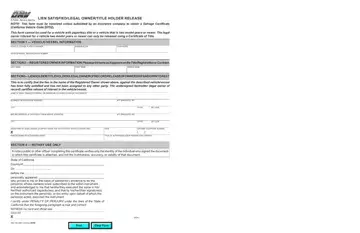
The California Department of Motor Vehicles (DMV) uses a variety of forms to manage the vast array of transactions required by vehicle and vessel owners. Among these forms, the Reg 166, known as the Lien Satisfied/Legal Owner/Title Holder Release form, serves an essential function in the vehicle ownership lifecycle. This document is specifically designed for individuals or entities that have had a lien on a vehicle or vessel and are now releasing their interest in said property due to the satisfaction of the lien. The form must be notarized to verify the identity of the signatory unless it is being submitted by an insurance company for the purpose of obtaining a Salvage Certificate, in accordance with California Vehicle Code §5752. It is important to note that the Reg 166 form cannot be employed for vehicles with paperless titles or for those vehicles that are two model years or newer; such scenarios require the use of a Certificate of Title to release the legal owner's interest. The form itself is straightforward, requesting detailed information about the vehicle or vessel, registered owner information, and the details of the lienholder releasing ownership. Completing this form is a critical step in ensuring that the records at the DMV accurately reflect the current legal ownership of the vehicle or vessel, further facilitating any future transactions or registrations that may be necessary. Due to the legal implications and the role of this document in the transfer of ownership, understanding its use and requirements is vital for individuals navigating the post-lien landscape.
| Question | Answer |
|---|---|
| Form Name | Reg 166 Form |
| Form Length | 1 pages |
| Fillable? | No |
| Fillable fields | 0 |
| Avg. time to fill out | 15 sec |
| Other names | california reg166, ca reg 166, reg 166, lien satisfied form |
Reg 166 Form isn’t the one you’re looking for?
Please rate Reg 166 Form
