
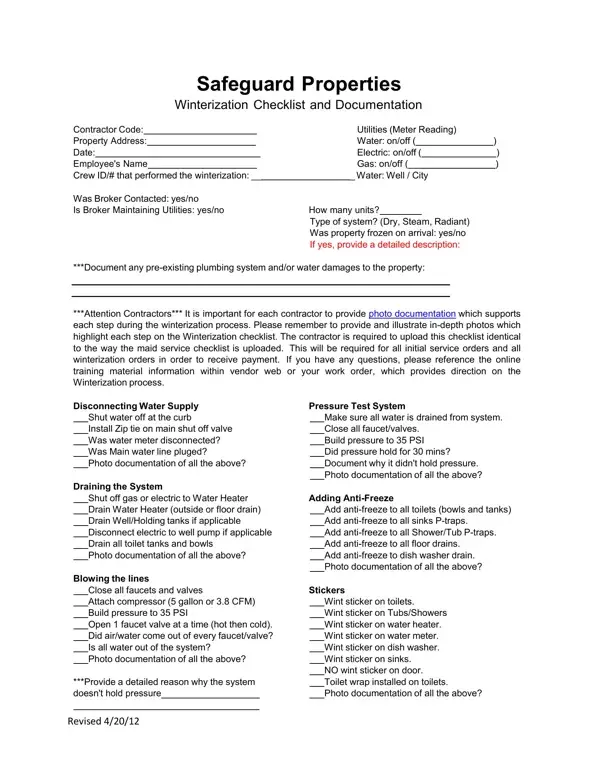
As temperatures plummet, the importance of properly winterizing properties cannot be overstated, especially for those under the care of Safeguard Properties. The Safeguard Winterization Checklist form is an extensive tool designed to ensure that every aspect of a property’s plumbing system is adequately prepared to withstand the cold. This checklist covers a comprehensive set of tasks, from the basic step of turning off and securing the water supply, to more complex procedures such as draining systems and adding anti-freeze to protect from freezing. Essential for contractors, this document demands meticulous attention to detail, requiring both a systematic approach to the winterization process and thorough photo documentation of each step. The form also emphasizes the significance of accountability, making it clear that the contractor performing the work is responsible for both the integrity of the winterization and the accuracy of the reporting. By signing the form, the contractor takes full responsibility for the workmanship and any subsequent issues that may arise due to incorrect or incomplete winterization, underscoring the critical nature of a job well done. This exacting approach is designed to safeguard properties and their plumbing systems against the ravages of winter, minimizing the risk of damage and the need for costly repairs.
| Question | Answer |
|---|---|
| Form Name | Safeguard Winterization Checklist Form |
| Form Length | 2 pages |
| Fillable? | No |
| Fillable fields | 0 |
| Avg. time to fill out | 30 sec |
| Other names | Safeguard Properties Winterization Checklist Form, Safeguard Properties Winterization Checklist and documentation |
Safeguard Winterization Checklist Form isn’t the one you’re looking for?