
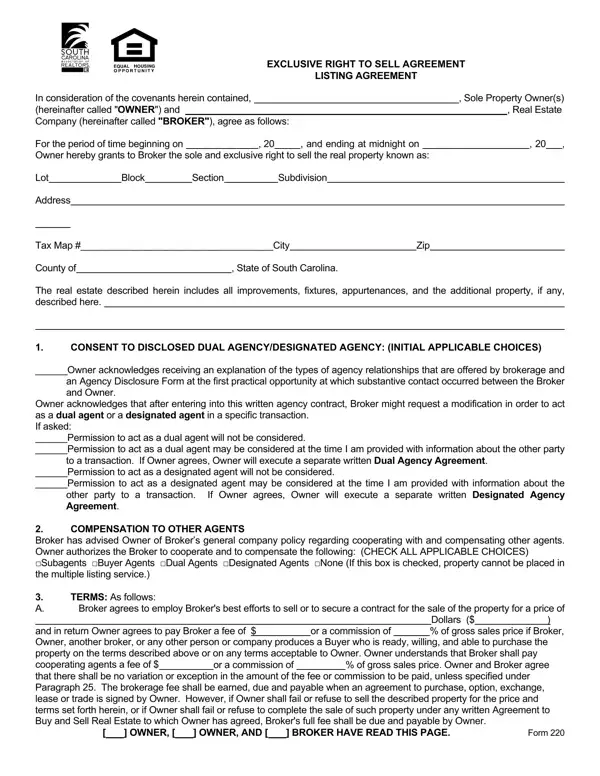
The SC Real Estate Listing Agreement form is a critical document in the process of selling property in South Carolina, setting forth the terms under which the property owner (referred to as the "OWNER") grants a real estate company or broker (referred to as the "BROKER") the exclusive right to sell the described real estate for a specified period. This comprehensive agreement includes crucial details such as the listing duration, property description, brokerage compensation, and the obligations of both the Owner and the Broker during the listing period. It also addresses the consent to disclosed dual agency/designated agency, which can significantly impact how the property is represented. Furthermore, the form outlines the Owner's duties to provide accurate property information, including the disclosure of latent defects and compliance with fair housing laws. The agreement is designed to facilitate cooperation and compensation between real estate professionals while ensuring the property is marketed effectively, and it highlights the legal responsibilities of the Owner to disclose material facts about the property, including compliance with the Lead-Based Paint Disclosure for properties built before 1978. The inclusion of provisions for dispute resolution, such as mediation, underscores the form's role in providing a clear framework for the real estate listing process, guiding both the Owner and the Broker through the complexities of property sales in South Carolina.
| Question | Answer |
|---|---|
| Form Name | SC Real Estate Listing Agreement Form |
| Form Length | 5 pages |
| Fillable? | No |
| Fillable fields | 0 |
| Avg. time to fill out | 1 min 15 sec |
| Other names | SC Exclusive Right to Sell Contract Form, SC Listing Agreement Form |
SC Real Estate Listing Agreement Form isn’t the one you’re looking for?