
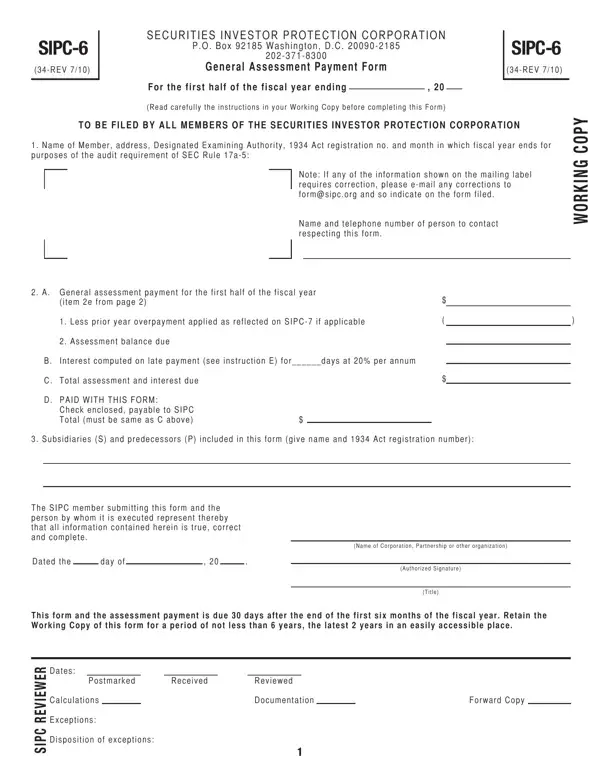
Using the online PDF tool by FormsPal, you're able to complete or edit sipc 6 2019 here. FormsPal development team is continuously endeavoring to expand the tool and make it much easier for users with its many features. Take advantage of the latest progressive opportunities, and find a myriad of new experiences! To get started on your journey, consider these basic steps:
Step 1: Click on the "Get Form" button above on this page to access our tool.
Step 2: After you open the PDF editor, you'll see the document made ready to be filled out. In addition to filling out different fields, you could also perform other things with the form, specifically writing any textual content, modifying the initial textual content, adding graphics, affixing your signature to the document, and much more.
It is actually simple to complete the form with our helpful guide! Here's what you should do:
1. Start filling out your sipc 6 2019 with a group of essential blanks. Get all of the important information and ensure nothing is neglected!
2. Once your current task is complete, take the next step – fill out all of these fields - Assessment balance due, Interest computed on late payment, C Total assessment and interest due, D PAID WITH THIS FORM, Check enclosed payable to SIPC, Subsidiaries S and predecessors P, The SIPC member submitting this, Dated the day of, Name of Corporation Partnership or, Authorized Signature, Title, This form and the assessment, and Dates with their corresponding information. Make sure to double check that everything has been entered correctly before continuing!
3. In this step, look at aNd GeNeral assessmeNT, item No a Total revenue FOCUS Line, Amounts for the fiscal period, b Additions, Total revenues from the, predecessors not included above, Net loss from principal, Net loss from principal, Interest and dividend expense, Net loss from management of or, Expenses other than advertising, profit from management of or, Net loss from securities in, Total additions, and c Deductions. These should be taken care of with highest accuracy.
4. The next part requires your input in the following areas: c Deductions, Revenues from the distribution of, investment trust from the sale of, Revenues from commodity, Commissions floor brokerage and, securities transactions, Reimbursements for postage in, Net gain from securities in, of commissions and markups, Direct expenses of printing, related to the securities business, Other revenue not related either, See Instruction C, i Total interest and dividend, and Code plus line b above but not in. Just be sure you give all of the required information to move onward.
As for See Instruction C and securities transactions, be certain you don't make any errors in this section. Both of these are surely the most significant fields in the form.
5. To wrap up your document, the final area features several extra fields. Entering Enter the greater of line i or ii, Total deductions, d SIPC Net Operating Revenues, e General Assessment, and to page line A will finalize everything and you'll be done very fast!
Step 3: Revise all the details you've entered into the blank fields and hit the "Done" button. Acquire the sipc 6 2019 when you join for a 7-day free trial. Conveniently get access to the pdf file within your personal account, with any edits and changes being conveniently kept! At FormsPal, we endeavor to guarantee that your details are kept private.
