
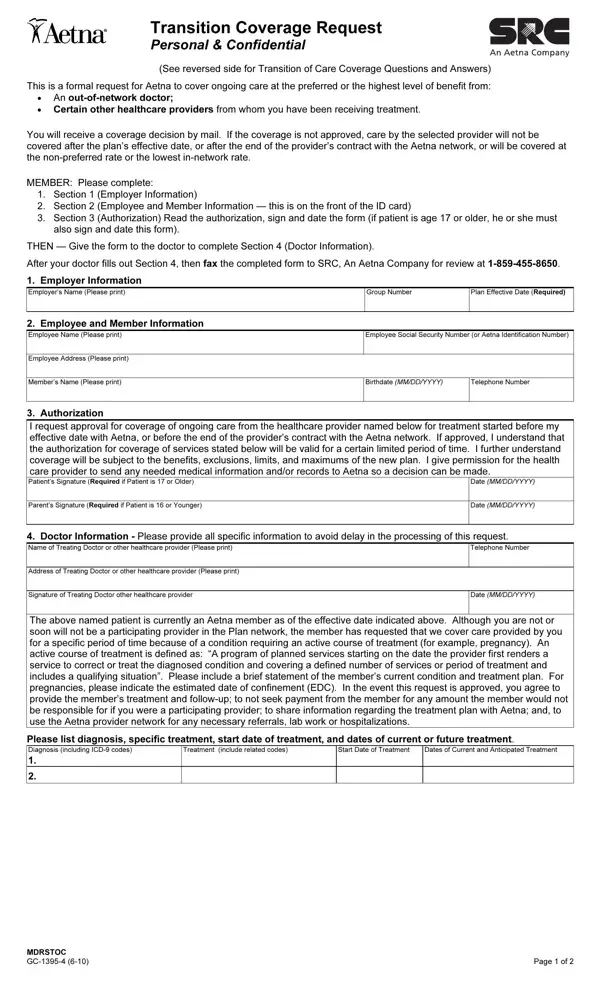
Navigating the complexities of health insurance coverage during transitional periods can be a daunting process for many. The Transition Care Aetna form plays a crucial role in this scenario, facilitating a smoother shift for individuals requiring ongoing treatment as they either become new members of an Aetna medical benefit plan or undergo changes in their current Aetna medical plan. At its core, this form serves as a formal request for Aetna to cover continuing care—whether it be from out-of-network doctors or certain other healthcare providers—at either the preferred or highest level of benefit. The individual's responsibility includes completing sections detailing employer information, employee and member data, and providing authorization by signing the document. This is followed by the healthcare provider's input on the necessary care details. The decisions regarding coverage are communicated via mail, delineating whether the care by the selected provider will proceed under the coverage, adhering to the plan’s stipulations post the plan's effective date, or after the conclusion of the provider's contract with the Aetna network. Additionally, this form underscores the significance of understanding what constitutes an active course of treatment, the duration of Transition of Care (TOC) coverage, and the conditions under which treatment and service types are deemed eligible for TOC coverage. It's essential for both patients and providers to comprehend the guidelines, limitations, and the necessary steps to file for such coverage, ensuring continuity of care without financial or administrative hurdles.
| Question | Answer |
|---|---|
| Form Name | Transition Care Aetna Form |
| Form Length | 2 pages |
| Fillable? | No |
| Fillable fields | 0 |
| Avg. time to fill out | 30 sec |
| Other names | aetna transition, aetna toc form, request care aetna, aetna transition of care |
Transition Care Aetna Form isn’t the one you’re looking for?