
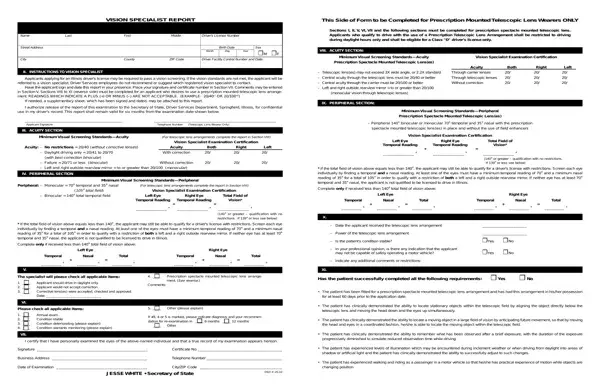
Dealing with PDF files online is actually very simple with this PDF editor. You can fill in Illinois Secretary of State Vision Specialist Report Form here effortlessly. FormsPal team is dedicated to making sure you have the absolute best experience with our editor by consistently introducing new features and enhancements. With these improvements, working with our editor becomes easier than ever before! Here's what you will have to do to get started:
Step 1: Open the PDF file in our tool by hitting the "Get Form Button" at the top of this webpage.
Step 2: Using our handy PDF editor, you are able to accomplish more than merely fill in blank fields. Express yourself and make your documents appear professional with custom text added in, or tweak the original input to perfection - all that backed up by the capability to incorporate your personal pictures and sign it off.
This form will require particular information to be filled in, so you should definitely take the time to enter what is asked:
1. The Illinois Secretary of State Vision Specialist Report Form usually requires specific information to be typed in. Be sure the following blank fields are completed:
2. The next stage is to complete these blanks: The patient has experienced, changing position, Business Address, Telephone Number, Date of Examination, JESSE WHITE Secretary of State, and CityZIP Code DSD X.
3. Completing I APPLICANT INFORMATION, Secretary of State State of, VISION SPECIALIST REPORT, This Side of Form to be Completed, Name, Last, First, Middle, Drivers License Number, and Sections I II V VI VII and the is essential for the next step, make sure to fill them out in their entirety. Don't miss any details!
Be really mindful while filling out Middle and Secretary of State State of, because this is where many people make some mistakes.
Step 3: Right after proofreading the form fields, hit "Done" and you're all set! Get hold of the Illinois Secretary of State Vision Specialist Report Form after you sign up for a free trial. Quickly use the pdf file within your personal cabinet, with any modifications and adjustments being automatically kept! FormsPal provides protected form editing with no personal information recording or any kind of sharing. Be assured that your information is secure here!
