
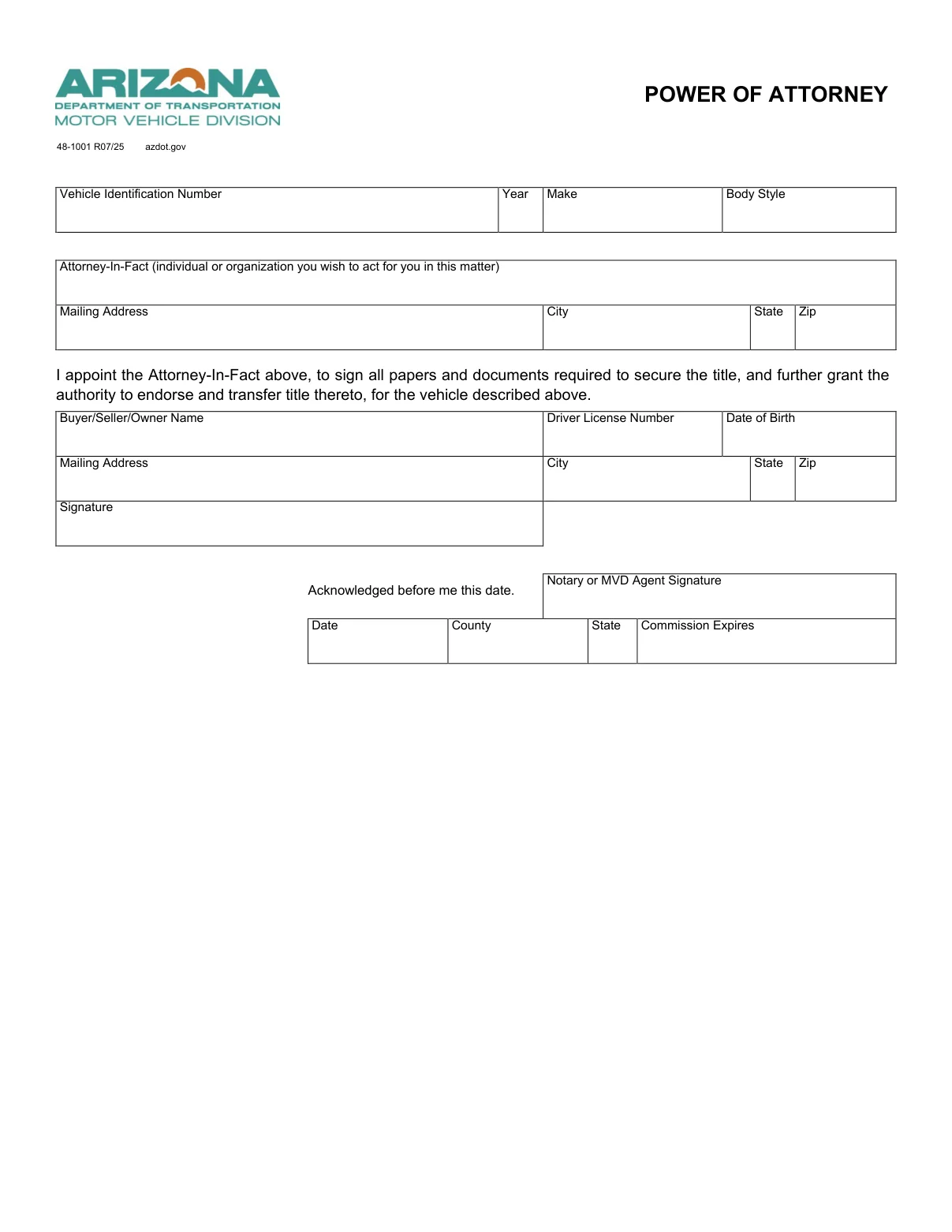
An Arizona motor vehicle power of attorney form is a document that names an agent you trust to act for you, the principal, with a car, truck or motorcycle. The PDF on this page is the Arizona Department of Transportation’s Form 48-1001, Power of Attorney, the official Arizona form.[1] You can also enter your details in the FormsPal template with Create My Document, which builds a separate document from your answers.
Last Updated: October 2026. This guide is reviewed and updated regularly to reflect current law. If you notice an error or outdated information, please contact us.
Build Your Document
Answer a few simple questions to make your document in minutes
Save and Print
Save progress and finish on any device, download and print anytime
Sign and Use
Your valid, lawyer-approved document is ready
A motor vehicle power of attorney, or POA, is a document that names someone else to act for you with your car, and you are known as the principal. The person you choose is the agent, who is also called the attorney-in-fact.
Form 48-1001, the ADOT form this page hands out, collects:[1]
An Arizona vehicle power of attorney form lets a person (or a principal) designate someone to use the principal’s vehicle in case of disability, disease, and so on. A vehicle POA can become effective right away depending on the date the principal has chosen, not on the principal’s state.
In the United States, including Arizona, when an individual suddenly becomes disabled, their power of attorney (or POA) forms for various properties states who exactly is authorized legally to make decisions regarding those properties. In Arizona, POA forms and rules that regulate them are mentioned in Title 14 of the Arizona Revised Statutes (Chapter 5, Article 5). Some details about a vehicle POA are included in Title 44.
The Arizona Department of Transportation, Motor Vehicle Division, publishes Form 48-1001. Its last block, which reads “Acknowledged before me this date”, has a box for a Notary or MVD Agent Signature. So the owner’s signature on it is acknowledged before a notary public or an MVD agent.[1] If you want to create a POA form, you should be at least 18 years old and in good conscience.
Tip: Keep a signed copy of the finished form for your records, and give your agent another copy too.
You may also complete a power of attorney form for different purposes, not just for a vehicle. Looking for another document? Browse our Arizona power of attorney templates.
The table below lists the basics of ADOT Form 48-1001, the form this page hands out. It shows the title of the form, the state form name and the time it takes to fill out, along with the number of fillable fields, the file format and a link to the Arizona Department of Transportation.
| Document Name | Arizona Motor Vehicle Power of Attorney Form |
| State Form Name | Form 48-1001, Power of Attorney (R07/25) |
| Relevant Link | Arizona Department of Transportation |
| Avg. Time to Fill Out | 8 minutes |
| # of Fillable Fields | 16 |
| Available Formats | Adobe PDF |
The steps below follow ADOT Form 48-1001 (R07/25), the official form this page hands out, in the same order as its boxes. The form is a single page with fillable fields, so you can type your entries before you print it. Keep the vehicle title or registration and your driver license within reach before you start.
The screenshots under each step show ADOT Form 48-1001, the official Arizona form, filled with sample entries in blue, so you can see where each answer goes. The names, addresses, dates and numbers are examples only.


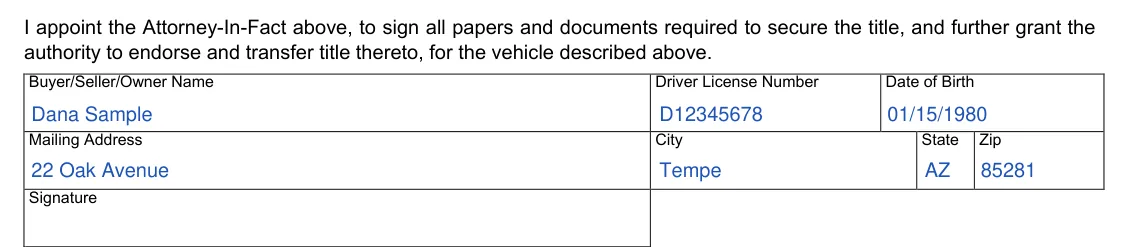

After the fields are filled in, the form moves on to signing and the acknowledgment block. The steps below follow that order, and the last one covers your copies. Check that the names and numbers match your IDs and the title before anyone signs.
Most problems come from small slips rather than from the form itself, and a quick read-through before you sign catches the common ones. Go through this short list once the form is completed.
It is a document in which you name another person, called the agent or attorney-in-fact, to act for you with a car or other vehicles. ADOT Form 48-1001, the PDF on this page, collects your details, the attorney-in-fact’s details and the description of the vehicle on one page.
Yes. Select Create My Document at the top of this page and answer a few questions, and the FormsPal tool builds the document from your answers, so you can save your progress, print it, or download it as a PDF. You can also download Form 48-1001 from this page and type into its fields.
Open the downloaded file in the FormsPal PDF editor to type in or change the fields. Print a clean copy when you are done.
The principal is the person who signs the form. The agent, also called the attorney-in-fact, is the person the principal picks to act for them.
Form 48-1001 has no successor section. The FormsPal template from Create My Document has one. It names another person as an alternate agent, by name and address, and its printed wording describes the case where your first agent is unable or unwilling to serve.
Have these details ready before you start:
Form 48-1001 has no place for an alternate agent or an odometer reading.
Yes. A general power of attorney covers more than a car, and other forms fit other situations, so browse the Arizona power of attorney templates near the top of this page to compare the types of forms.
Your agent can keep a copy with the title and registration and show it at the MVD or to a dealer when a vehicle task comes up. It helps to ask the office ahead of time what it wants to see.
Yes. Download the PDF and store it with the title and your other car papers. You can print more copies whenever you want them.
General information, not legal or tax advice.
