A California minor child power of attorney is a signed document in which a parent names a trusted adult to look after their child while the parent is away. Use this free California minor power of attorney form to build the document online or download it as a PDF.
Last Updated: October 2026. This guide is reviewed and updated regularly to reflect current law. If you notice an error or outdated information, please contact us.
Create a free high-quality California Minor Child Power of Attorney online now!
Build Your Document
Answer a few simple questions to make your document in minutes
Save and Print
Save progress and finish on any device, download and print anytime
Sign and Use
Your valid, lawyer-approved document is ready
... or download your California Minor Child Power of Attorney as a PDF file
What Is the California Minor Child Power of Attorney Form?
Some situations require parents to leave their children under someone else’s care for some time (from six months to a year). If a California family wants to make this procedure as safe, unstressful, and legal as possible, they have to complete the California Parental (Minor Children) Power of Attorney Form.
The California Parental (Minor Children) Power of Attorney Form is free and can be used by any parent. The form allows parents to appoint the person they trust the most as a temporary trustee for their kids when they cannot take care of their kid(s) themselves.
When filling out the fillable power of attorney form, the parents don’t have to state the reason for leaving their kids with some other person. However, the main reasons for doing that include:
The need to go to a hospital for prolonged medical treatment
Military deployment
The obligation to be under arrest in prison
Immigration issues
If perhaps you need other California POA templates, check our dedicated state page linked in this section.
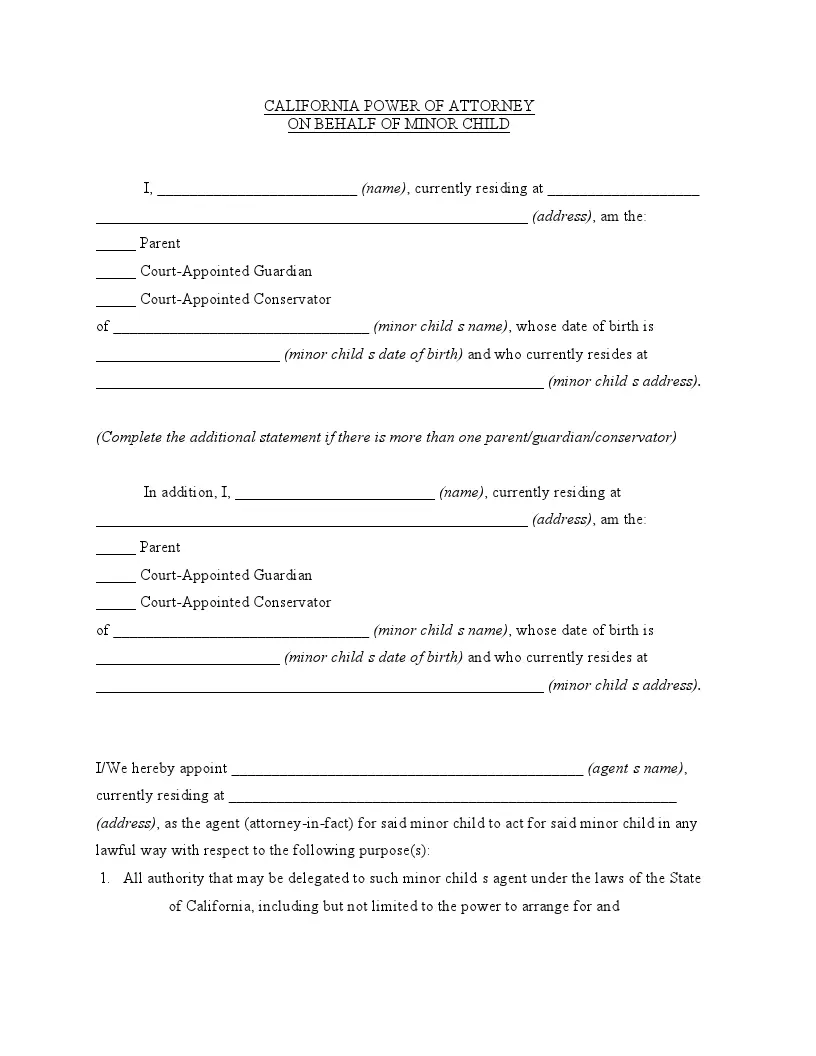
Also known as the California Informal Guardianship Form. Download the free PDF from this page, or build the document online with the Create My Document button above.
California Minor Child Power of Attorney Form Details
As stated in the Probate Code (Division 4, Part 2, Chapter 1, Article 2, Section 1510) of the California Code, the temporary trustee has the privilege to make all kinds of decisions (including decisions on education and health care) concerning the trusted kids. They need to know as much as possible about the kids, particularly issues touching on health insurance.
Parents leave personal details of every child in the form, mentioning their specific needs, features, behavior issues, food preferences, and medical treatment preferences. They can invalidate the California Parental (Minor Child) Power of Attorney Form at any moment. Also, they can restart the form after the expiration date.
How to Fill Out the California Minor Child Power of Attorney Form
These steps follow the FormsPal template you can download from this page, a four-page PDF with 86 fillable fields. Work through the parts in order, from the parent details to the notary section. The details table above lists about 15 minutes to fill it out.
The screenshots under each step show the FormsPal California California Minor Child Power of Attorney template filled with sample entries in blue, so you can see where each answer goes. The names, addresses, dates and amounts are examples only.
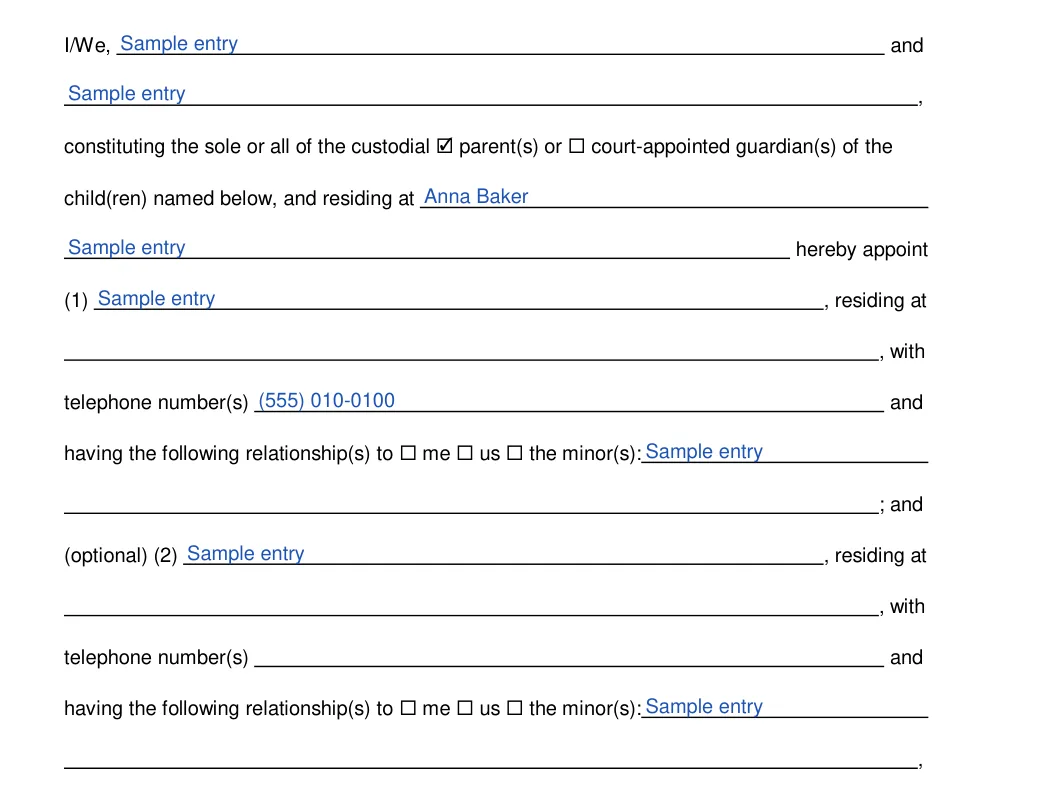
Enter the parents' or guardians' names. At the top of page 1, type the name of each custodial parent or court-appointed guardian in the two I/We lines. Use one line if only one person is signing.Step 1: sample entries, not a real document.
Name the short-term guardians. Still on page 1, check whether you are parents or court-appointed guardians and enter your address. Then fill in guardian (1): name, address, telephone number(s) and relationship to you or the minors. Guardian (2) is marked optional on the form, so fill it in only if you want a second person.Step 2: sample entries, not a real document.
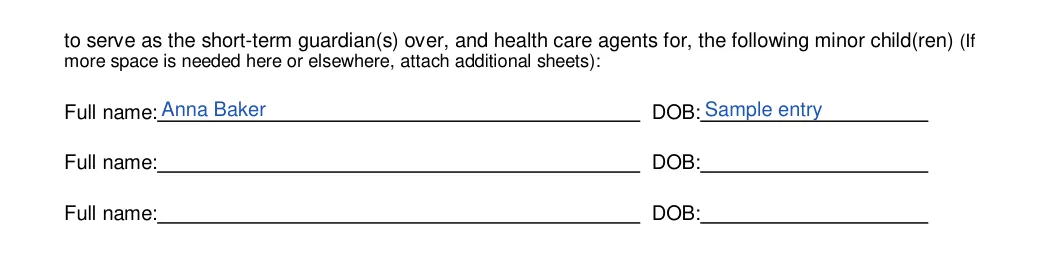
List each child. List each child's full name and date of birth on the Full name and DOB lines. The form says to attach additional sheets if you need more space.Step 3: sample entries, not a real document.
Choose when it takes effect. Under "and will become effective (check one)", check one option: immediately, on a date you enter, or upon the deaths, incapacity or absence of all parents/guardians listed above.Step 4: sample entries, not a real document.
Add effective-date triggering events. If you choose the last option on the effective-date list, the occurrence of the following triggering event(s), write each event on the lines provided. Leave these lines blank otherwise.Step 5: sample entries, not a real document.
Choose when it ends. At the top of page 2, under "will terminate upon the earlier to occur of", check one option for item (c): 60 days, a day, month and year you enter, or a triggering event.Step 6: sample entries, not a real document.
Add end-date triggering events. If you choose the triggering-event option for ending the appointment, write each event on the lines provided. Leave these lines blank otherwise.Step 7: sample entries, not a real document.
Review the page 2 terms and the foster care box. Read the page 2 paragraphs, including the nomination of guardians and the powers list. The sentence about child protective custody or foster care ends with a box, so read it before you decide whether to check it. To exclude a listed power, cross it out and initial it, as the form says.Step 8: sample entries, not a real document.
Set the travel limits. On page 3, find the travel with the child(ren) lines and check one travel option if you want one: a mile radius, a city, county/parish or state, or leave travel unrestricted.Step 9: sample entries, not a real document.
List travel places if you chose other. If you pick the "other" option, write the places the children may travel to and from on the lines provided.Step 10: sample entries, not a real document.
Add HIPAA limits or conditions. In the HIPAA paragraph, write any limits or conditions you want on the lines, or check None.Step 11: sample entries, not a real document.
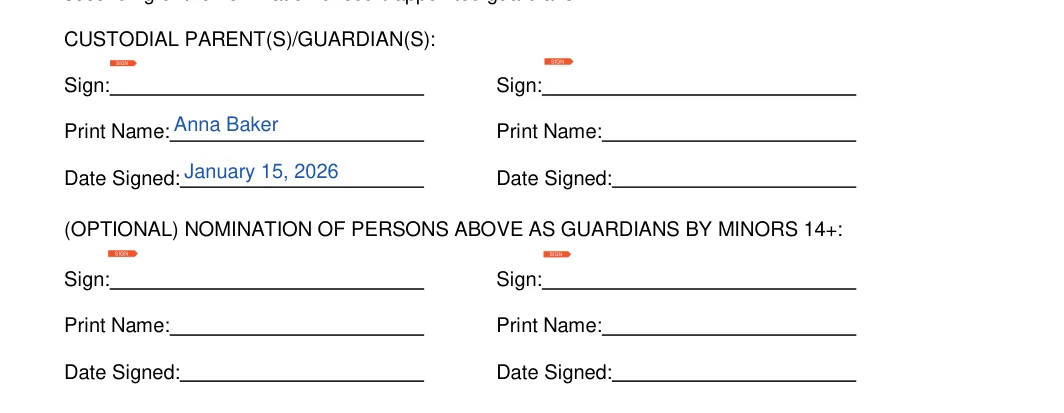
Sign as custodial parent or guardian. Each custodial parent or guardian signs, prints their name and adds the date signed on page 3. The same block also has an optional box for children 14 or older to sign the nomination.Step 12: sample entries, not a real document.
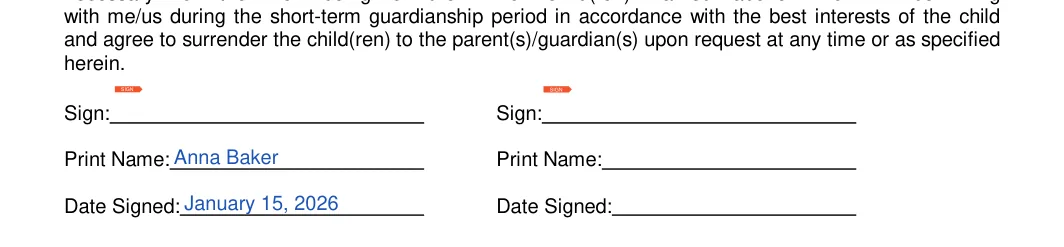
Have the short-term guardians sign the consent. Each short-term guardian signs, prints their name and dates the Consent of Short-Term Guardians at the bottom of page 3 and the top of page 4.Step 13: sample entries, not a real document.
Complete the notary acknowledgment. On page 4, the notary fills in the county, the date, their own name and the name of the person who appeared. Take the unsigned form to your notary, so you can sign with the notary present.Step 14: sample entries, not a real document.
Notary signature and seal. The Signature (Seal) line below the acknowledgment is for the notary. A notary must sign the form and prove the validity of the agreement with an official seal.Step 15: sample entries, not a real document.
Common Mistakes to Avoid with the California Minor Power of Attorney Form
Small slips are easy to make on a four-page form. When you finish filling out your California minor power of attorney form, read the finished pages with the other parent or guardian and compare every name, address and date with the originals. Then read the page 2 powers list and the parental rights wording once more before you print the form for signing.
Typing a nickname instead of the full name shown on each person's ID.
Entering a child's date of birth from memory instead of checking the birth certificate.
Leaving out the school contacts and healthcare providers the short-term guardian will need.
Skipping the effective and end date lines, so the dates stay unclear.
Keeping only one copy, when every parent, guardian and caregiver named on the form could use one.
Frequently Asked Questions
How long does it take to fill out the California minor child power of attorney form?
The details table on this page lists an average of 15 minutes and 86 fillable fields. Gather the names, addresses and dates of birth first, so you can fill in the form in one sitting.
Can I fill in the form on my computer?
Yes. Open the Adobe PDF file from this page and type into the fillable fields, or use the FormsPal PDF editor to fill in and edit the PDF online. Print the finished pages when you are ready to sign.
What details should I have ready before I start?
Have these ready, so the form goes quickly:
The full names and addresses of the parents or guardians
The name, address and telephone number of each short-term guardian
Each child's full name and date of birth
The dates you want the appointment to start and end
Any places the children will travel to
Who is the short-term guardian on the form?
The short-term guardian is the person you name on the form to care for your child. This page also calls this person the temporary trustee, while the form itself uses the term short-term guardian.
General information, not legal or tax advice.
Create a free high-quality California Minor Child Power of Attorney online now!
Mara Erlach
Writer & Attorney
Mara has been practicing estate planning and trust law in California since 2003, taking pride in helping clients of all backgrounds and asset profiles form a complete and customized estate plan. Her specialties are: estate planning, wills and trusts, trust and probate administration.