
The Minnesota motor vehicle power of attorney is a document that lets a vehicle owner appoint an agent to handle the title, registration or other dealings with Driver and Vehicle Services (DVS) at the Minnesota Department of Public Safety. You can fill out the free template on this page online, then download, print and sign it.
Last Updated: October 2026. This guide is reviewed and updated regularly to reflect current law. If you notice an error or outdated information, please contact us.
Build Your Document
Answer a few simple questions to make your document in minutes
Save and Print
Save progress and finish on any device, download and print anytime
Sign and Use
Your valid, lawyer-approved document is ready
A Minnesota motor vehicle power of attorney names an agent to deal with one vehicle for its owner. The owner is called the principal, and the person chosen to act is the agent, also known as the attorney in fact. The template on this page lists vehicle tasks such as titles, registration and license plates.
The motor vehicle POA in Minnesota enables the agent to perform several tasks on behalf of the principal. Specifically, the agent can:
In the vehicle power of attorney, you must clearly state the agent’s authority to ensure no ambiguities regarding their powers. The principal should specify the vehicle by including make, model, year, and VIN to avoid potential disputes or confusion.
Under Minnesota Statutes, Section 523.01, a power of attorney is validly executed when it is dated, signed by the principal and acknowledged by a notary public.[1] The statutory short form in Section 523.23 is a separate, optional form, and a motor vehicle POA that does not use it must still meet these execution rules, the same as other power of attorney forms. Minnesota does not list two witnesses as an alternative to the notary.[1]
To safely manage your vehicle affairs without being present, you can use Minnesota POA templates, which provide a legally sound framework tailored to comply with state-specific regulations.
This free template is a PDF with 26 fillable fields and takes about 15 minutes to complete. The table below gives the template name, the name the state uses for it, a link to the Driver and Vehicle Services Division and the file format.
| Document Name | Minnesota Motor Vehicle Power of Attorney Form |
| State Form Name | None |
| Relevant Link | Driver and Vehicle Services Division |
| Avg. Time to Fill Out | 15 minutes |
| # of Fillable Fields | 26 |
| Available Formats | Adobe PDF |
The steps below follow the FormsPal template on this page, a power of attorney for motor vehicles. You fill it in from the top of page 1 to the acknowledgment on page 3. Each step names one part and tells you what to enter there. Gather the agent's details and the vehicle's VIN before you start.
The screenshots under each step show the FormsPal Minnesota Minnesota Motor Vehicle Power of Attorney template filled with sample entries in blue, so you can see where each answer goes. The names, addresses, dates and amounts are examples only.
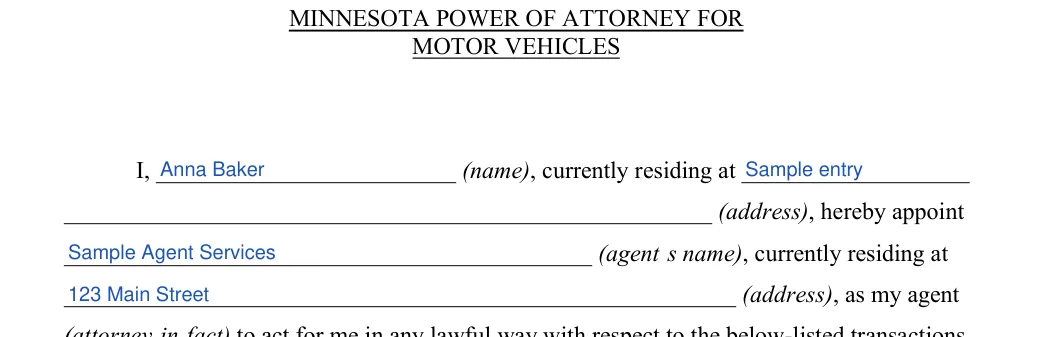
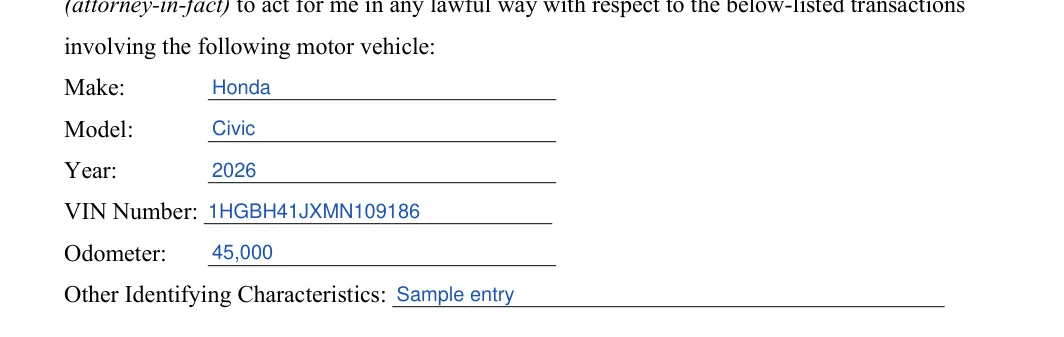


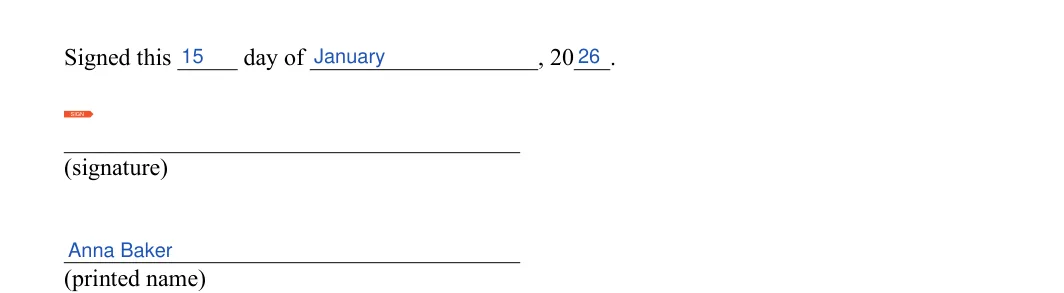
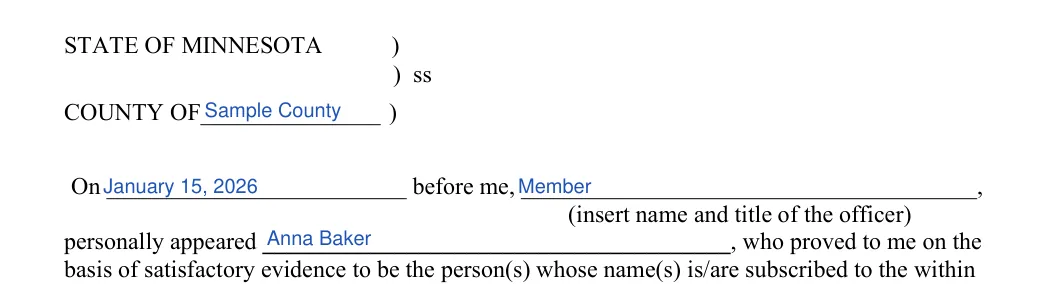

Once the template is filled in, a few practical steps remain before you hand it to anyone. Print the pages, check the details and keep a copy of everything you sign. It also helps to bring your photo ID to the notary visit. The steps below follow the order most people work in.
It is useful when the owner cannot take care of a vehicle task in person, for example while traveling or living away. The template lets the agent act for the owner on the matters it lists, such as a title or registration.
Gather these items before you open the form:
Having them on hand keeps the whole job to one sitting.
The VIN is usually printed on the vehicle's title and registration card. You can also find it on the insurance card and on a plate at the base of the windshield on the driver's side. Copy it slowly, then compare each character with the title once you finish.
Most people finish in about 15 minutes. Having the agent's details and the VIN on hand makes it quicker. Allow a little more time for the notary visit, since that part happens after you print.
Yes. Use the Create My Document button to answer a few questions, or download the PDF and complete it with the FormsPal PDF editor. Then print the pages for signing.
It names an alternate agent on page 2. According to the template text, the alternate serves if the first agent is unable or unwilling to serve.
Page 1 holds the details of the owner, the agent and the vehicle. Page 2 holds the alternate agent and the date. Page 3 is the acknowledgment that the notary completes with you. Work through the three pages in that order.
Yes. Bringing your photo ID is a sensible habit for any notary visit, so the notary can see who is signing.
Yes. Page 3 of the template has an acknowledgment section for a notary public or other officer to complete.
General information, not legal or tax advice.
