South Carolina Motor Vehicle Power of Attorney Form
Updated:
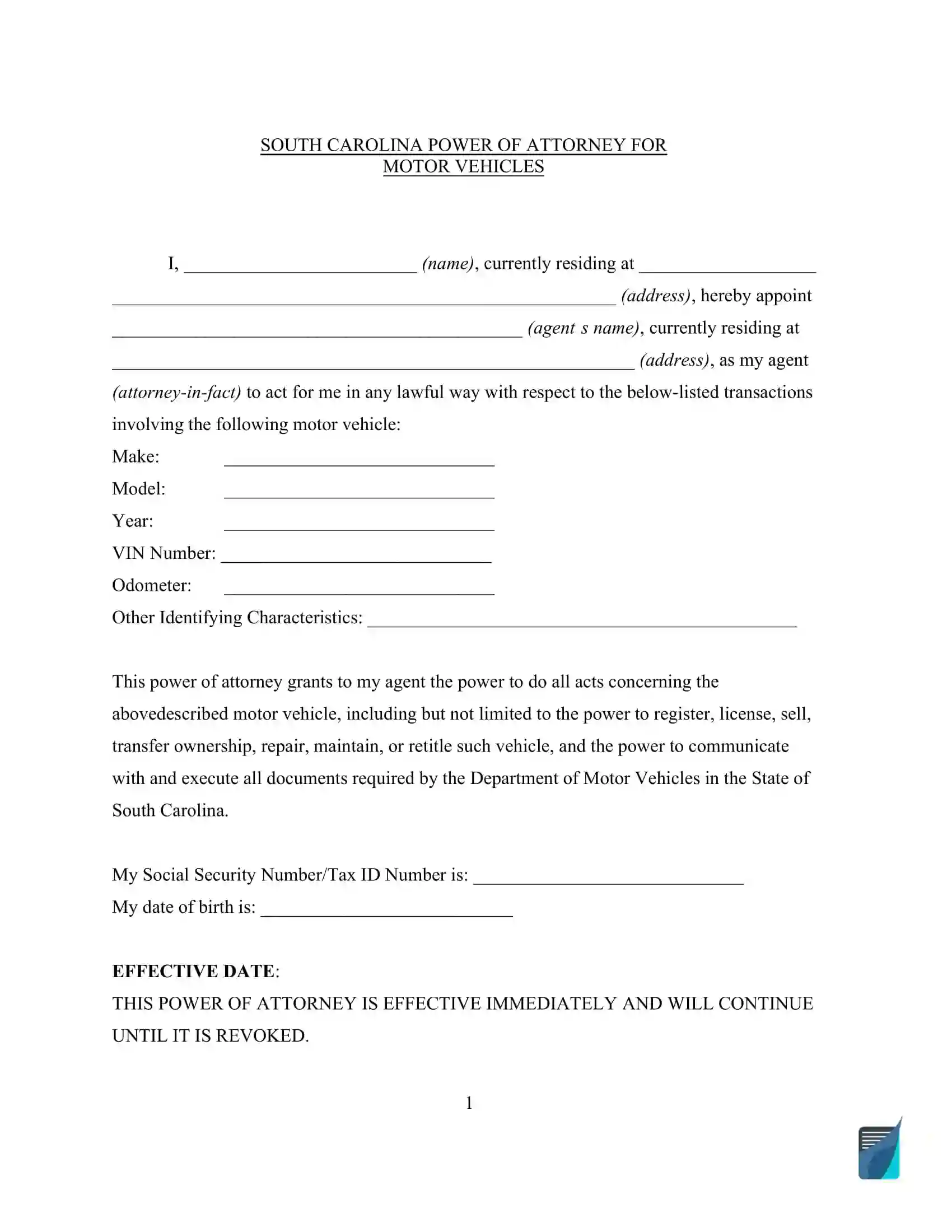
The South Carolina motor vehicle power of attorney form is a legal document that allows a vehicle owner to appoint someone else to act on their behalf in matters related to a specified car. That person is known as the agent or attorney-in-fact. Under South Carolina's Uniform Power of Attorney Act (S.C. Code § 62-8-105), the FormsPal power of attorney form must be signed by the principal (vehicle owner), attested by two witnesses with the same formality as a will in South Carolina, and acknowledged or proved under Section 30-5-30.[1]
Create a high-quality South Carolina Motor Vehicle Power of Attorney Form online now!
Build Your Document
Answer a few simple questions to make your document in minutes
Save and Print
Save progress and finish on any device, download and print anytime
Sign and Use
Your valid, lawyer-approved document is ready
... or download your South Carolina Motor Vehicle Power of Attorney as a PDF file
What Is a South Carolina Motor Vehicle Power of Attorney?
A South Carolina motor vehicle power of attorney lets you name an agent to handle paperwork for one specific vehicle. The FormsPal template on this page has places for the vehicle details, the agent, a successor agent, your signature and a notary acknowledgment. Create it online, then print it when you finish.
South Carolina Motor Vehicle Power of Attorney Form Details
Document Name
South Carolina Motor Vehicle Power of Attorney Form
SCDMV Form MC-25 is used when someone other than the account holder conducts business for an established IFTA or IRP account with SCDMV Motor Carrier Services.[2] For a vehicle title or registration, the owner signs the Title and/or Registration Application (SCDMV Form 400), and if someone other than the owner signs it, the application must be accompanied by a power of attorney.[3]
By the way, the available South Carolina POA forms on our site cover various functions, from health care directives to handling real estate and automobile transactions.
How to Fill Out the South Carolina Motor Vehicle Power of Attorney
The steps below follow the FormsPal template this page hands out. Below is a detailed guide on how to complete this form to ensure it is valid and recognized by the South Carolina Department of Motor Vehicles (SCDMV).
The screenshots under each step show the FormsPal South Carolina Motor Vehicle Power of Attorney template filled with sample entries in blue, so you can see where each answer goes. The names, addresses, dates and amounts are examples only.
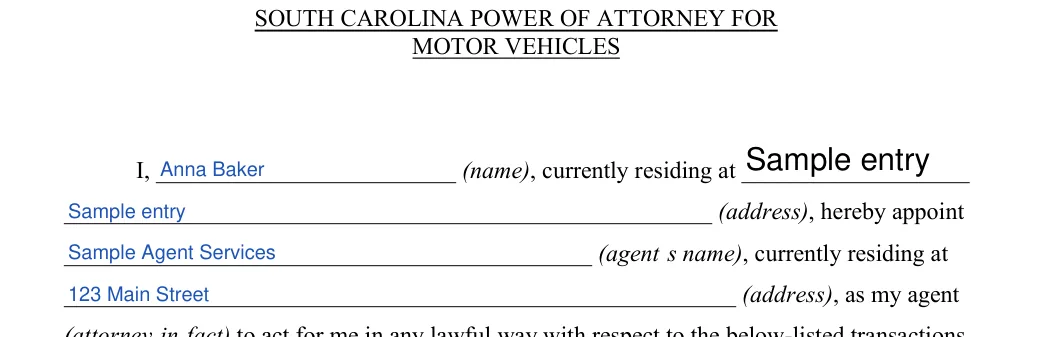
Principal and agent. Enter your name and address, then the agent's name and address, in the opening paragraph. This information is crucial for any follow-up required by the SCDMV.Step 1: sample entries, not a real document.
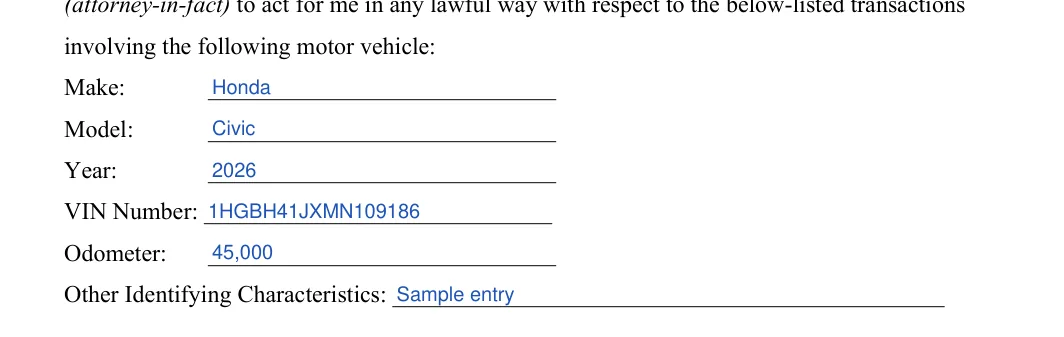
Motor vehicle details. Fill in Make, Model, Year, VIN Number, Odometer and Other Identifying Characteristics. Copy the VIN from the title or registration to avoid typing mistakes.Step 2: sample entries, not a real document.
Social Security Number/Tax ID Number and date of birth. Enter the principal's Social Security Number or Tax ID Number and date of birth. The effective-date wording below them is already printed, so there is nothing to fill in there.Step 3: sample entries, not a real document.
Successor attorney-in-fact. Repeat the agent's name, then enter the alternate agent's name and address.Step 4: sample entries, not a real document.
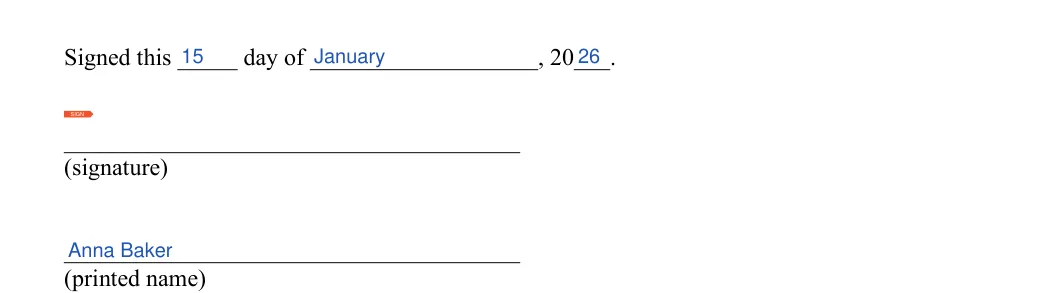
Date, signature and printed name. Fill in the day, month and year, then sign and print your name beneath the signature. The principal must sign the form to appoint the agent officially. South Carolina law also requires two witnesses, so have two witnesses sign the template as well.[1]Step 5: sample entries, not a real document.
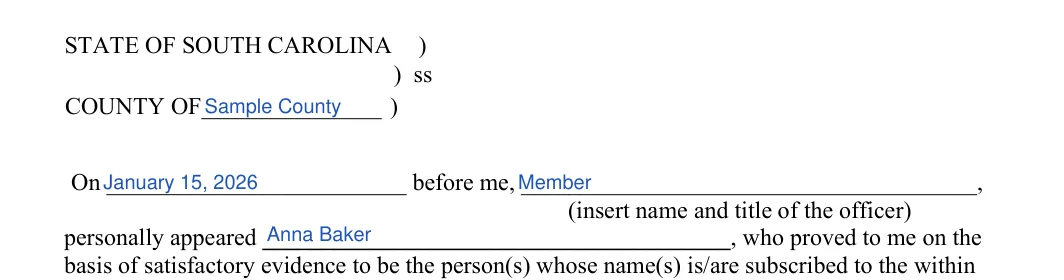
Acknowledgment: county, date and officer. Add the county, the date, the officer's name and title, and the principal's name in the acknowledgment section. Under S.C. Code § 62-8-105(3), the template must be acknowledged or proved as Section 30-5-30 requires.[1]Step 6: sample entries, not a real document.
Officer signature and seal. Leave the Signature line and seal space blank for the notary or other officer. The notary public will fill out the section provided, ensuring the form bears the official seal and the notary’s commission expiration date.Step 7: sample entries, not a real document.
Tip: Type each name the way it appears on that person's ID. Keep a copy of the finished document with your vehicle papers.
Create a high-quality South Carolina Motor Vehicle Power of Attorney Form online now!
How to Sign and Use the South Carolina Motor Vehicle Power of Attorney
Once the template is filled in, print it and check that every name, address and VIN is correct. Then work through the steps below to finish the paperwork. Keep the original and any copies together in one place.
Submit the completed form. Once completed and notarized, the form must be submitted to the South Carolina DMV, either through mail or in person, depending on the specific transaction. When your agent signs a title or registration application for you, attach this power of attorney to your Title and/or Registration Application (SCDMV Form 400). That application is accepted at SCDMV branch offices or by mail.[4] Ensure that it is accompanied by any other required documents.
Keep copies. It’s advisable for both the principal and the agent to keep copies of the notarized form for their records and to refer back to it in case of disputes or for record-keeping purposes.
Common Mistakes to Avoid
These slips are easy to make and easy to catch. Take a few minutes for one last read before you print, and compare each entry with the documents in front of you.
A VIN with one wrong character. Copy it from the title or registration and read it back once.
Names that do not match the IDs. Type each name with the same spelling that appears on that person's ID.
Sample entries left in place. Replace every example from the screenshots with your own details before you print.
An out-of-date odometer reading. Check the dashboard and enter the current reading.
Frequently Asked Questions
What do I need before I start filling out the form?
Gather the owner's and the agent's full names and addresses. Also collect the vehicle's make, model, year, VIN and odometer reading, along with the principal's Social Security Number or Tax ID Number and date of birth, because the template asks for them.
Where can I find the VIN?
The VIN is a unique code that identifies a vehicle. You can usually find it on the title and registration, on the dashboard near the windshield and on a sticker inside the driver door.
Can I edit the PDF after I download it?
Yes. Open the downloaded file in the FormsPal PDF editor to fill in, edit and sign it.
Mara has been practicing estate planning and trust law in California since 2003, taking pride in helping clients of all backgrounds and asset profiles form a complete and customized estate plan. Her specialties are: estate planning, wills and trusts, trust and probate administration.