
Updated:
Get Form Now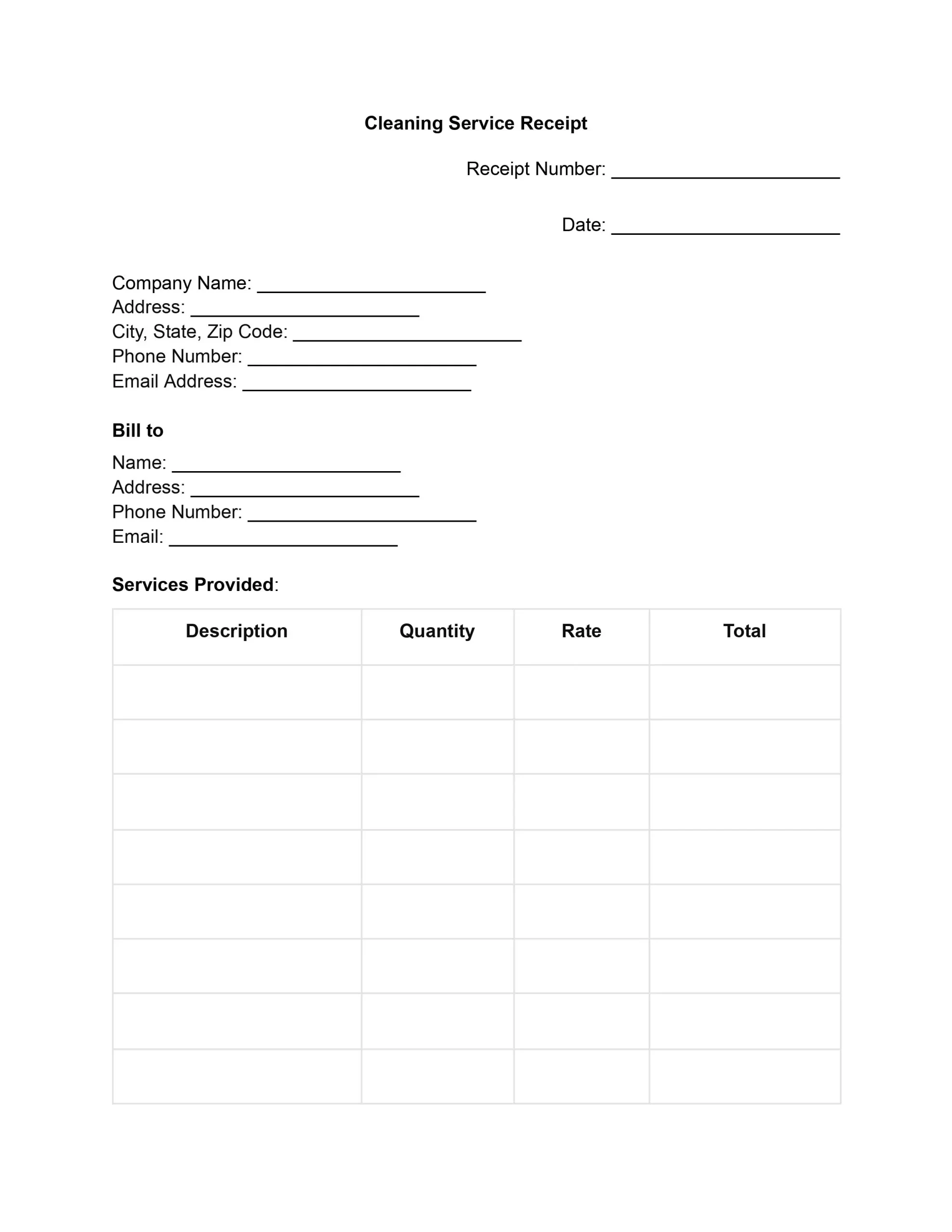
A cleaning receipt is proof that a client paid for cleaning. It lists the date, the services performed, the amounts charged, and how the client paid. House cleaners, maid services and commercial cleaning companies hand one over after each paid visit.
This guide covers each field of a cleaning service receipt, the steps to fill it in, a sample receipt, and how a receipt differs from an invoice.
Key facts
A cleaning receipt is a written acknowledgment of payment for a cleaning job, issued by the cleaner to the client. It names who did the work, what was cleaned, and what the client paid. It fits house cleaning, office cleaning, move-out cleaning, and any other job a cleaning business bills by the visit.
More than a bill, the receipt is a clear acknowledgment of the sale between the provider and the client. Clients keep it for their own files, and cleaning businesses keep a copy for their books.
The receipt is issued once the client has paid, whether at the end of the visit or after an invoice. The receipt then serves several everyday purposes:
A clear cleaning service receipt answers three questions: who did the work, what was done, and what was paid. Each field below covers one part of that answer:
| Field | What it holds | Why it matters |
|---|---|---|
| Receipt number and date | A number never reused, and the date of the service | Makes the receipt easy to find later |
| Company details | Business name, address, phone number and email | Tells the client whom to contact about the job |
| Client details (“Bill to”) | Client name, address, phone number and email | Shows who the cleaning was done for |
| Service lines | Description, quantity, rate and line total for each service | Shows what each part of the job cost |
| Totals | Subtotal, any taxes and the total balance | Shows the amount the client paid |
| Payment method | Cash, credit card, check or another method, marked as paid | Turns the document into proof of payment |
| Signature | Signature and date of the company representative | Confirms the business issued the receipt |
The service lines are the part of a cleaning receipt that sets it apart from a general sales receipt. Each line describes one service by room or area, such as “Interior windows, living room,” with its quantity, rate and line total. Add-on services, such as inside-the-oven cleaning, deep cleaning of a bathroom or interior windows, each take their own line so the client sees what each one cost.
The payment section shows how and whether the client paid. It names the method, such as cash, credit card or check, and marks the receipt as paid in full or shows the amount still due. Without this section, the document reads as a bill rather than a receipt.
A house cleaning receipt and a home cleaning receipt are the same document, used for a residential visit. The same fields work for an office clean, a move-out clean or a recurring weekly service; only the service lines change.
The receipt is filled in from top to bottom, in the same order as its fields, right after the client pays.
A finished receipt reaches the client on paper or as a PDF, and the business keeps a copy of each one.
The sample below shows how a finished receipt can look. The names, address, and amounts are made up for illustration, so replace each one with the details of your own job.
Sparkle Home Cleaning, 45 Oak Avenue, (555) 010-0145, hello@example.com
Bill to: Anna Baker, 123 Main Street.
Receipt No. 0001, dated 10/10/2026. Paid by credit card.
| Service | Quantity | Rate | Total |
|---|---|---|---|
| Standard house cleaning, 3 bedrooms | 1 | $120.00 | $120.00 |
| Inside-the-oven cleaning | 1 | $25.00 | $25.00 |
| Interior window cleaning | 6 | $5.00 | $30.00 |
| Subtotal | $175.00 | ||
| Taxes | $0.00 | ||
| Total Balance | $175.00 | ||
Status: Paid in full. Signed: M. Lopez, Sparkle Home Cleaning, 10/10/2026.
An invoice asks a client to pay for cleaning work, and a receipt confirms that the payment arrived. If the client pays on the spot, one receipt can cover the whole visit. If you bill after the job, send the invoice first and the receipt once the client has paid.
| Invoice | Cleaning receipt | |
|---|---|---|
| Purpose | Requests payment | Confirms payment |
| Timing | Before the client pays | After the client pays |
| Payment field | Amount due and how to pay | Amount paid and the method used |
Most receipt problems come from small gaps in the details. The slips below are the ones to check for before the receipt goes out:
Add up the line items one more time before you send the receipt. A total that does not match the services listed is the slip that leads to the most questions from clients.
Yes, a house cleaning receipt is a cleaning receipt for a residential job. It uses the same fields, with service lines listed by room.
A receipt for every paid job gives both sides a matching account of the work and the payment. Businesses that issue one each time find disputes and payment questions easier to settle.
Write “Cash” as the payment method, enter the amount received, and mark the receipt as paid. Sign it and hand the client a copy on the spot. A cash receipt covers a cash payment that is not tied to a cleaning job.
The receipt shows that the client paid for the listed services. A signed checklist or dated photos of the cleaned rooms show the work itself.
Yes. List the services for each job on separate lines, whether it is a house, an office, or a move-out clean. The same fields work for all of them.
Yes. Save the finished receipt as a PDF and attach it to an email, or print it for in-person visits. Keep a copy of every receipt you send.
General information, not legal or tax advice.
