
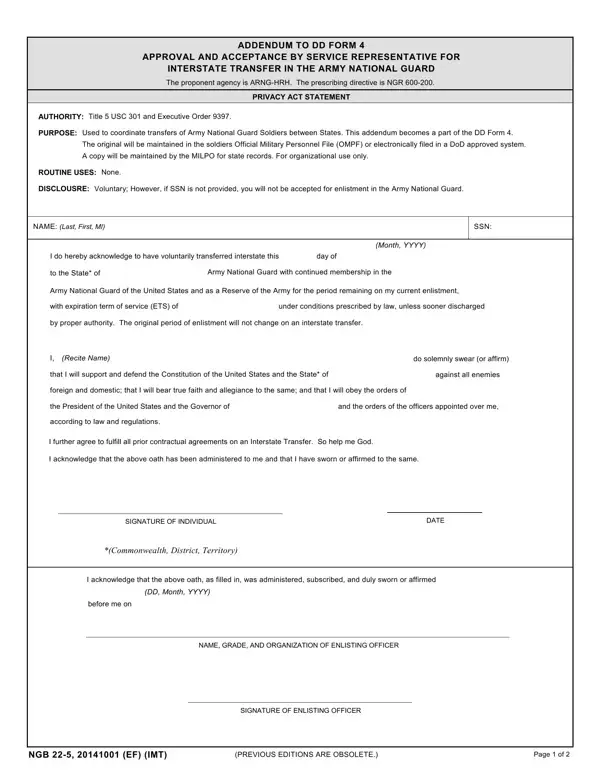
Army National Guard Soldiers who must transfer between states are required to complete NGB Form 22-5 before the transfer becomes official. The form includes four sections that each cover a different part of the transfer process.
Part I collects Soldier data: full name, rank, Social Security Number, Primary Military Occupational Specialty (PMOS), Expiration Term of Service (ETS), unit of assignment, home address, and bonus or MGIB benefit information.
Part II records approval by both the losing and gaining state representatives. Both parties must sign before the transfer can proceed.
Part III contains the Soldier acknowledgment, confirming that the Soldier understands their reporting responsibilities, discharge conditions, and obligations to the gaining state unit.
Part IV is the attachments checklist. Required documents include the DA Form (Personnel Qualification Record), SF Medical Record, and any supplemental paperwork or remarks.
For related Army National Guard forms, also see NGB Form 22, NGB Form 22-3, and NGB Form 336.
| Question | Answer |
|---|---|
| Form Name | NGB Form 22-5 (22 5 Form) |
| Form Length | 2 pages |
| Fillable? | No |
| Fillable fields | 0 |
| Avg. time to fill out | 30 sec |
| Other names | Addendum to DD Form 4, NGB Form 22-5, ngb 22 5, 22 5 form |