
Once you open the online editor for PDFs by FormsPal, it is possible to complete or alter claim certificate here. The editor is constantly maintained by us, acquiring awesome functions and growing to be greater. In case you are looking to get started, this is what it will require:
Step 1: Hit the orange "Get Form" button above. It'll open up our pdf tool so you could begin filling out your form.
Step 2: With our advanced PDF file editor, you could accomplish more than merely fill in forms. Edit away and make your forms look sublime with custom text put in, or adjust the file's original input to perfection - all that backed up by an ability to add stunning images and sign the PDF off.
Filling out this form calls for thoroughness. Ensure all mandatory blanks are filled in properly.
1. The claim certificate requires certain details to be inserted. Make sure the next blanks are filled out:
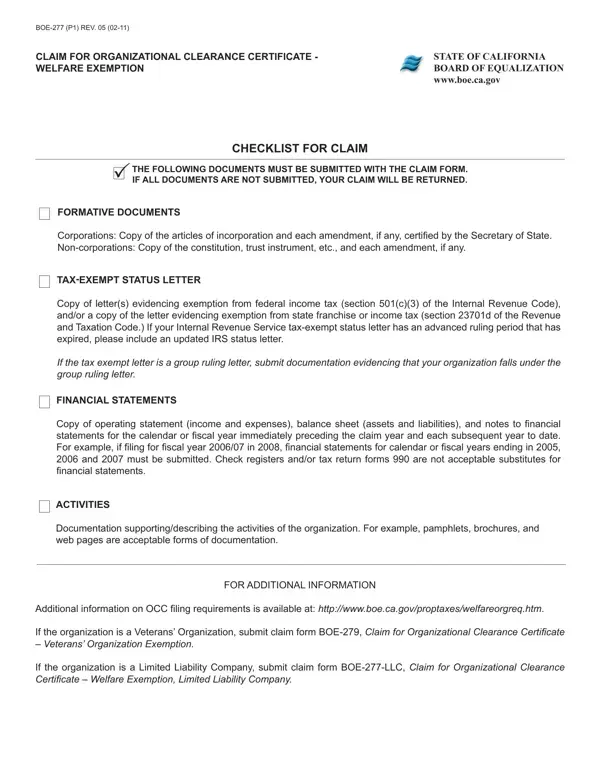
2. The next step is usually to complete all of the following fields: NAME OF ORGANIZATION, MAILING ADDRESS number and street, CITY STATE ZIP CODE, CORPORATE ID NUMBER if any, WEBSITE ADDRESS if any, FISCAL YEAR OF CLAIM see, FORMATIVE DOCUMENTS IS THIS, YES, If YES go to A below if NO go to B, A Date of Incorporation Date iled, ATTACH A COPY OF THE ARTICLES OF, B Date of Organization Date iled, ATTACH A COPY OF THE CONSTITUTION, TAXEXEMPT STATUS LETTER , and IS THE ORGANIZATION EXEMPT FROM.
People who use this PDF often make mistakes when filling in ATTACH A COPY OF THE CONSTITUTION in this section. Don't forget to go over what you enter here.
3. This next section should also be fairly simple, FINANCIAL STATEMENTS DOES THE, YES, Attach copy of the inancial, If NO please explain, OTHER IS THE OWNER ORGANIZED OR, YES, YES, If YES list each of the top ive, YES, POSITION, SALARY, DOES THE ORGANIZATION HAVE ANY, and YES - these empty fields needs to be completed here.
4. This next section requires some additional information. Ensure you complete all the necessary fields - IS THIS ORGANIZATION ORGANIZED, YES, CHARITABLE PURPOSE CHECK THE BOX, SOCIAL SERVICES LOWINCOME HOUSING, RELIGIOUS PURPOSE CHECK THE BOX, CHURCH OR CHURCH AND SCHOOL, HOSPITAL PURPOSE CHECK THE BOX, HOSPITAL MULTISPECIALTY CLINIC, SCIENTIFIC PURPOSE CHECK THE BOX, and CHARTERED BY THE CONGRESS OF THE - to proceed further in your process!
5. To wrap up your document, this final section has a few additional fields. Completing CHARTERED BY THE CONGRESS OF THE, STATE FULLY ALL ACTIVITIES IN, NAME, Whom should we contact for, DAYTIME TELEPHONE , EMAIL ADDRESS, CERTIFICATION, I certify or declare under penalty, including any accompanying, NAME OF CLAIMANT, TITLE, DATE, and SIGNATURE OF CLAIMANT t should wrap up everything and you'll definitely be done in a blink!
Step 3: Once you have reviewed the details in the blanks, just click "Done" to finalize your form at FormsPal. Right after setting up afree trial account here, you'll be able to download claim certificate or send it through email directly. The PDF form will also be easily accessible through your personal account page with your every modification. FormsPal is devoted to the confidentiality of our users; we ensure that all personal data handled by our tool stays protected.
