
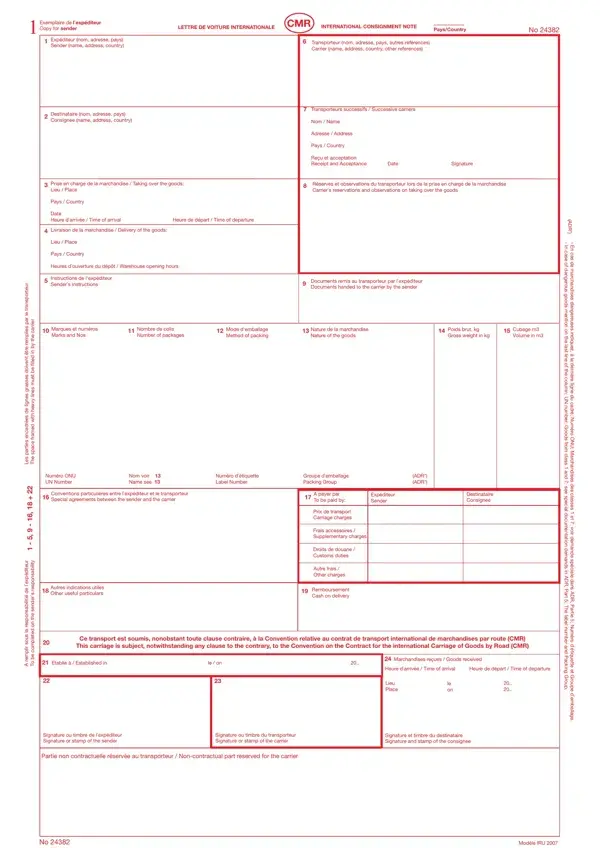
The Act De Transport Romanesc CMR Fotografia form serves a vital role in international road transport, providing a standardized record for the cross-border shipment of goods. Commonly known as the CMR international consignment note, the document functions as a sender's copy that captures every important detail of the shipping process from origin to delivery.
The form records the full identification details of the sender and the consignee, including names, addresses, and countries, along with the specific place and date of goods pickup and the intended delivery location. Carrier details and any successive carriers are documented alongside any remarks or observations noted at the time goods are accepted for transport.
Additional information covered by the form includes sender instructions, packaging details, the nature and quantity of the goods, and the agreed payment terms for transport charges. The document also provides fields for recording supplementary charges and any special instructions relevant to the shipment. For related documentation used in shipping, see the multimodal transport document.
The Act De Transport Romanesc CMR Fotografia form follows the CMR Convention, which governs international road transport law regardless of any contrary clause. It includes dedicated sections for documenting dangerous goods in compliance with safety regulations. Fields surrounded by heavy lines highlight required information that must be completed to ensure the document is legally valid and acceptable to all parties involved in the transport journey.
| Question | Answer |
|---|---|
| Form Name | Act De Transport Romanesc Cmr Fotografia Form |
| Form Length | 1 pages |
| Fillable? | No |
| Fillable fields | 0 |
| Avg. time to fill out | 15 sec |
| Other names | cmr template, cmr transport pdf, cmr download, cmr pdf download gratis |
Act De Transport Romanesc Cmr Fotografia Form isn’t the one you’re looking for?