
Form C-84 at a glance
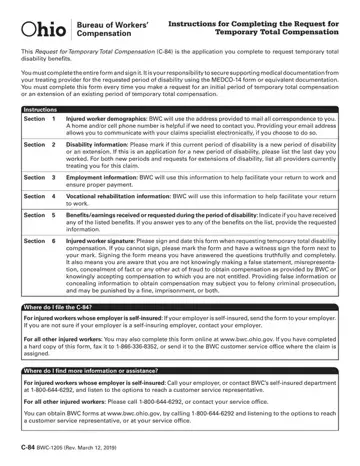
What it is: The Request for Temporary Total Compensation (C-84) is the application you complete to request temporary total disability benefits.
Who signs: You must complete the entire form and sign it. Under Injured worker signature, sign and date this form when requesting temporary total disability compensation. If you cannot sign, mark the form and have a witness sign the form next to your mark.
Where to get it: You can obtain BWC forms at bwc.ohio.gov, by calling 1-800-644-6292 and listening to the options to reach a customer service representative, or at your service office.
What to bring and attach to Form C-84
It is your responsibility to secure supporting medical documentation from your treating provider for the requested period of disability using the MEDCO-14 form or equivalent documentation.
A filled-in Form C-84 example: a new period with a job to return to
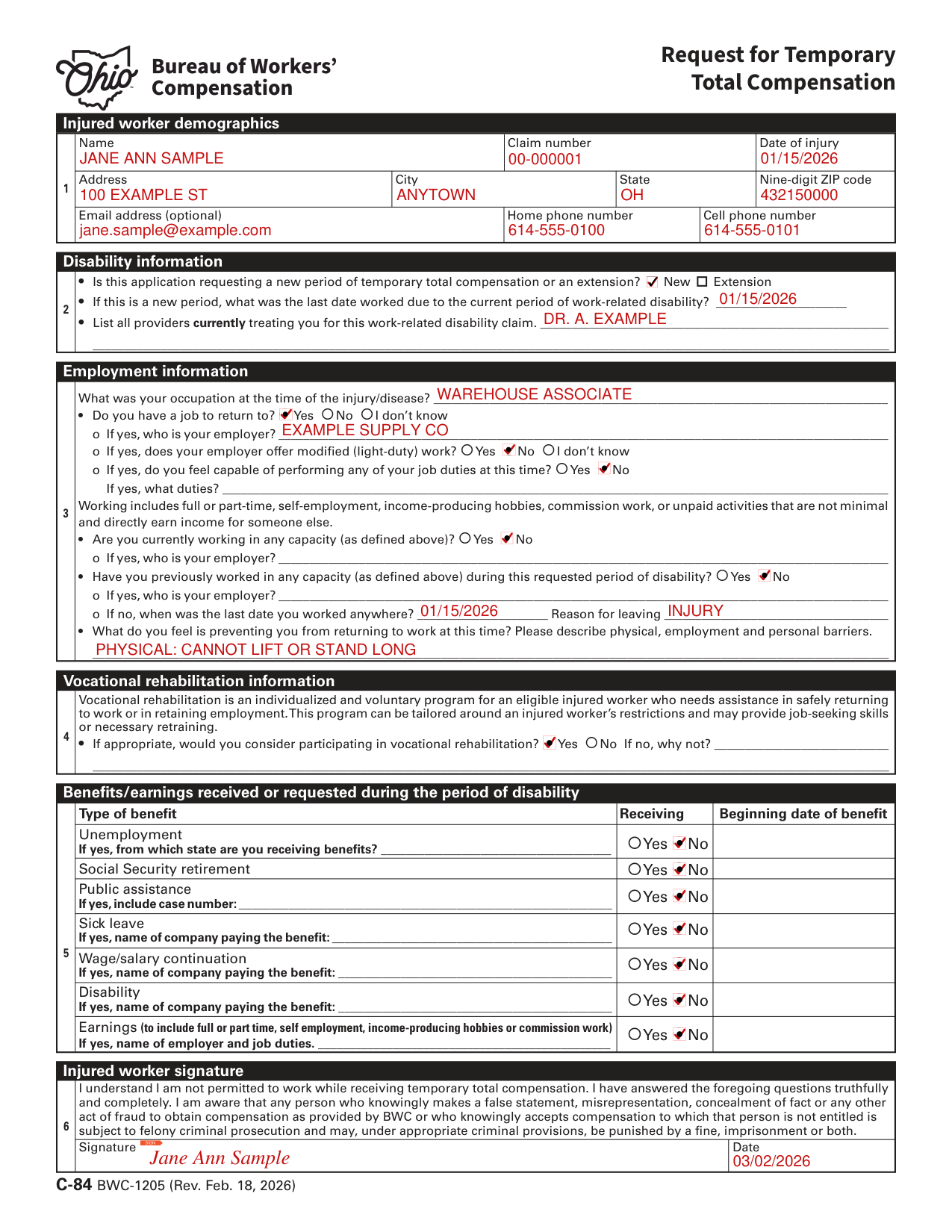
How to fill out Form C-84, box by box
Injured worker demographics

BWC will use the address provided to mail all correspondence to you.
A home and/or cell phone number is helpful if BWC needs to contact you.
Providing your email address allows you to communicate with your claims specialist electronically, if you choose to do so.
Disability information

Mark if this current period of disability is a new period of disability or an extension.
If this is an application for a new period of disability, list the last day you worked: what was the last date worked due to the current period of work-related disability?
For both new periods and requests for extensions of disability, list all providers currently treating you for this work-related disability claim.
Employment information
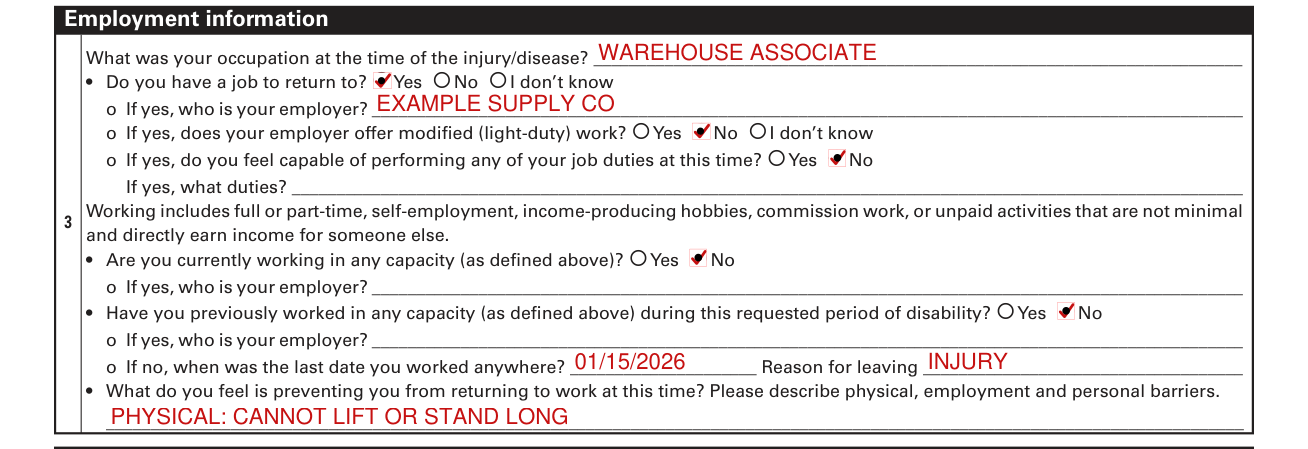
In Section 3, BWC will use this information to help facilitate your return to work and ensure proper payment.
Write your occupation at the time of the injury/disease.
Do you have a job to return to? Mark Yes, No or I don't know. If yes, write who your employer is. If yes, does your employer offer modified (light-duty) work? Mark Yes, No or I don't know. If yes, do you feel capable of performing any of your job duties at this time? Mark Yes or No, and if yes, write what duties. Working includes full or part-time, self-employment, income-producing hobbies, commission work, or unpaid activities that are not minimal and directly earn income for someone else.
Are you currently working in any capacity (as defined, working includes full or part-time, self-employment, income-producing hobbies, commission work, or unpaid activities that are not minimal and directly earn income for someone else)? Mark Yes or No. If yes, write who your employer is.
Have you previously worked in any capacity (as defined, working includes full or part-time, self-employment, income-producing hobbies, commission work, or unpaid activities that are not minimal and directly earn income for someone else) during this requested period of disability? Mark Yes or No, and if yes, write who your employer is. If no, when was the last date you worked anywhere? Write the date and the reason for leaving.
Please describe physical, employment and personal barriers: what do you feel is preventing you from returning to work at this time?
Vocational rehabilitation

Vocational rehabilitation is an individualized and voluntary program for an eligible injured worker who needs assistance in safely returning to work or in retaining employment.
Vocational rehabilitation can be tailored around an injured worker's restrictions and may provide job-seeking skills or necessary retraining.
If appropriate, would you consider participating in vocational rehabilitation? Mark Yes or No. If no, write why not.
Benefits/earnings received or requested during the period of disability
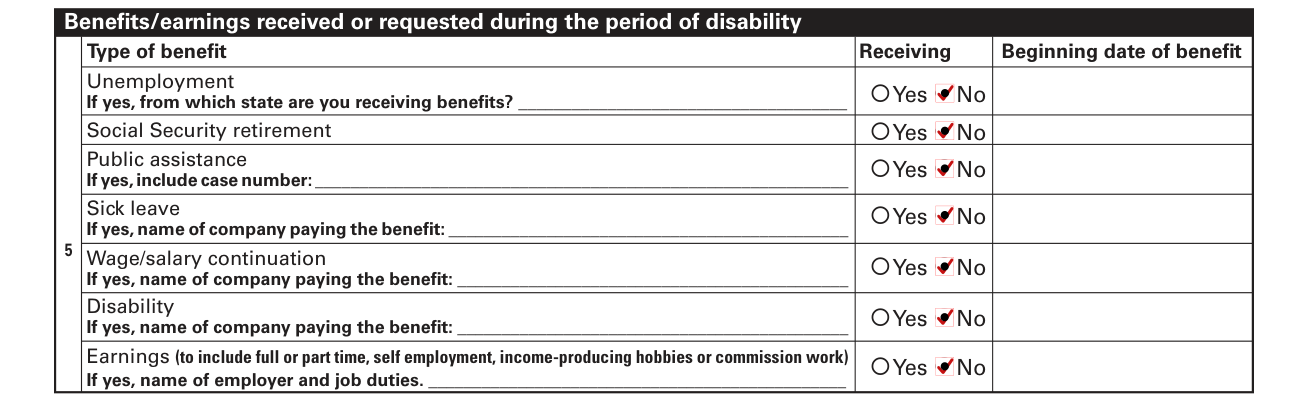
Indicate if you have received any of the listed benefits.
If you answer yes to any of the benefits on the list, provide the requested information.
For each type of benefit, mark Yes or No for receiving it and enter its beginning date of benefit. Unemployment: if yes, from which state are you receiving benefits. Social Security retirement. Public assistance: if yes, include case number. Sick leave: if yes, name of company paying the benefit. Wage/salary continuation: if yes, name of company paying the benefit. Disability: if yes, name of company paying the benefit. Earnings (to include full or part time, self employment, income-producing hobbies or commission work): if yes, name of employer and job duties.
Injured worker signature

Under Injured worker signature, sign and date this form when requesting temporary total disability compensation.
If you cannot sign, mark the form and have a witness sign the form next to your mark.
Signing the form means you have answered the questions truthfully and completely.
You understand you are not permitted to work while receiving temporary total compensation.
You are aware that any person who knowingly makes a false statement, misrepresentation, concealment of fact or any other act of fraud to obtain compensation as provided by BWC or who knowingly accepts compensation to which that person is not entitled is subject to felony criminal prosecution and may, under appropriate criminal provisions, be punished by a fine, imprisonment or both.
If your situation is different
Where do I file the C-84?
If your employer is self-insured, send the form to your employer. If you are not sure if your employer is a self-insuring employer, contact your employer.
For all other injured workers: You may also complete this form online at bwc.ohio.gov. If you have completed a hard copy of this form, fax it to 1-866-336-8352, or send it to the BWC customer service office where the claim is assigned.
Where do I find more information or assistance?
If your employer is self-insured, call your employer, or contact BWC's self-insured department at 1-800-644-6292, and listen to the options to reach a customer service representative.
For all other injured workers: Please call 1-800-644-6292, or contact your service office.
Common questions about Form C-84
What is a C84 form for Ohio BWC?
The Request for Temporary Total Compensation (C-84) is the application you complete to request temporary total disability benefits. You must complete this form every time you make a request for an initial period of temporary total compensation or an extension of an existing period of temporary total compensation.
Sources
[1] C-84 BWC-1205 (Rev. Feb. 18, 2026), Request for Temporary Total Compensation, Ohio Bureau of Workers' Compensation (the Official source link on this page).
