
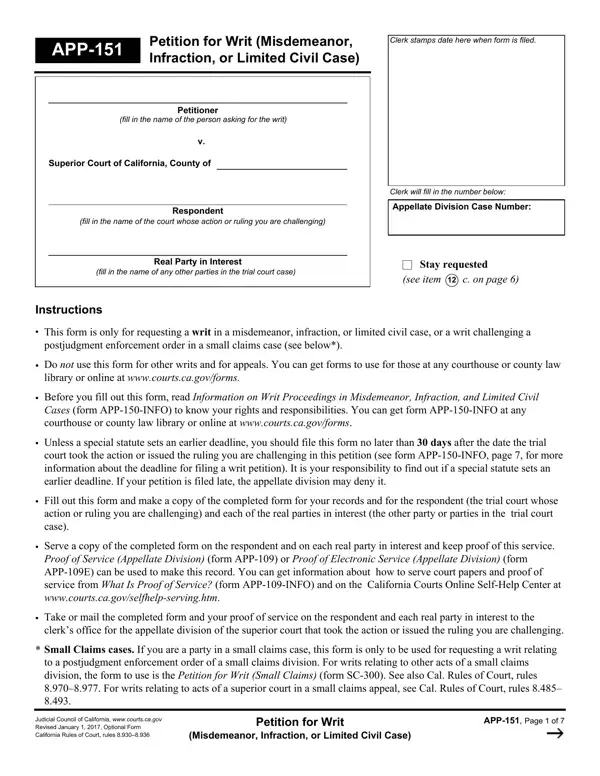
The California App 151 form is a petition for writ filed with the appellate division of the Superior Court of California. It allows individuals to challenge a ruling or action taken by a lower court. The form applies to misdemeanor cases, infraction cases, and limited civil cases. It also covers certain post-judgment enforcement orders in small claims cases.
To complete this form, you need specific information about your case. This includes the trial court case number, the case name, and the names of all parties. You must also describe the ruling you are challenging and explain your legal grounds for the petition.
Filing deadlines are strict. The California Rules of Court set firm time limits for submitting a writ petition. Missing a deadline can result in the court refusing to review your petition. Always check the instructions included with the form and verify the exact deadline that applies to your situation.
After you file, the appellate division reviews your petition. The court may request additional documents or schedule a hearing. You are required to serve copies of the petition on all other parties at the time of filing. Failure to provide proper service can delay or dismiss your case.
If you are handling related legal documents, these forms may also be useful: Petition for Writ of Habeas Corpus, Appellate Screening Form, and Small Claims Petition.
| Question | Answer |
|---|---|
| Form Name | California Form App 151 |
| Form Length | 7 pages |
| Fillable? | No |
| Fillable fields | 0 |
| Avg. time to fill out | 1 min 45 sec |
| Other names | app infraction pdf, petition civil case, form petition writ, ca form app 151 |
California Form App 151 isn’t the one you’re looking for?