Please rate Care Improvement Plus Authorization Form

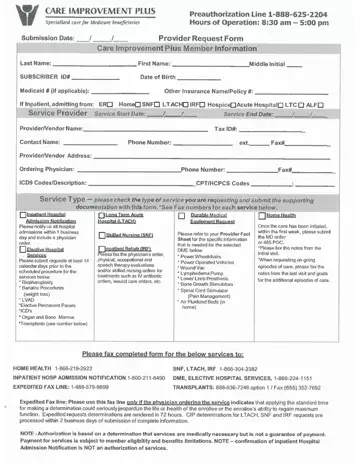
A prior authorization is a formal approval from Care Improvement Plus. It is required before a healthcare provider can deliver certain treatments, medications, or procedures. The authorization form documents this request and confirms that the service meets the plan's coverage requirements.
To complete the form, you will need a few key details ready. This helps avoid delays in getting approval.
Prior authorization is needed for specialty drugs, surgical procedures, and certain medical equipment. It is also required for some diagnostic imaging tests. Providers should submit this form at least 3 to 5 days before the scheduled service. Complete paperwork speeds up the review and prevents care delays.
Related forms on FormsPal: Aetna Pharmacy Prior Authorization Form and the CCP Prior Authorization Request Form.
| Question | Answer |
|---|---|
| Form Name | Care Improvement Plus Authorization Form |
| Form Length | 1 pages |
| Fillable? | No |
| Fillable fields | 0 |
| Avg. time to fill out | 15 sec |
| Other names | informat, HIV, care improvement plus prior authorization form, care improvement plus authorization |
Care Improvement Plus Authorization Form isn’t the one you’re looking for?
Please rate Care Improvement Plus Authorization Form
