
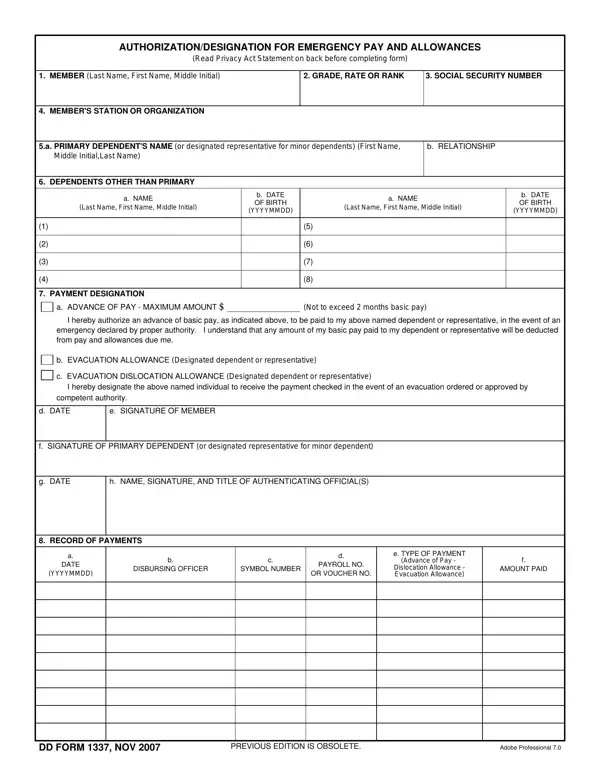
The "Authorization/Designation for Emergency Pay and Allowances" is a U.S. Department of Defense document that authorizes financial support for military dependents during overseas emergency evacuations. Active duty members stationed abroad complete this document before deployment to protect their families during sudden evacuations.
Three payment types are covered. The first is an advance of basic pay. The second is an evacuation allowance for immediate costs. The third is a dislocation allowance that covers relocation expenses. Each amount depends on the member's rank and family situation.
The authorization has three main sections. Section one records the service member's personal details and the designated representative. Section two covers the payment types and the maximum advance amount. Section three documents all disbursements made by the disbursing officer.
Both the service member and the primary dependent must sign the completed document. Store a signed copy with essential papers such as passports. Update the address on record right after any evacuation. Report a lost or stolen copy to the disbursing officer without delay.
Other military financial forms available at FormsPal include the DD Form 1351-2 for travel reimbursement and the DD 2656 for retirement pay designation.
| Question | Answer |
|---|---|
| Form Name | Dd Form 1337 |
| Form Length | 2 pages |
| Fillable? | No |
| Fillable fields | 0 |
| Avg. time to fill out | 30 sec |
| Purpose | Authorize emergency pay and allowances for military dependents |
| Used by | Active duty military members stationed overseas |
| Other names | emergency authorization form, authorization designation emergency, you dd dependent online, 1337 designation print |