
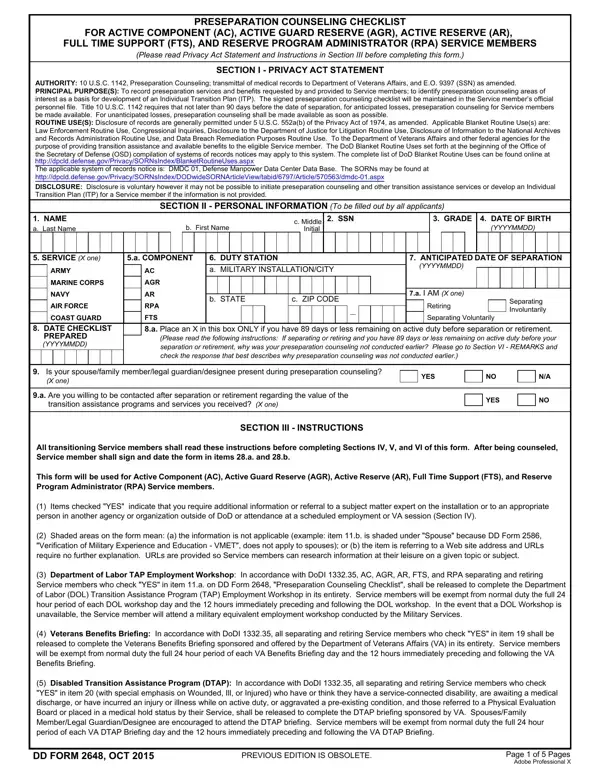
Using PDF documents online is easy with our tool. You can fill in this pre-separation checklist in a matter of minutes. We at FormsPal are devoted to providing you with the best experience. We constantly add new functions and improvements. To get started, follow these steps:
Step 1: Open the PDF Editor
Click the "Get Form Button" above on this page to open our online editor. There you will find everything needed to fill out this document. The editor loads quickly. It works in any modern browser. No downloads are required.
Step 2: Customize Your Document
With this editor, you can do more than fill in blank fields. You can add custom text. You can edit the original content. Adding graphics is supported. You can also sign the document electronically. These features make your finished document look professional and complete.
Here is what to do in each section of the checklist:
Step 3: Complete Each Required Section
1. When filling in this pre-separation checklist, include all of the necessary information in each blank. This helps speed up processing. It also ensures your data is handled correctly.
2. When the first section is complete, enter the required details in these fields: PRESEPARATION COUNSELING CHECKLIST, FTS AND RPA SERVICE MEMBERS, NAME Last First Middle Initial, SSN, Please indicate by checking either, SECTION IV, SERVICE MEMBER NO YES, SPOUSE, YES, REFERRED TO, EFFECTS OF A CAREER CHANGE, and the related checkboxes.
For SERVICE MEMBER NO YES and EFFECTS OF A CAREER CHANGE, take extra care. These are the most important fields in this section. Double-check your entries before moving on.
3. The next section is straightforward. Fill in every field for Teacher and Teacher's Aide to complete this part.
4. Filling in the Information on Priority section is vital. This is the fourth section. Take your time. Fill in every blank area carefully and accurately.
5. As you near the end, a few more fields remain. Complete PRESEPARATION COUNSELING CHECKLIST, FTS AND RPA SERVICE MEMBERS SECTION IV Continued, NAME Last First Middle Initial, SSN, SERVICE MEMBER NO YES, SPOUSE, YES, REFERRED TO, and RELOCATION ASSISTANCE NOTE at this stage.
Step 4: Review, Save, and Access Your Document
Review all entries carefully. Then click the "Done" button to finish. Create a free account and get immediate access to your completed checklist in your personal cabinet. You can use and download it at any time. During your transition, you may also need the DD Form 2656 for Survivor Benefit Plan elections or the DD Form 149 for military records corrections. FormsPal ensures your data confidentiality. Our system never stores or shares private information.
Frequently Asked Questions
Who needs to complete DD Form 2648?
All service members separating from active duty must complete this checklist. This includes active component and reserve members on active duty orders for more than 180 days. Members separating for any reason should complete it at least 90 days before their separation date.
Where can I find the official pre-separation checklist?
The official checklist is available from the Department of Defense. The gov website at defense.gov and related military branch issuances have the latest version. You can also complete the DD-2648 checklist here on FormsPal for free. Our home page has links to all DD forms.
What happens after I complete the checklist?
After completion, your unit transition office creates an Individual Transition Plan (ITP) for you. The ITP covers all the services and benefits you selected. You work with your transition counselor to carry out the plan before your separation date.
