
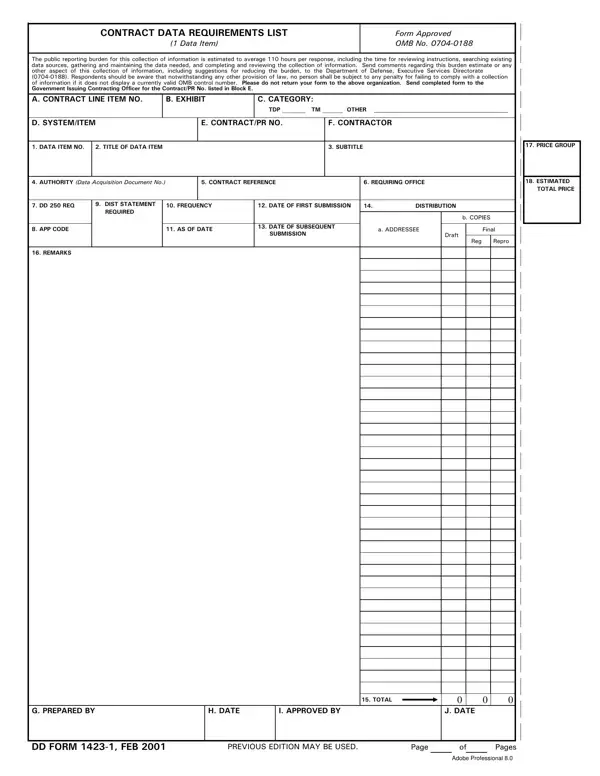
The DD Form 1423-1, officially called the Contract Data Requirements List (CDRL), is the Department of Defense document for specifying contractor data deliverables. Program offices use it to define what technical data, reports, and documentation a contractor must deliver, in what format, and on what schedule.
When Is the CDRL Required?
A CDRL is required whenever a defense contract includes a data deliverable obligation. This applies to contracts for weapons systems, military equipment, IT systems, and support services. Each deliverable gets its own line on the CDRL, making it straightforward to track individual items throughout the contract period. The form must be approved by the contracting officer before contract award.
Key Fields on DD Form 1423-1
OMB Approval and Reporting Burden
The Office of Management and Budget (OMB) has approved DD Form 1423-1 under control number 0704-0188. Both government personnel and contractors must follow the instructions printed on the back of the form. The estimated public reporting burden is 110 hours per response for a typical data deliverable package. Contractors must retain completed CDRLs for at least 3 years after final contract payment.
Related DoD Contracting Forms
Defense contractors often need additional forms alongside the CDRL. The DD Form 254 (Contract Security Classification Specification) is attached to contracts involving classified data deliverables. The DD Form 2875 (System Authorization Access Request) is required when contractors need access to DoD information systems. For reimbursable costs related to contract performance, contractors may also need the DD Form 1351-2 (Travel Voucher).
| Question | Answer |
|---|---|
| Form Name | Dd Form 1423 1 |
| Form Length | 3 pages |
| Fillable? | No |
| Fillable fields | 0 |
| Avg. time to fill out | 45 sec |
| Other names | form 1423, dd 1423, dd form 1423 1 word, dd form 1423 template |
Dd Form 1423 1 isn’t the one you’re looking for?