
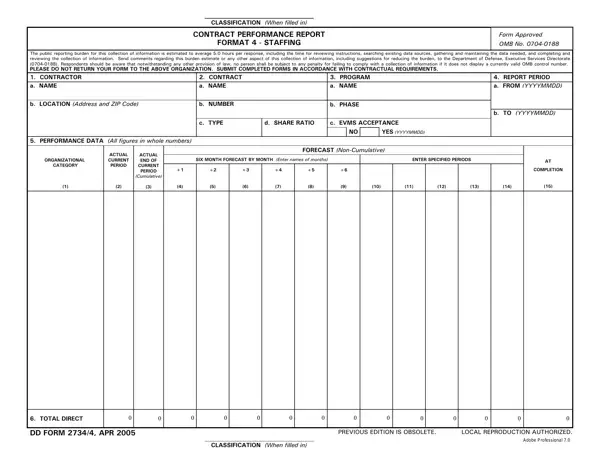
Format 4 of the Integrated Program Management Report (IPMR) is the Staffing Contract Performance Report. Defense contractors subject to earned value management (EVM) reporting use this report to provide current and projected staffing data to the Department of Defense (DoD) program office overseeing their contract.
The report gives DoD program offices visibility into contractor workforce levels relative to the contract baseline. Contract managers use this data to:
The form is approved under OMB Control No. 0704-0188. The estimated reporting burden is 5.0 hours per response, covering data collection, preparation, and review. Contractors may submit comments on reducing the reporting burden through the DoD feedback process.
Defense contractors with cost performance reporting requirements must submit Format 4. This includes organizations reporting under the Contract Performance Report framework and those subject to DFARS 252.234-7002. The closely related DD Form 2734 3 (Format 3, Baseline) is typically submitted alongside Format 4 to provide the cost and schedule context.
| Question | Answer |
|---|---|
| Form Name | Dd Form 2734 4 |
| Form Length | 1 pages |
| Fillable? | No |
| Fillable fields | 0 |
| Avg. time to fill out | 15 sec |
| Other names | dd form 2734, YYYYMMDD, 2005, OMB |