
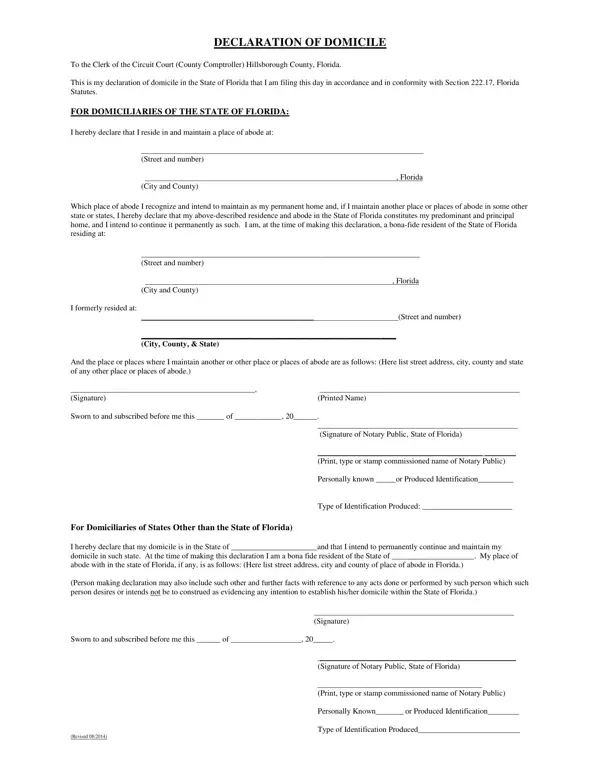
A Declaration of Domicile is a legal document used to establish your permanent legal residence with the Clerk of the Circuit Court. Under Section 222.17 of the Florida Statutes, the filing creates an official record of your primary home. This matters for many purposes, including voter registration, state income tax filings, and the homestead exemption application.
People who own or rent a home and want to formally designate it as their principal and permanent address should file. It is most useful when a person maintains homes in more than one location and needs to identify one address as their legal domicile for civil or tax purposes.
Visit your county recording center with the following items:
Once recorded, the document is official proof of your legal domicile. You may request a certified copy at the time of filing or order additional copies later for an additional fee. If you need a separate proof of residency, a Certificate of Residence form serves a different purpose. You can find other residency-related forms, including the shared domicile form, in our online library.
| Question | Answer |
|---|---|
| Form Name | Declaration Of Domicile Form |
| Form Length | 1 page |
| Fillable? | Yes |
| Fillable fields | 17 |
| Avg. time to fill out | 15 sec |
| Recording Fee | Varies by county (payable by cash or money order) |
| Notarization Required | Yes |
| Filing Location | County Clerk of the Circuit Court |
| Other names | declaration of domicile hillsborough county fl, declaration of domicile hillsborough florida, declaration of domicile florida hillsborough, declare domicle hillsbourgh |
Declaration Of Domicile Form isn’t the one you’re looking for?