
Firearm Declaration Form PDF Details

Understanding the complexities of lawful firearm creation and registration in the United States requires a thorough familiarization with the Firearm Declaration Form, officially known as ATF Form 1 (5320.1), revised in September 2019. This document, integral to the process, is mandated by the Bureau of Alcohol, Tobacco, Firearms, and Explosives (ATF), a division of the U.S. Department of Justice. The form serves multiple crucial functions: it is an application for individuals, corporations, trusts, or other legal entities to legally make and register a firearm in accordance with the National Firearms Act (NFA), Title 26, U.S.C., Chapter 53. A standout aspect of this form includes the need to declare the type of firearm being created, providing specific details such as the firearm's model, caliber, and overall length, as well as the manufacturer or importer’s details if applicable. Moreover, it demands the disclosure of the applicant’s full legal name, mailing address, and, if applicable, the entity's Employer Identification Number (EIN) and Special (Occupational) Tax Status. Additionally, it necessitates a tax payment of $200 unless the firearm is being made for certain government purposes, which are tax-exempt. Furthermore, upon approval, the ATF will affix and cancel a National Firearms Act Stamp on the application. The completion and submission of this form, which must be sent in duplicate and without stapled documents, signify a pivotal step in ensuring that the making and possession of the firearm comply with federal law, highlighting the importance of accuracy and honesty in the process.

QuestionAnswer
Form NameFirearm Declaration Form
Form Length4 pages
Fillable?No
Fillable fields0
Avg. time to fill out1 min
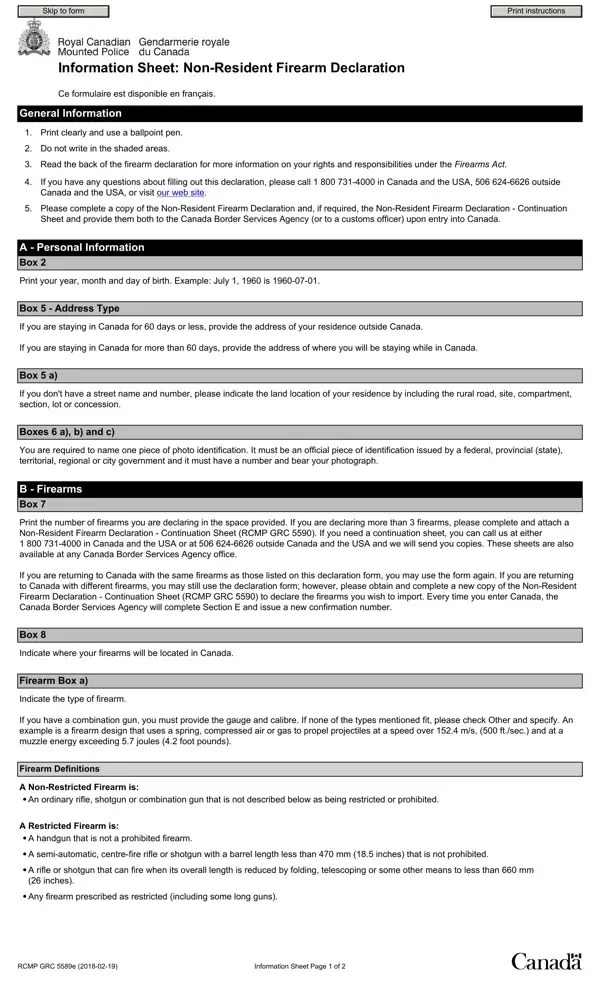
Other namesgun license ontario form, rcmp 5589, canada firearms declaration form, cafc909

How to Edit Firearm Declaration Form Online for Free

Any time you wish to fill out gun license ontario form, it's not necessary to download any sort of software - just give a try to our PDF editor. The tool is continually upgraded by us, getting additional functions and turning out to be greater. To start your journey, take these simple steps:

Step 1: Press the "Get Form" button in the top section of this page to open our PDF tool.

Step 2: This tool provides the capability to work with the majority of PDF forms in a range of ways. Change it by adding any text, correct original content, and put in a signature - all readily available!

This form will need you to provide specific information; in order to guarantee consistency, you need to heed the subsequent suggestions:

1. The gun license ontario form involves certain information to be entered. Be sure the subsequent blank fields are completed:

Completing segment 1 of cafc909

2. Once your current task is complete, take the next step – fill out all of these fields - Firearm, a Type of Firearm, Shotgun, Rifle, Combination Gun, Handgun, Other specify, b Make, c Serial No, d GaugeCalibre, e Barrel Length, f Action, Break Open, Bolt, and Lever with their corresponding information. Make sure to double check that everything has been entered correctly before continuing!

The right way to complete cafc909 part 2

3. This next section is focused on Visitor, Seasonal, Temporary, Settler, a Payment Expiration Date, Customs Office, Customs Officer Signature, E Additional Confirmation Numbers, To be completed by Canada Border, Issue Date, yyyymmdd, Expiration Date yyyymmdd, Confirmation No, Customs Officer, and Initials - complete all these fields.

cafc909 conclusion process clarified (stage 3)

As for Expiration Date yyyymmdd and To be completed by Canada Border, be certain you do everything properly in this section. These are viewed as the most important fields in this form.

Step 3: Once you've looked once again at the details in the document, click on "Done" to finalize your form at FormsPal. Right after starting a7-day free trial account at FormsPal, it will be possible to download gun license ontario form or email it right off. The PDF file will also be at your disposal from your personal account page with your edits. Here at FormsPal, we endeavor to make sure your information is stored private.