
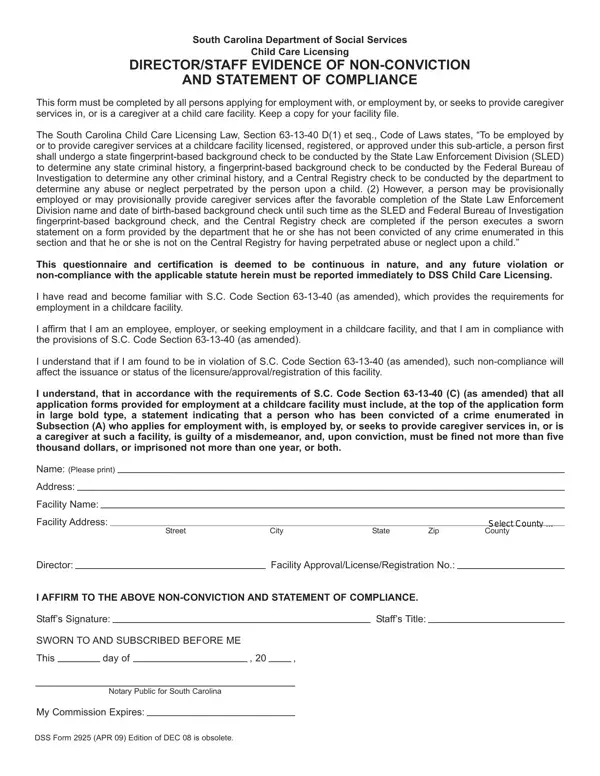
Ensuring the safety and welfare of children in childcare facilities is a paramount concern, and the South Carolina Department of Social Services plays a critical role in this endeavor through its Child Care Licensing division. A crucial tool in their arsenal is the Form DSS 2925, a document that must be completed by all individuals seeking employment, already employed, or providing caregiver services at a childcare facility. This form serves as both an affirmation of non-conviction of certain crimes and a commitment to adhere to the stipulations set forth by South Carolina Child Care Licensing Law, particularly Section 63-13-40 D(1) et seq. of the Code of Laws. This statute stipulates that before one can be employed or provide care in a licensed, registered, or approved childcare facility, one must undergo comprehensive state and federal background checks, including fingerprint analyses by the State Law Enforcement Division (SLED) and the Federal Bureau of Investigation (FBI), along with a Central Registry check for any history of child abuse or neglect. Provisional employment can be granted following the completion of a SLED name and date of birth-based background check, provided the individual completes the DSS 2925 form, swearing they have not been convicted of relevant crimes or found guilty of child abuse or neglect. This document, therefore, not only serves as a preventative measure but also acts as a continuous certification of compliance, necessitating immediate reporting of any future non-compliance or violations, thus underpinning the commitment to protecting children in childcare environments.
| Question | Answer |
|---|---|
| Form Name | Dss Form 2925 |
| Form Length | 1 pages |
| Fillable? | No |
| Fillable fields | 0 |
| Avg. time to fill out | 15 sec |
| Other names | sc dss childcare form 2925, sc deprartment of social services medical release physician's statement statement, 2925, sc dss form 2925 |
Dss Form 2925 isn’t the one you’re looking for?