
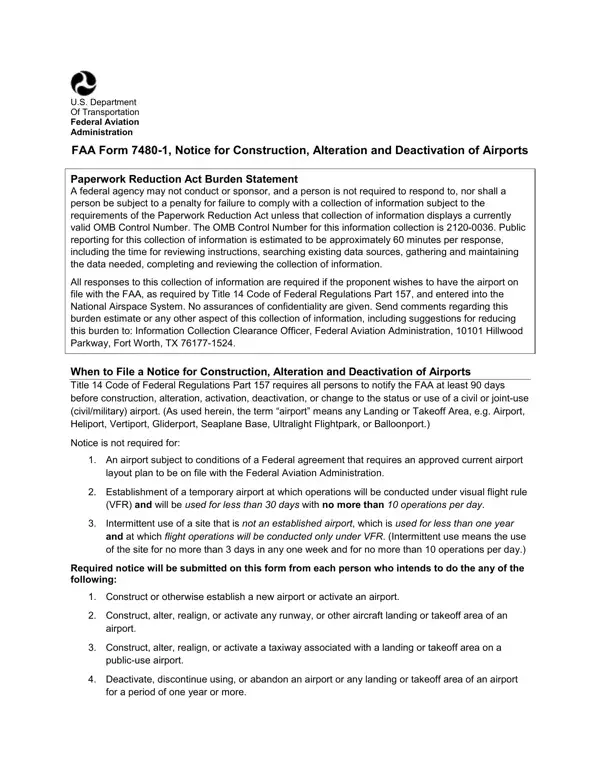
Faa Form 7480 1 PDF Details

In the complex world of aviation, taking the necessary steps to ensure the safety and legality of airport construction, alteration, and deactivation is critical. The FAA Form 7480-1 emerges as a cornerstone document in this process, cast by the U.S. Department of Transportation Federal Aviation Administration. This form is an essential tool for communicating significant changes to the FAA, strengthening the safety and efficiency of national airspace. Its rigorous requirements underscore the need for meticulous planning and reporting by airport owners and operators, who must navigate through a comprehensive checklist that includes notifying the FAA of new constructions, alterations, status changes, and more. It outlines a structure for informing the FAA about various changes like construction of new airports, alterations to existing structures, changes in the use or status of airports, and modifications to traffic patterns. Designed to promote transparency and proactive management of the airspace, the document carries obligations under the Paperwork Reduction Act, ensuring that all submissions meet the current standards. Beyond its immediate functional requirements, the form plays a critical part in the larger aviation regulatory framework, demanding attention to detail and foresight from all who engage with it. Whether it's altering a runway or deactivating an airport, this document ensures that every action is carefully recorded, reviewed, and integrated into the national oversight process, marking each step with the precision and clarity that aviation safety demands.

QuestionAnswer
Form NameFaa Form 7480 1
Form Length7 pages
Fillable?No
Fillable fields0
Avg. time to fill out1 min 45 sec
Other namesfaa form construction, form 7480 1, faa7480, notice airports

How to Edit Faa Form 7480 1 Online for Free

Working with PDF files online can be very simple with this PDF tool. Anyone can fill out faa form 7480 1 here in a matter of minutes. To make our tool better and more convenient to utilize, we continuously design new features, taking into account suggestions from our users. This is what you'll want to do to get started:

Step 1: First, open the pdf editor by pressing the "Get Form Button" in the top section of this site.

Step 2: Using this advanced PDF tool, you can actually do more than merely fill in blanks. Express yourself and make your forms look great with custom textual content incorporated, or tweak the file's original content to excellence - all that accompanied by the capability to incorporate stunning images and sign the document off.

It's simple to fill out the form using this practical tutorial! Here is what you should do:

1. Begin completing the faa form 7480 1 with a group of necessary fields. Note all of the necessary information and be sure there's nothing forgotten!

Stage number 1 for filling out notice airports

2. After the last segment is complete, it is time to include the needed specifics in Lat Long, Show on attachments, Show on attachments, Lat Long Show on attachments Show, Surface Type, Length feet, Width feet, Lighting if any, Surface Type, TLOF Dimensions, FATO Dimensions, Lighting if any, Right Traffic YN, IngressEgress Degrees, and Elevation AMSL so that you can progress to the next part.

Simple tips to complete notice airports step 2

3. Completing Date, Phone, Email, and FAA Form SUPERSEDES PREVIOUS is essential for the next step, make sure to fill them out in their entirety. Don't miss any details!

FAA Form   SUPERSEDES PREVIOUS, Email, and Phone inside notice airports

It is easy to make a mistake when filling in your FAA Form SUPERSEDES PREVIOUS, hence make sure you go through it again prior to when you finalize the form.

Step 3: Look through all the information you've entered into the blanks and click on the "Done" button. Get the faa form 7480 1 after you register here for a free trial. Easily view the form from your personal account, with any modifications and changes being automatically saved! FormsPal offers secure document tools devoid of personal data record-keeping or sharing. Rest assured that your data is secure here!