
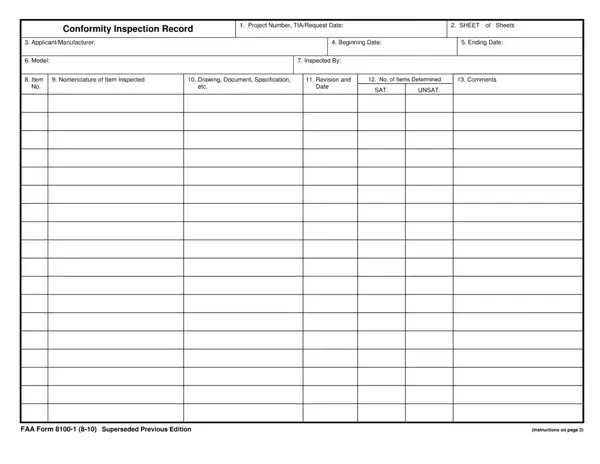
FAA Form 8100-1 at a glance
What it is: FAA Form 8100-1 is the Conformity Inspection Record.
Who signs: 7. Aviation Safety Inspectors must type or print name, sign, and enter office identification. Designees must type or print name, sign, and list their designee identification number.
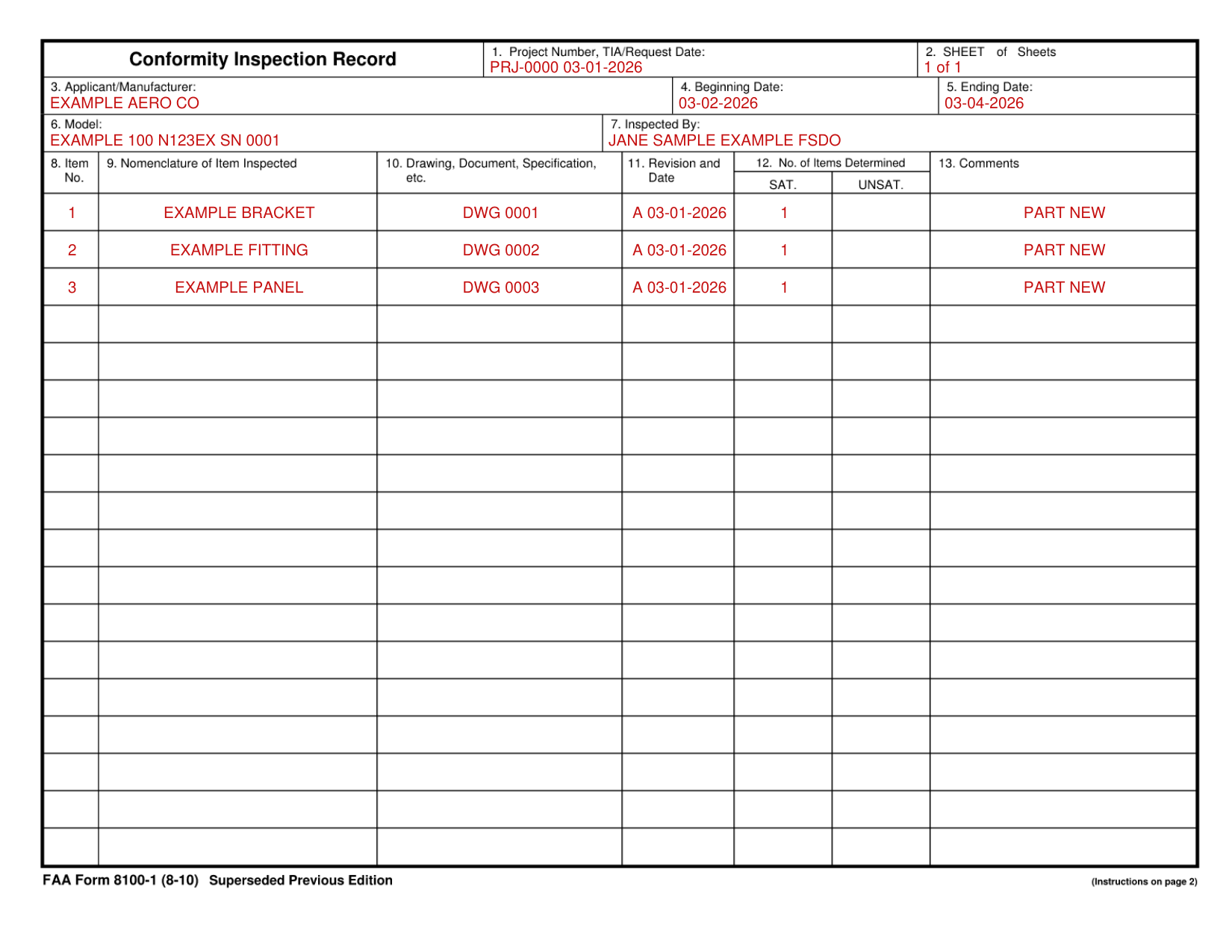
A filled-in FAA Form 8100-1 example: an inspector records three satisfactory items
How to fill out FAA Form 8100-1, box by box
Project number, dates and applicant

1. List the FAA assigned project number along with date of TIA or Request for Conformity, as applicable.
2. Self-explanatory.
3. List the applicant or the manufacturer, or both. The manufacturer may be the party producing or responsible for the product.
4. List the date the inspection began.
5. List the date the inspection ended.
Model, designees and signature

6. For an aircraft, list the make, model, N-number, and serial number. For an engine or propeller, list the make, model, and serial number.
7. Aviation Safety Inspectors must type or print name, sign, and enter office identification.
Designees must type or print name, sign, and list their designee identification number.
If using CMIS, the user cannot provide a traditional signature. Populating Block 7 with the required information will demonstrate completion of the form.
The items inspected, Blocks 8 to 13

8. Assign consecutive numbers for each item inspected.
9. List the name or description of the part, appliance, assembly, drawing, document, specification, or name of the process being evaluated.
10. List the technical data that describes the item listed in Block 9, i.e., drawing number, document number, process specification number, etc.
11. List the revision level and date of the technical data described in Block 10.
12. List the number of items that were determined satisfactory or unsatisfactory. Do not record individual characteristics. NOTE: (An item is a single article or unit containing one or more dimensional characteristics or features.)
13. Enter comments in this block that will support any information given in Blocks 8 through 12. unsatisfactory conditions, corrective actions taken, reference to other item numbers listed, serial numbers, type of inspection accomplished, destination of exported products, buyer furnished equipment, parts processed through maintenance facility, part new or newly overhauled, condition of part or assembly, etc.
14. To be used for supplementing items 1-13.
Unsatisfactory conditions are corrected in one of two ways. Method 1: If action is presented to correct an unsatisfactory condition, the action is entered in Block 13 and the number in the UNSAT column of Block 12 is lined through and initialed. The number of items now determined satisfactory is entered in the SAT column next to the corrective action entry.
Method 2: If corrective action is not presented, the inspector may continue the inspection by entering the next item inspected. When corrective action to the unsatisfactory condition is eventually presented, assign the item a new number and record the number in Block 8. Complete Blocks 9 and 10, enter a new revision and date if data has changed, and enter the number of items determined satisfactory in Block 12. Record both the corrective action taken and the item number of the unsatisfactory condition in Block 13. Place the item number in parenthesis. Next, line through and initial the number in the UNSAT column located next to Block 13 containing the unsatisfactory condition. Record the corrective action entry item number along with the unsatisfactory condition statement and place the number in parenthesis.
Sources
[1] FAA Form 8100-1 (8-10), Conformity Inspection Record, Federal Aviation Administration (the Official source link on this page).