
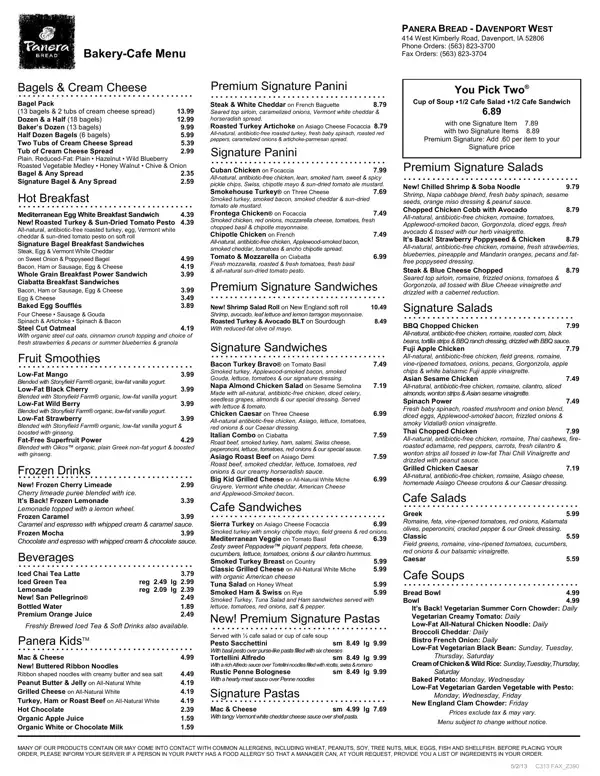
Imagine walking into Panera Bread, surrounded by the aroma of freshly baked goods and the sight of an array of delicious options waiting to tantalize your taste buds. The Panera Menu Form serves as your gateway to this culinary adventure, offering a plethora of choices from the cozy cafe located at 414 West Kimberly Road in Davenport, IA. Whether you're in the mood for a steaming cup of soup, a crisp salad, or a hearty sandwich, this menu has it all. With options like the Steak & White Cheddar on French Baguette, the Roasted Turkey Artichoke on Asiago Cheese Focaccia, and the Cuban Chicken on Focaccia, every choice promises a burst of flavor. But it doesn't stop at lunch items; the menu also boasts an impressive selection of breakfast sandwiches, bagels, soufflés, and more. For those with a sweet tooth, the Chilled Shrimp & Soba Noodle Salad or a Fuji Apple Chicken Salad could hit the spot. And let's not forget the range of drinks available, from fruit smoothies to frozen drinks and a variety of coffees and teas, ensuring there's something to quench every thirst. Panera Bread understands that convenience is key, which is why they've included a fax order form, allowing customers to place their orders with ease. Whether you're planning a quick solo meal or a feast for the office, the Panera Menu Form is designed to cater to everyone's needs.
| Question | Answer |
|---|---|
| Form Name | Panera Menu Printable Form |
| Form Length | 2 pages |
| Fillable? | No |
| Fillable fields | 0 |
| Avg. time to fill out | 30 sec |
| Other names | panera menu print, panera printable menu, panera bread printable menu with prices, panera menu printable |
Panera Menu Form isn’t the one you’re looking for?