
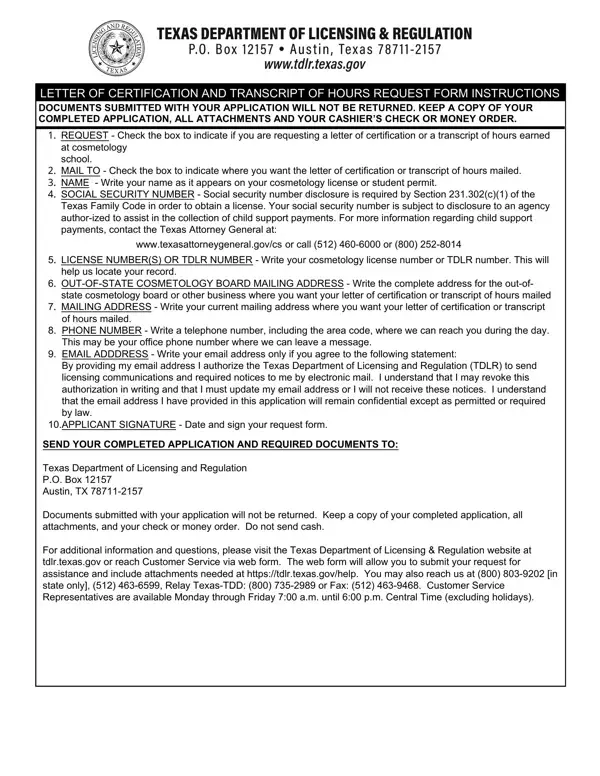
Navigating through the intricacies of professional certification and educational documentation can often seem daunting, especially in specialized fields like cosmetology. The Texas Department of Licensing and Regulation (TDLR) simplifies this process for professionals seeking to verify their credentials with the TDLR Transcripts Request form. This pivotal document serves multiple purposes, allowing applicants to request a Letter of Certification or a Transcript of Hours, essential for proving educational attainment or professional qualifications. It requires detailed information, including the applicant's name, social security number (a necessity under Texas law for license acquisition and child support enforcement), license or TDLR number to identify records accurately, and specific mailing instructions for where the documentation should be sent. Importantly, it underscores the need for a non-refundable fee, payable only via cashier’s check or money order, emphasizing the formality of the request. The inclusion of personal contact information ensures open lines of communication, while a signature at the document's conclusion affirms the truthfulness and accuracy of the provided information. By compiling all necessary details and adhering to the stipulated instructions, this form acts as a bridge for cosmetology professionals, aiding in the seamless transition between states, securing employment, or advancing in their careers. Additionally, it reminds applicants to maintain copies of their submission, as original documents are not returned – a common practice in official procedures that further validates the form's importance in professional and educational advancement.
| Question | Answer |
|---|---|
| Form Name | Tdlr Transcripts Request Form |
| Form Length | 2 pages |
| Fillable? | No |
| Fillable fields | 0 |
| Avg. time to fill out | 30 sec |
| Other names | hours request, texas letter certification, tdlr form request, form certification transcript online |