Please rate Trampoline Waiver

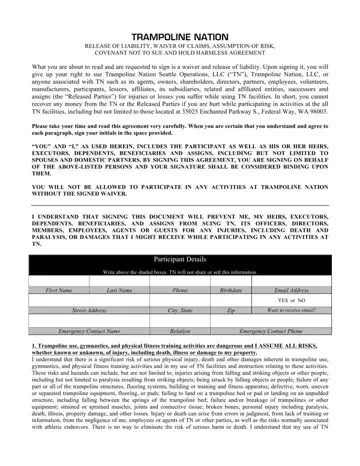
Trampoline parks have become a popular venue for both entertainment and physical activity, appealing to individuals of all ages seeking fun and exercise. However, the exhilaration of jumping on a trampoline comes with its set of risks, including potential injuries ranging from minor sprains to serious incidents that could result in paralysis or even death. Participating in activities at Trampoline Nation requires signing a comprehensive Trampoline Waiver form, officially known as the "Trampoline Nation Release of Liability, Waiver of Claims, Assumption of Risk, Covenant Not to Sue and Hold Harmless Agreement." This document outlines the terms under which participants engage in trampoline-related activities, effectively relinquishing their right to sue Trampoline Nation or any associated parties for injuries sustained while using the facilities. It encompasses various legal agreements, including the release of liability, assumption of risk, and an explicit agreement not to pursue legal action against Trampoline Nation and its affiliates for any injuries or damages incurred. Furthermore, the waiver details the expectations for adherence to the patron code of conduct, emergency contact information, and acknowledgments regarding the physical demands of trampoline use. By signing this document, participants and guardians acknowledge and accept the inherent risks of trampoline activities, agree to abide by all facility rules, and confirm that they have the physical capability to participate safely. Through this agreement, Trampoline Nation aims to ensure that all patrons are fully informed about the potential dangers and legal implications of their participation, fostering a safer and more responsible environment for everyone involved.
| Question | Answer |
|---|---|
| Form Name | Trampoline Waiver |
| Form Length | 4 pages |
| Fillable? | No |
| Fillable fields | 0 |
| Avg. time to fill out | 1 min |
| Other names | printable trampoline waiver for neighbors, trampoline waiver, trampoline waiver form, waiver for trampoline use |
Trampoline Waiver isn’t the one you’re looking for?
Please rate Trampoline Waiver
