
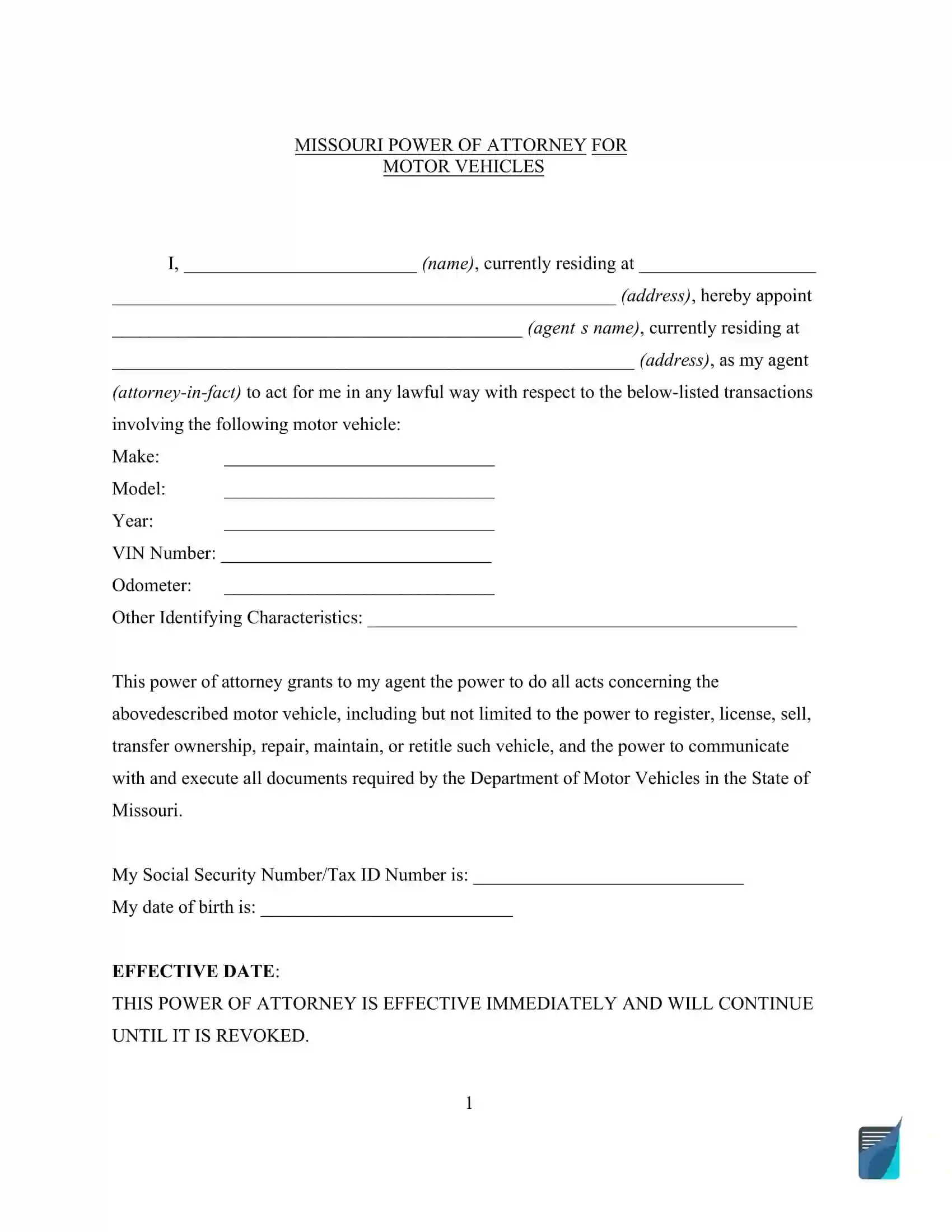
A Missouri motor vehicle power of attorney is a legal document that lets a vehicle owner name another person to handle specific vehicle matters for them. This document is helpful for transactions that require a designated representative to act in the owner’s stead, such as registering, buying, or selling a vehicle. Get the free form below, or create it online in minutes.
Last Updated: October 2026. This guide is reviewed and updated regularly to reflect current law. If you notice an error or outdated information, please contact us.
Build Your Document
Answer a few simple questions to make your document in minutes
Save and Print
Save progress and finish on any device, download and print anytime
Sign and Use
Your valid, lawyer-approved document is ready
A Missouri motor vehicle power of attorney is a signed document. In it, a vehicle owner, called the principal, names another person, called the agent or attorney-in-fact, to act for them. The FormsPal template spells out which tasks the agent handles for one vehicle. It also has room for a successor agent.
Because the agent handles the paperwork for you, it helps to choose someone you trust and to talk through the transaction with them first. Keep the signed pages where you can find them, so you can always show what you agreed to.
The powers paragraph on page 1 of the template lists the tasks it hands to your agent for the vehicle you describe. Read the list with your agent, so you both know what to expect before anyone signs.
Because the list is broad, agree on the plan with your agent first. For example, decide together whether the agent will sell the vehicle or only renew its registration.
Missouri's Durable Power of Attorney Law, sections 404.700 to 404.735, applies to a power of attorney that is not durable only in the specific cases the law states.[3] The Department of Revenue issues its own motor vehicle power of attorney as Form 4054.[1] For a valid POA in vehicle transactions, the document must include:
Under Missouri Revised Statutes section 301.644, when an insurance company has paid or is paying a total loss claim on a motor vehicle or trailer, the registered owner may use an electronic signature on a limited power of attorney that authorizes the insurance company to assign ownership of the vehicle or trailer.[2] In this case, notarization is not required.[2] The Missouri Department of Revenue's Form 4054 says an owner's electronic signature is permissible only in that situation.[1]
Additionally, the POA must be submitted to the Missouri Department of Revenue for conducting vehicle transactions on behalf of the principal.
| Document Name | Missouri Motor Vehicle Power of Attorney Form |
| State Form Name | Form 4054 |
| Relevant Link | Missouri Department of Revenue |
| Avg. Time to Fill Out | 15 minutes |
| # of Fillable Fields | 27 |
| Available Formats | Adobe PDF |
Filling in a Missouri motor vehicle power of attorney goes quickly when the right papers are on the table. Set out the vehicle title and a photo ID for you and for your agent, and write down the details you will need for each part of the template. Here is a short checklist.
The steps below follow the FormsPal template on this page. It is a Missouri power of attorney form for vehicle matters. Each step covers one part of the template, in the order it appears.
It is helpful when you cannot be physically present to handle vehicle registration or titling yourself. For example, you may be out of town or unable to visit the DOR office.
The screenshots under each step show the FormsPal Missouri Missouri Motor Vehicle Power of Attorney template filled with sample entries in blue, so you can see where each answer goes. The names, addresses, dates and amounts are examples only.
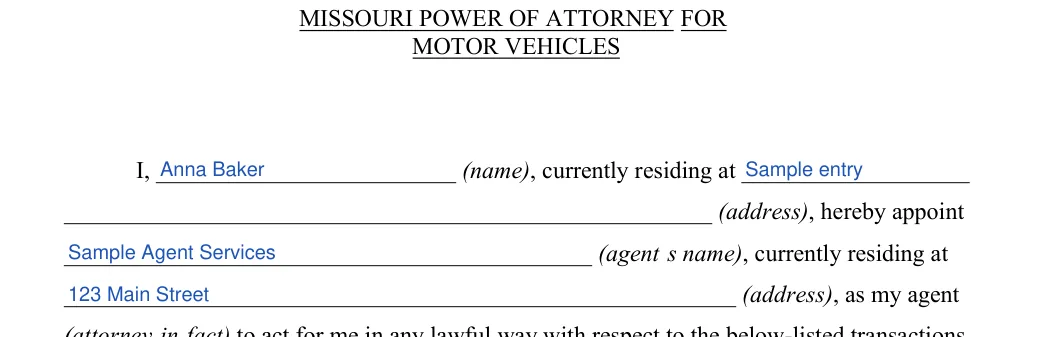
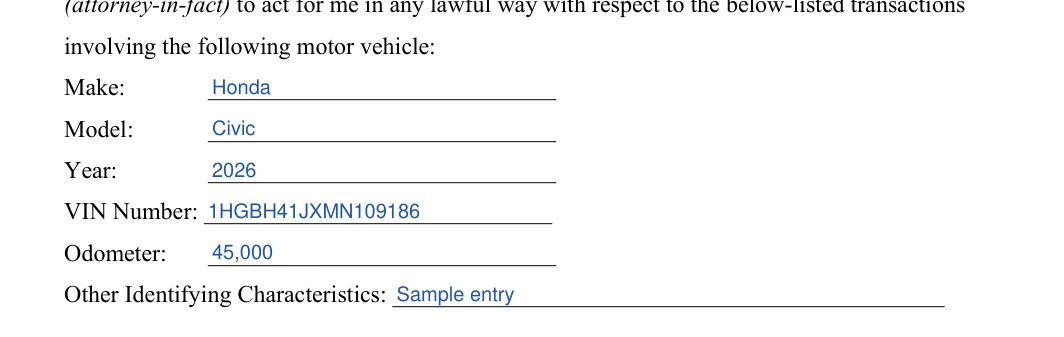



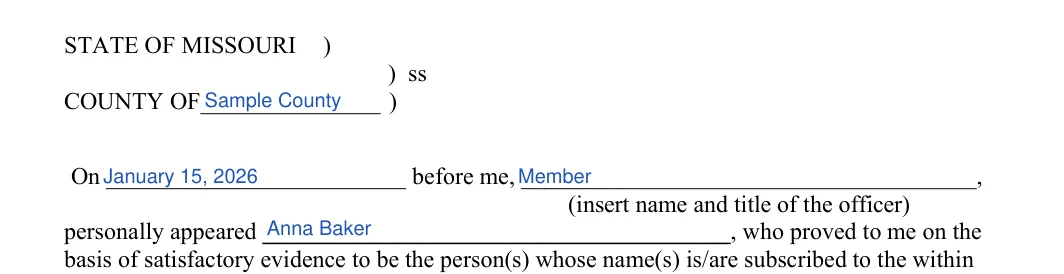

Print the template on plain paper and keep the signed pages with your records. Check that the names and the VIN match your IDs and the vehicle title before you sign.
Once the template is filled in, print it and work through the signing steps in order. Have the original and your photo ID ready before you meet the notary, and file the signed pages with your vehicle papers when you are done. Work down the list from top to bottom so nothing gets skipped.
Complete Notary Information
The form must be notarized if it is not signed electronically for an insurance claim.[1] Provide the form to a notary public, who will witness your signature and complete the notary section. This includes the notary’s signature, printed name, the date, and their commission expiration date. Ensure the notary affixes a sharp, legible, permanent, and photographically reproducible image of the official seal near the notary's signature. An embossed impression that is not photographically reproducible may be added to that image but cannot take its place.[4]
Record Additional Information for Insurance Cases
If a power of attorney is being granted to an insurance company due to a total loss, you must also fill out the sections regarding the insurance company name and the date of the total loss.[1]
Small slips in the details are easy to make and just as easy to avoid. Read each entry once more against your papers before you sign, and ask your agent to look the finished document over as well.
Check these points before you sign:
The principal is the vehicle owner who signs the document. The agent, also called the attorney-in-fact, is the person the principal names to handle the vehicle matters listed in the template.
Gather these details before you start:
Most people finish in about 15 minutes. It goes faster when the vehicle title, your IDs and the contact details for your agent and your alternate agent are on the table before you begin.
The template describes a single vehicle, with one set of make, model, year and VIN lines. Use a fresh template for each additional vehicle.
Keep the original in a safe place and store a scan with your records. Agree with your agent on who holds the original, and hand over the vehicle title too if the agent needs it for the transaction.
The template includes a successor attorney-in-fact section. Write the name and address of the alternate agent there, and the alternate steps in if the first agent cannot serve. Pick someone who is easy to reach, so the paperwork does not stall.
Yes. Open the PDF in the FormsPal PDF editor and type your answers, or print it and write them by hand. You can also use the Create My Document button above to answer a few questions and get a finished document.
It is the section where a notary public or other officer records who appeared and signed the document. The officer fills in the county, the day and their own name and title, then signs and adds a seal.
General information, not legal or tax advice.
