
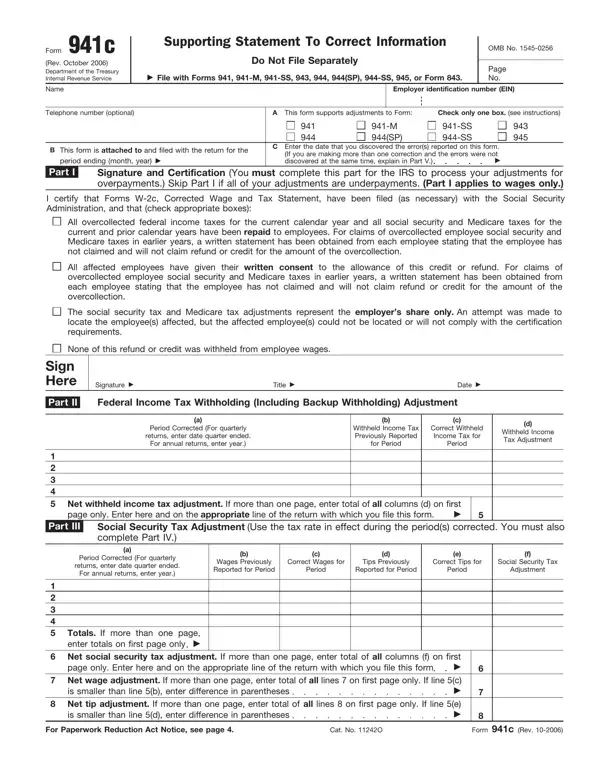
IRS Form 941C, officially "Supporting Statement To Correct Information," is the document employers file to amend errors on previously submitted payroll tax returns. It is filed alongside Form 941, Form 941-X, Form 941-M, Form 941-SS, Form 943, Form 944, and Form 945 to correct income, social security, and Medicare tax amounts. The form was last revised in October 2006.
Employers who discover errors in federal income tax withholding, social security taxes, or Medicare taxes on a previously submitted return must file Form 941C. The form also covers administrative errors. You will need your Employer Identification Number (EIN), the specific return period being corrected, and details of the adjustment. See also Schedule B (Form 941) for reporting tax liability breakdowns by deposit period.
Corrections using Form 941C are only accepted within three years of the original return's due date or the filing date, whichever is later. After this window closes, the IRS will not accept a correction for that tax period.
Do not use Form 941C to correct errors that were reported as monthly or daily tax liabilities. The form must always be filed together with the corrected return. Never file it as a standalone document. When correcting social security wages, certify the updated wage statements to the Social Security Administration.
| Question | Answer |
|---|---|
| Form Name | 941C Form |
| Form Length | 4 pages |
| Fillable? | No |
| Fillable fields | 0 |
| Avg. time to fill out | 1 min |
| Other names | 941c 2020, 941c correction, irs gov 941 amended return, irs form 941c |
941C Form isn’t the one you’re looking for?