
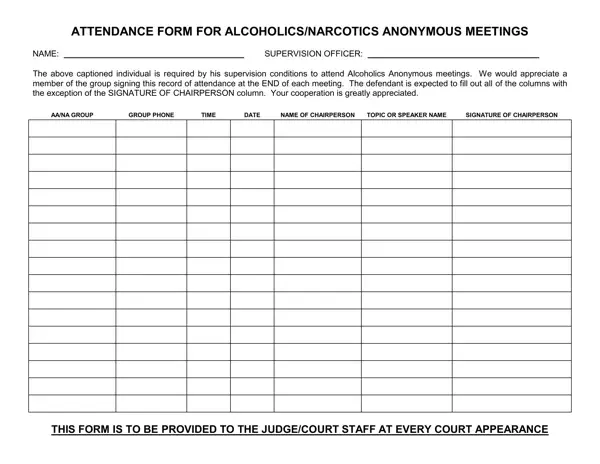
In the process of recovery, many people are required by courts, probation departments, or rehabilitation programs to attend Alcoholics Anonymous (AA) or Narcotics Anonymous (NA) meetings on a regular basis. Attendance at each group session must be documented through a signed record.
Every row on this one-page form captures a single meeting: the meeting date, start time, group name, and the session topic or speaker. A normal entry takes under a minute to complete. The count of signed rows reflects your total attendance, giving courts and officers a clear picture of your progress.
Bring the attendance sheet to every AA or NA meeting you are required to attend. Near the close of each session, present the form to the group chairperson and ask for a signature. This is a normal procedure that most chairpersons are familiar with, and they typically sign without any delay. Attending different meetings on varied days builds a stronger attendance count in total.
Keep the completed sheet in a safe location between court dates. Present it at each check-in with your probation officer or at scheduled court appearances. Courts generally accept standard AA and NA group attendance documentation as valid proof of compliance. Consider making a photocopy before submitting to protect against loss.
If you need additional documentation, the AA Recovery Proof of Attendance Sheet provides a longer tracking format. The AA Court Card is a compact wallet-sized option. For probation-related paperwork, see the Application of Probation and the Daily Attendance Record.
| Question | Answer |
|---|---|
| Form Name | Anonymous Attendance Form |
| Form Length | 1 pages |
| Fillable? | No |
| Fillable fields | 0 |
| Avg. time to fill out | 15 sec |
| Other names | aa attendance form, aa court sheet, printable aa meeting attendance sheet pdf, aa attendance sheet printable |
Anonymous Attendance Form isn’t the one you’re looking for?