
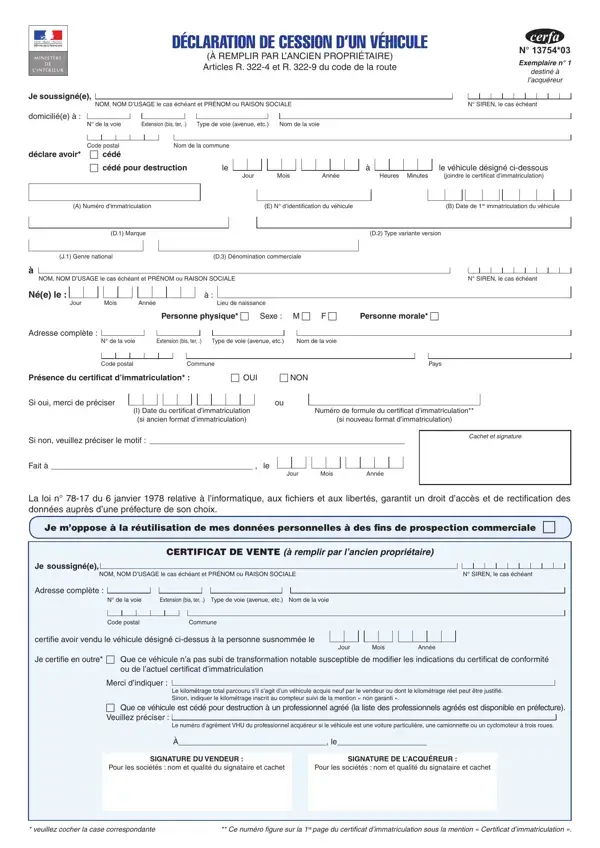
The Cerfa 15776 form (also referred to as Cerfa N° 13754*03 in older versions) is a mandatory vehicle transfer declaration used in France. When a car, motorcycle, or other registered vehicle changes hands through a sale, gift, or disposal, both the previous owner and the new owner must fill out and sign this document. It covers the vehicle’s registration code, make, model, first registration date, and the identities of both parties involved. The form comes in three copies: one for the buyer, one for the seller, and one for the prefecture as part of the administrative record. French data protection regulations ensure that personal details on the form cannot be used for commercial solicitation. For related documents, see the Motor Vehicle Transfer Form or the Vehicle Registration Application. If you need to record a sale transaction, the Bill of Sale form may also be useful.
| Question | Answer |
|---|---|
| Form Name | Certificat De Cession Form |
| Form Length | 3 pages |
| Fillable? | No |
| Fillable fields | 0 |
| Avg. time to fill out | 45 sec |
| Other names | declaration de cession d un vehicule, de véhicule pdf, formulaire de vente, acte de vente de véhicule |
Certificat De Cession Form isn’t the one you’re looking for?